OverviewAll statesTexas
83/100
Grade: B — A Flagship Redesign That Matches the Scale of Texas Education
The Texas Education Agency (TEA) serves the second-largest state education system in the nation — 5.1 million students across more than 1,200 school districts and charter operators. A website serving that audience needs to do extraordinary work, and after a recent top-to-bottom redesign, tea.texas.gov largely delivers.
The new site, built on Drupal with a Tailwind CSS frontend, was announced as a "renewed focus on our users" with content reorganized around five audience-centric navigation channels: School & District Leaders, Educators, Families & Students, About TEA, and Data & Reports. Combined with native Spanish translation, a blazing 66ms TTFB, and exceptional data tools like TXschools.gov, TEA has produced one of the better-engineered state education websites in the country.
But the redesign is clearly still settling in. A Resource Library with only 7 items, broken footer links, and a jarring visual disconnect between the modern main site and its legacy data portals reveal a migration that's ambitious in scope but not yet complete.
Strengths
1. Exceptional Search Functionality (SearchStax)
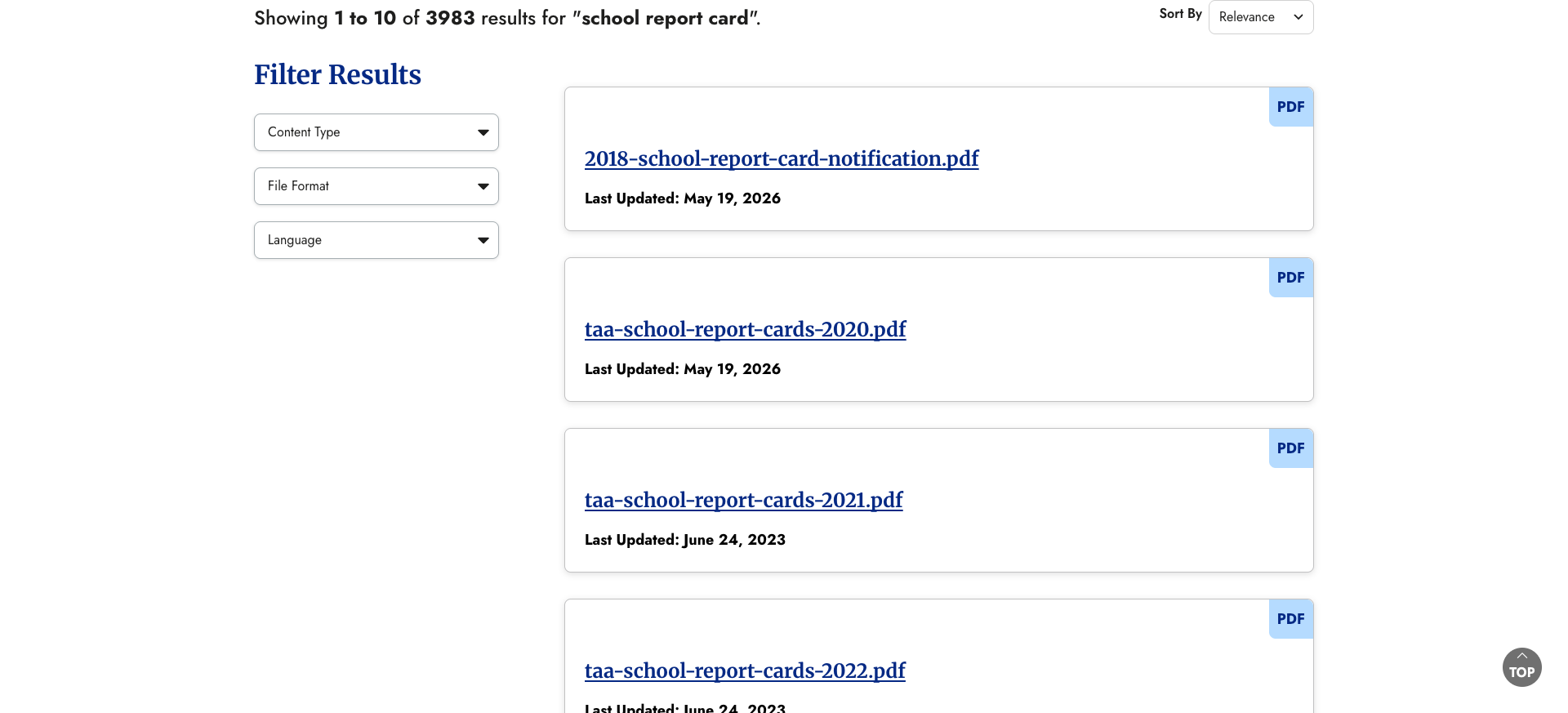
TEA's search — powered by SearchStax — is one of the strongest we've seen across all state education agency websites. A search for "school report card" returns 3,983 results with faceted filters for Content Type (Files & Documents, Toolkits, Websites & Applications, Video & Webinars), File Format, and Language. Results include clear titles, descriptions, category tags, and last-updated dates. Sort options include Relevance and Newest First.
The search lives at a dedicated /search page with a clean, prominent search box and breadcrumb navigation. This is a far cry from the broken or missing search functionality we've seen in many state SEA sites.
2. World-Class Data Ecosystem
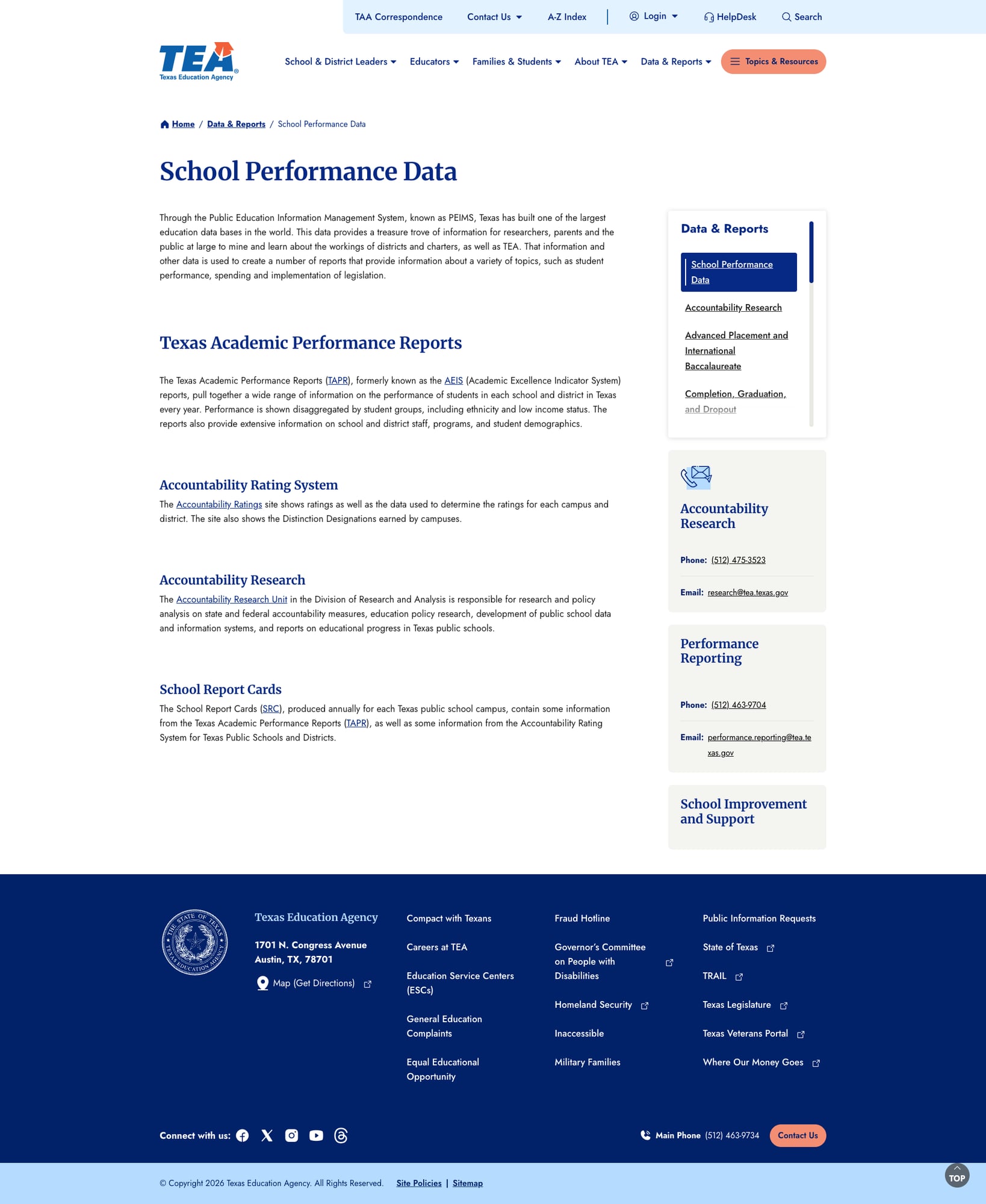
Texas built PEIMS — the Public Education Information Management System — which TEA describes as "one of the largest education databases in the world." The data infrastructure branches into multiple specialized portals:
- TXschools.gov — interactive school finder with map-based A-F ratings, bilingual support
- Texas Academic Performance Reports (TAPR) — comprehensive annual performance data disaggregated by student group
- Accountability Ratings — campus and district ratings with distinction designations
- School Report Cards — annual campus-level reports
- TexasAssessment.gov — personalized STAAR results and family resources
- AskTED — school and district directory and contact database
- PEIMS Standard Reports — downloadable datasets spanning student, educator, financial, and discipline data
The Data & Reports dropdown alone contains 7 categories (Educator Data, Student Data, School & District Data, School Performance Data, Financial Reports, Legislative Information, Program Evaluation), with a rich sidebar navigation that branches into dozens of sub-reports.
3. Outstanding Mobile Responsiveness
The site performs beautifully on mobile devices. At 375px width, the navigation collapses into a clean hamburger menu with a dedicated search icon. The translation toggle remains accessible. Content reflows naturally with no horizontal scrolling, and touch targets are appropriately sized. The Tailwind CSS framework provides consistent responsive breakpoints.

4. Native Spanish Translation
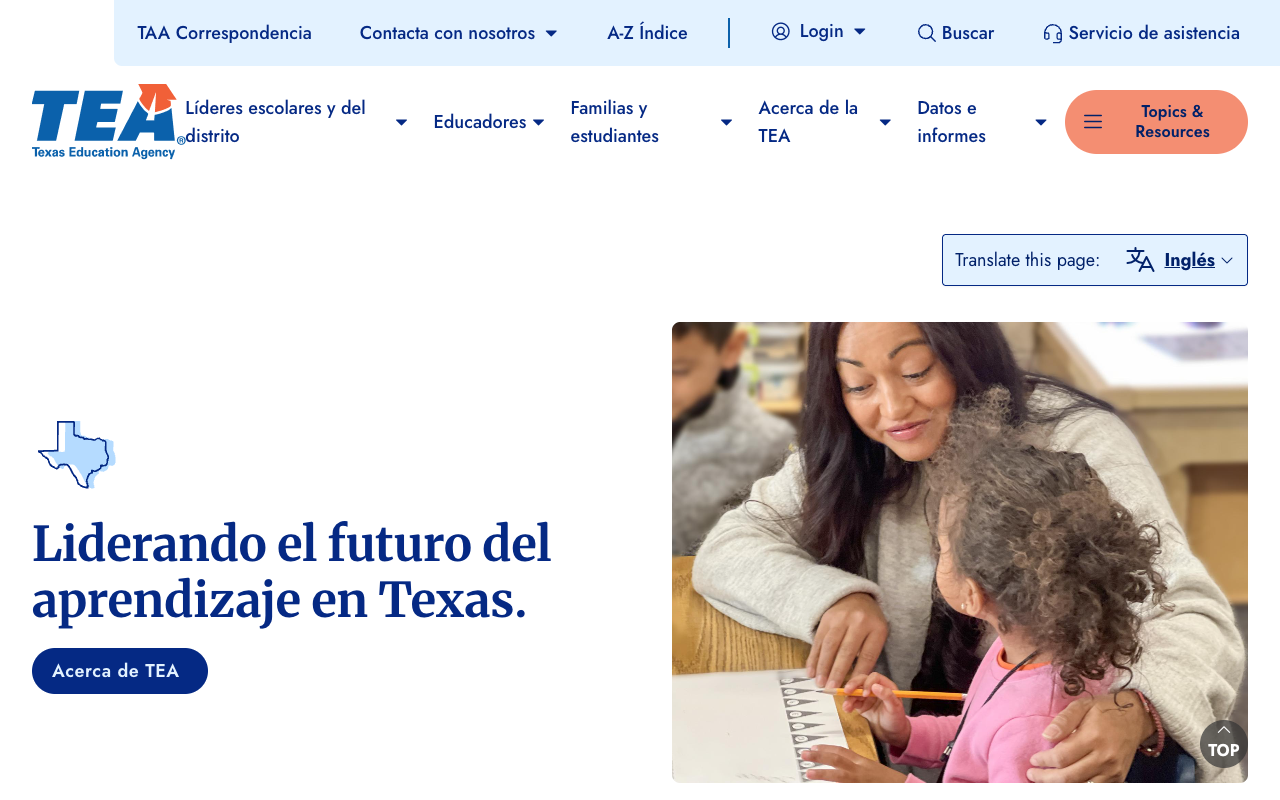
In a state where approximately 30% of the population speaks Spanish at home, TEA invested in a proper Drupal multilingual implementation rather than relying on machine translation. The /es path delivers a fully translated experience — navigation items ("Líderes escolares y del distrito," "Familias y estudiantes"), utility bar ("Buscar," "Servicio de asistencia"), hero text ("Liderando el futuro del aprendizaje en Texas"), and content throughout.
The site includes hreflang tags for both English and Spanish versions, enabling search engines to serve the correct language. This is a gold standard approach among state education agencies.
5. Audience-Centric Information Architecture
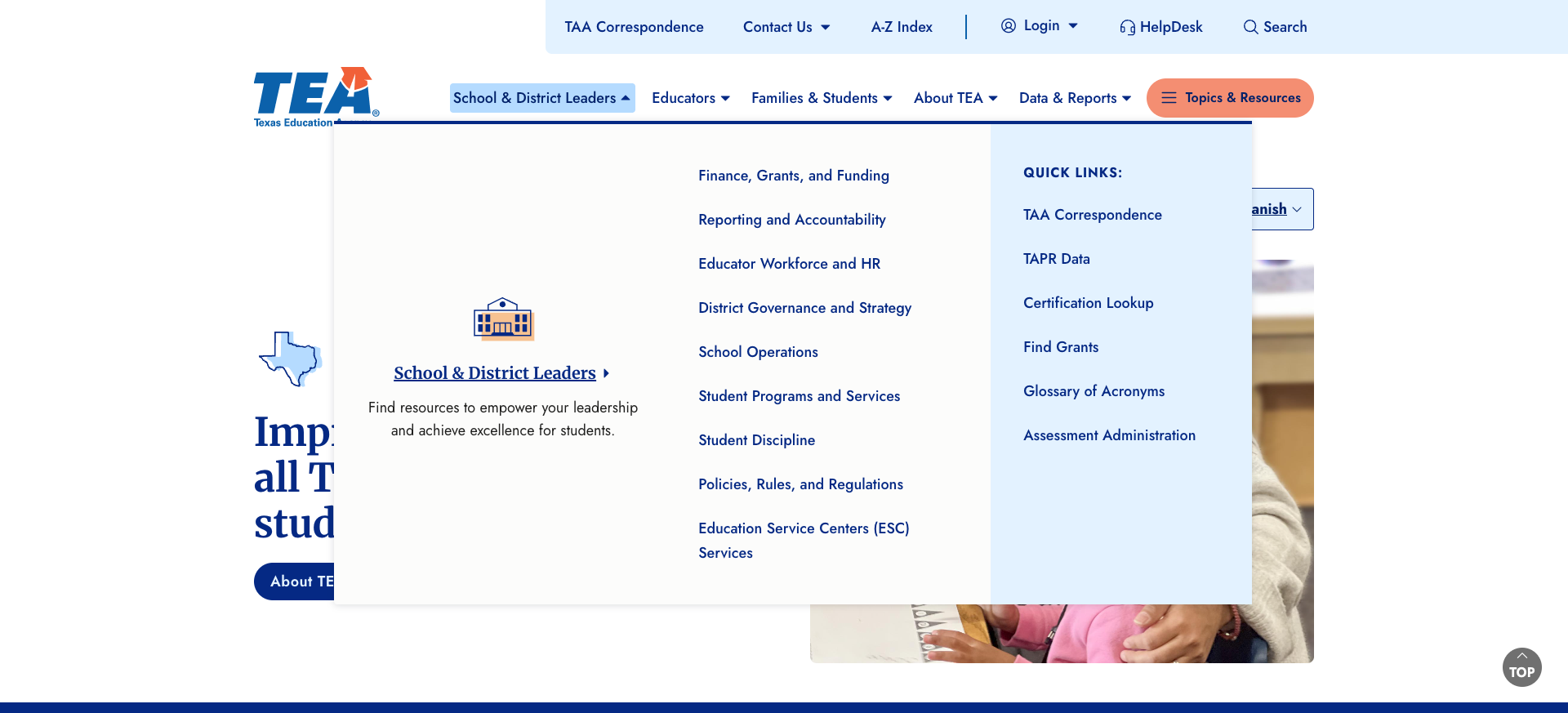
The five-channel navigation (School & District Leaders, Educators, Families & Students, About TEA, Data & Reports) is complemented by megamenu dropdowns with logical sub-categories and quick links. The homepage "How Can We Help You?" section provides audience-specific entry points with clear descriptions. Each audience landing page features a "Most Popular Resources and Guidance" section and topic-based exploration areas with plain-language questions ("What will my child be learning?", "How can I file a complaint?").
Weaknesses
1. Sparse Resource Library (7 Items Total)
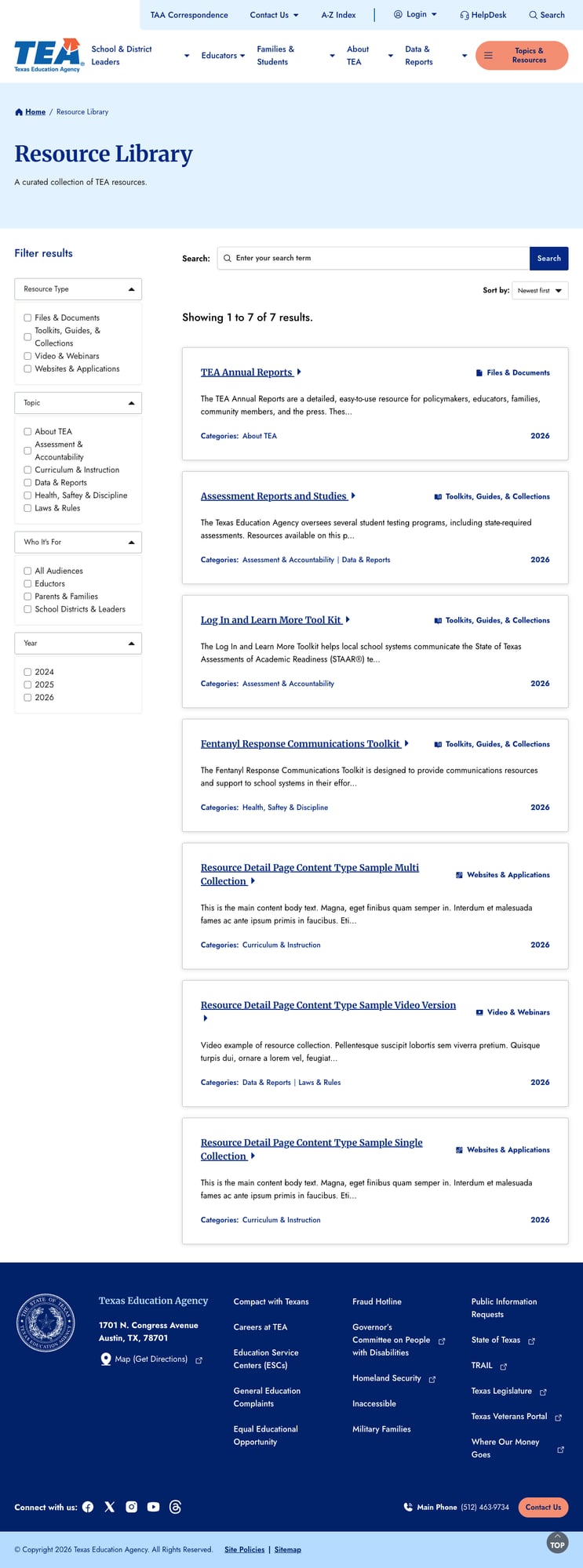
The Resource Library at /resource-library, described as "A curated collection of TEA resources," contains exactly 7 items. For an agency serving 5.1 million students and 400,000+ educators, this is strikingly thin. The existing items appear to be test content — "Resource Detail Page Content Type Sample Multi Collection" and "Resource Detail Page Content Type Sample Video Version" — suggesting this feature hasn't been populated since the redesign launched.
The library does have useful filtering infrastructure (Resource Type, Topic, Who It's For, Year) and search integration, but with virtually no content to filter, it's an empty shell waiting to be filled.
2. Legacy Portal Visual Disconnect
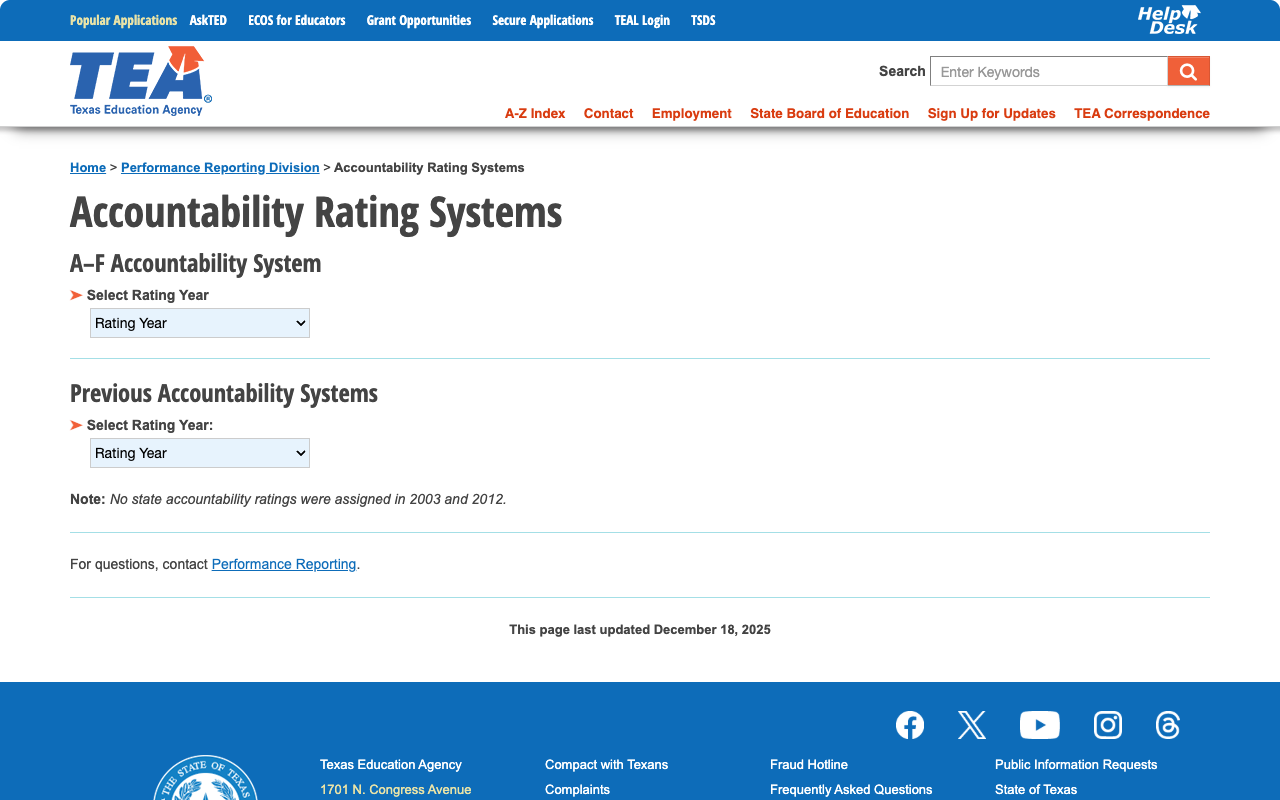
While the main tea.texas.gov features a modern Tailwind CSS design, clicking through to data tools redirects users to rptsvr1.tea.texas.gov — a legacy portal with a completely different visual language. The old orange navigation bar, different typography, and dated layout create a jarring transition. This is particularly notable for accountability ratings and performance reporting, which are among the most-visited pages.
Similar disconnects exist across other TEA subdomains (AskTED at tealprod.tea.state.tx.us, TEAL login at pryor.tea.state.tx.us). While the data tools themselves are functional, the fragmented experience undermines the unity of the redesign.
3. Broken Footer Links
Two footer links need attention:
- "Inaccessible" — listed under "TEA required links," this link points to the homepage (
/) rather than an accessibility statement, reporting page, or web accessibility policy. For a link that appears to be Texas's required inaccessibility reporting mechanism, this is a significant oversight. - "Sitemap" — also points to the homepage rather than an actual sitemap page. There is a proper
/a-z-indexpage that serves a similar function, but the footer link doesn't point there.
These are minor but emblematic of the new-site-still-settling-in phase of the redesign.
4. "Topics & Resources" Button Behavior
The prominent orange "Topics & Resources" button in the main navigation opens a flyout panel rather than navigating to a page. While this provides quick access to topic areas and the "Explore Public Education in Texas" content visible on the homepage, the interaction pattern differs from the other nav items (which act as dropdown menus). Users expecting a landing page may find the modal-style behavior unexpected.
Opportunities
Populate the Resource Library — The filtering infrastructure is already built. Migrating even a fraction of TEA's extensive document collection (TAA letters, guidance documents, toolkits, policy briefs) would transform this from an empty test shell into a powerful discovery tool. Prioritize the highest-traffic document types.
Unify the Data Portal Experience — A consistent design wrapper or at minimum a shared navigation header across
rptsvr1,tealprod, andtxschools.govwould reduce the visual fragmentation. Even embedding key data tools within iframes on the new site would help.Fix the Inaccessible/Sitemap Links — Route the "Inaccessible" link to a proper web accessibility reporting page (TEA has SiteImprove deployed and clearly invests in accessibility). Point "Sitemap" to the A-Z Index or generate a proper sitemap page.
Threats
Migration Completeness Risk — The redesign is clearly recent (announced in the Featured Updates section). Sample content in the Resource Library and placeholder footer links suggest the migration isn't fully complete. If momentum stalls, these polish items could persist indefinitely — a pattern common in large government redesign projects.
Subdomain Sprawl — TEA operates across numerous subdomains (tea.texas.gov, txschools.gov, texasassessment.gov, rptsvr1.tea.texas.gov, tealprod.tea.state.tx.us). While each serves a purpose, content discovery becomes harder as users must learn which subdomain holds which information. The new site partially addresses this with cross-linking, but the risk of orphaned or undiscoverable tools remains.
Standout Feature
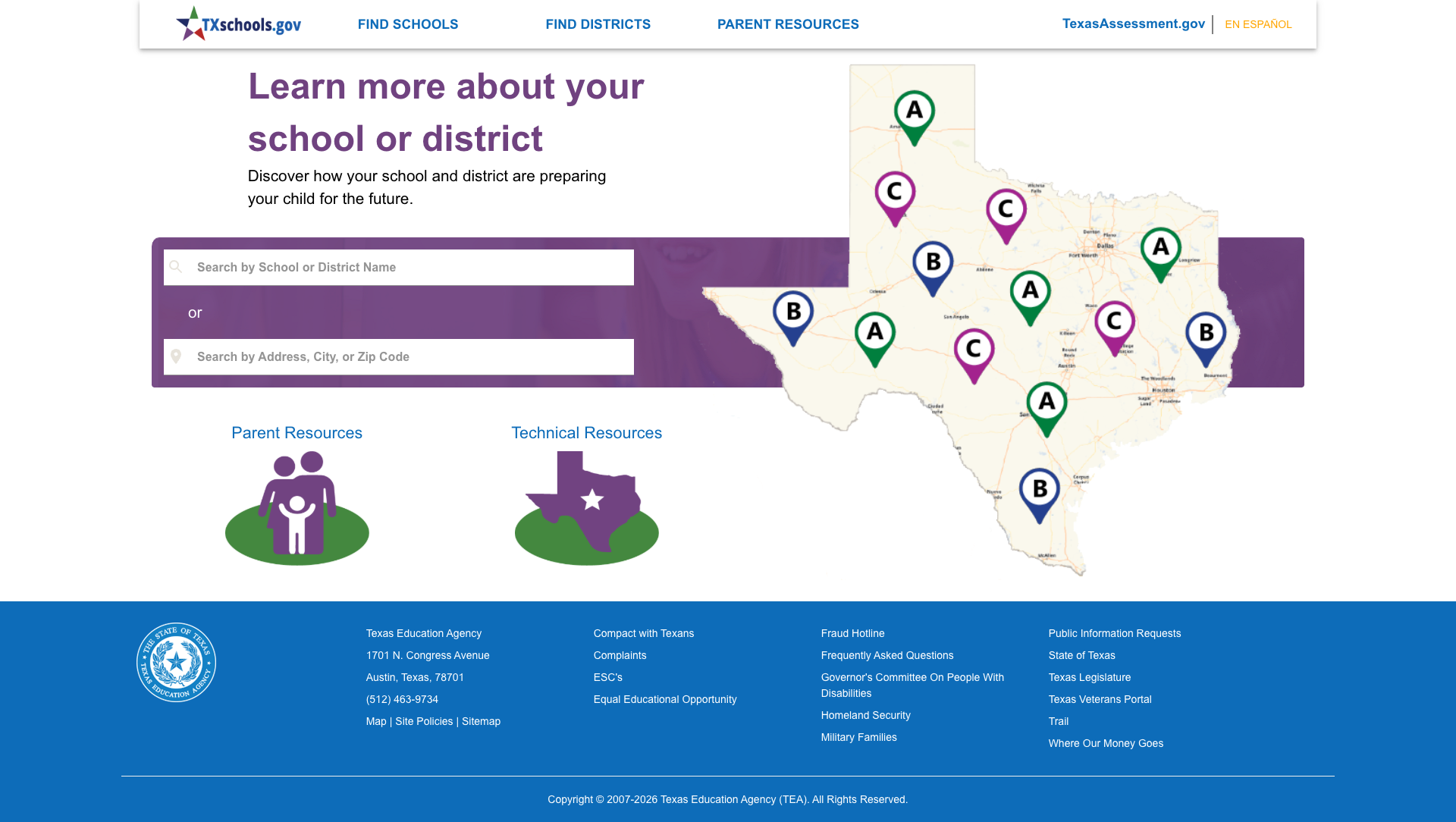
TXschools.gov is the standout feature — a purpose-built, parent-friendly school performance portal with an interactive map of Texas showing letter grades (A through F) for schools and districts across the state. Users can search by school name, district name, address, city, or zip code.
The tool connects to the Texas Assessment Program and accountability system, providing performance data in an accessible format. It includes both Parent Resources and Technical Resources sections, and offers full Spanish support via the "En Español" toggle. For a parent asking "How is my child's school doing?", this is one of the best answers any state provides.
Bottom Line
Texas Education Agency's redesigned website is one of the stronger state education portals in the country. With an audience-centric navigation structure, native Spanish translation, blazing performance, and the deepest data ecosystem we've evaluated (PEIMS alone is remarkable), TEA serves its massive constituency well. The search functionality, mobile responsiveness, and modern design all reflect a thoughtful, user-centered redesign. The gaps — a nearly empty Resource Library, visual fragmentation with legacy portals, and a few broken footer links — are the kind of fit-and-finish issues that come with a major migration and should dissipate as the team continues to build out the new platform.
Grade Breakdown
| Criterion | Weight | Score | Notes |
|---|---|---|---|
| Navigation & Information Architecture | 15% | 9/10 | Audience-centric 5-channel nav with megamenus, breadcrumbs, A-Z Index, Topics flyout. Logical and intuitive. |
| Accessibility (WCAG 2.1 AA) | 15% | 7/10 | Skip-to-content, ARIA labels, SiteImprove monitoring, proper lang/hreflang. "Inaccessible" footer link broken. No obvious major violations but footer issues. |
| Search Functionality | 10% | 8/10 | SearchStax with 3,983 results, faceted filters (Content Type, Format, Language), sorting. Strong relevance. No autosuggest observed. |
| Mobile Responsive Design | 10% | 9/10 | Tailwind CSS mobile-first. Clean hamburger nav at 375px, search icon, proper reflow, adequate touch targets. |
| Data Transparency & Open Data | 10% | 9/10 | PEIMS, TXschools.gov, TAPR, Accountability Ratings, School Report Cards, AskTED, PEIMS Standard Reports. Unmatched breadth. |
| Parent Resources | 10% | 8/10 | Comprehensive Families & Students section with 7 topic areas, plain-language questions, txschools.gov and texasassessment.gov integration. Full Spanish support. |
| Educator Resources | 10% | 8/10 | Deep coverage: certification, TESS evaluation, preparation, initiatives, misconduct, salary, superintendent resources. Well-organized topic exploration. |
| Visual Design & Branding | 10% | 8/10 | Modern Tailwind redesign with consistent navy/orange palette. Professional photography. Legacy portals create visual fragmentation. |
| Performance & Load Speed | 10% | 9/10 | 66ms TTFB, 176KB homepage, Nginx + Varnish caching. Full CSP headers, HSTS implied. Excellent. |
| Overall | 100% | 83/100 | B |
Discussion