OverviewAll statesSouth Carolina
66/100
Grade: C — Strong Data Backbone Held Back by Slow Loads and Offline Content
South Carolina's Department of Education website at ed.sc.gov makes a solid first impression. The modern navy-and-gold homepage features a hero banner promoting the agency's strategic plan, mission/vision/values tabs, a rotating news carousel, and a prominent section spotlighting Superintendent Ellen Weaver. The site runs on Mura CMS 10.0 with a Bootstrap 4 theme that keeps things looking professional and consistent across pages.
Where South Carolina really shines is its data ecosystem. Between the standalone SC School Report Cards portal at screportcards.com and the innovative Growing Pathways for Students (GPS) analytics platform, the state offers some of the most forward-thinking data tools in the country. The educator certification infrastructure is equally impressive — a well-organized seven-category hub covering everything from initial credentials to professional practices.
But there are significant gaps. Server response times average 2.6–3.6 seconds — well above the 2-second benchmark — and the primary Family Learning and Resources page returns a blunt "CONTENT OFF-LINE" message. For a site that serves parents, educators, district staff, and policymakers across 80+ school districts, these issues meaningfully undercut the otherwise solid foundation.
Strengths
1. SC School Report Cards — A Dedicated, Downloadable Data Portal
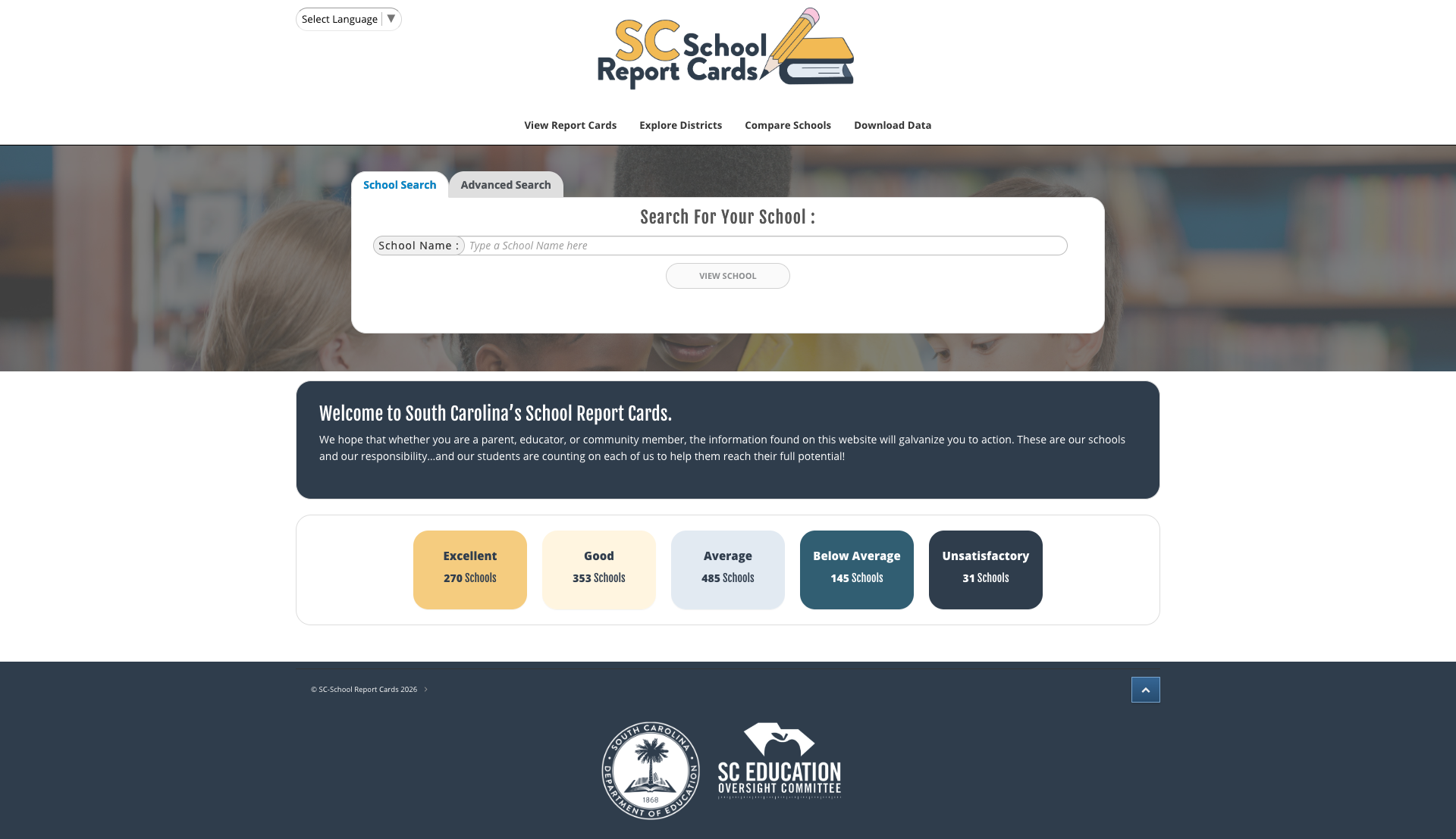
South Carolina's report card system lives at screportcards.com, a standalone portal jointly managed with the SC Education Oversight Committee. The tool lets users search schools, explore districts, compare schools side-by-side, and download raw data files going back to 2018. A dashboard on the homepage breaks down ratings across all schools: 270 Excellent, 353 Good, 485 Average, 145 Below Average, and 31 Unsatisfactory. The Download Data modal provides annual datasets that are genuinely useful for researchers and journalists.
2. Responsive Mobile Layout
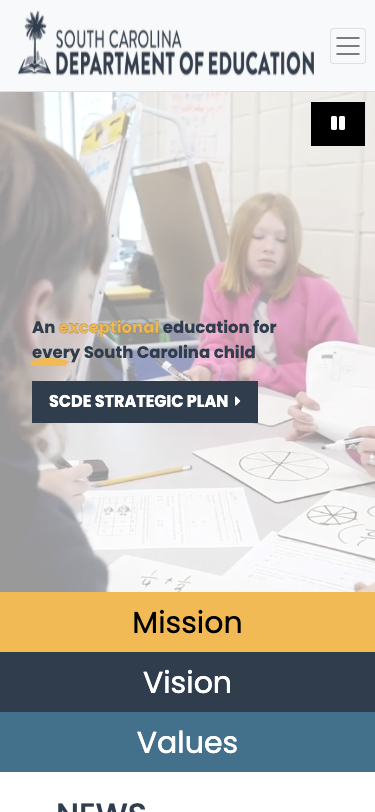
The site uses Bootstrap 4's responsive grid properly. At 375px (iPhone SE width), the hamburger menu collapses cleanly, the hero banner resizes, and the Mission/Vision/Values tabs stack vertically. No horizontal scrolling or broken layouts. Touch targets appear adequately sized. The viewport meta tag is properly configured without restrictive user-scalable=no.
3. Deep Educator Certification Hub
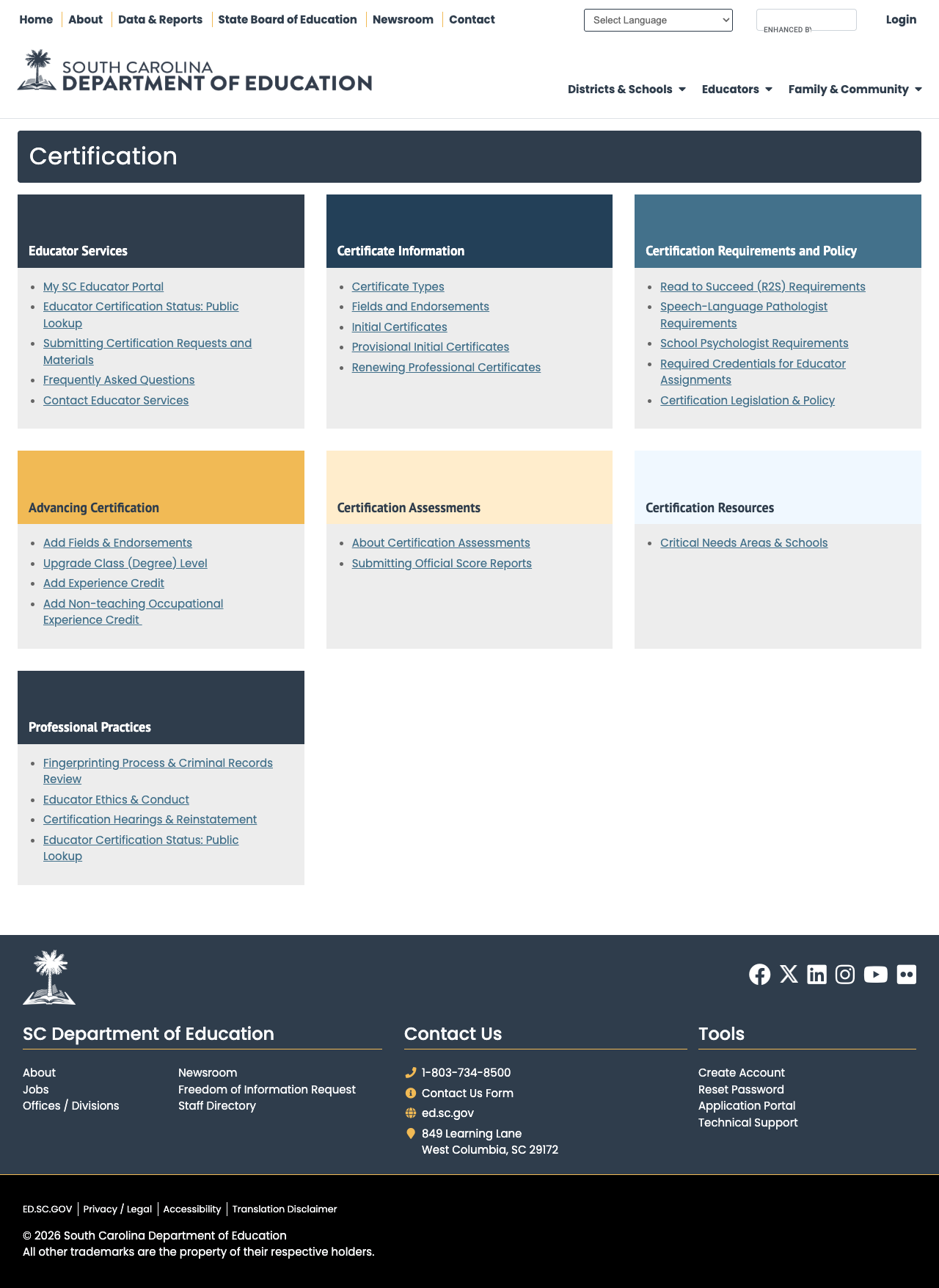
The Certification page is one of the best-organized educator resource sections we've seen in this series. Seven color-coded card categories — Educator Services, Certificate Information, Certification Requirements and Policy, Advancing Certification, Certification Assessments, Certification Resources, and Professional Practices — each contain well-organized link lists. The portal includes a public lookup tool for verifying certification status, a dedicated My SC Educator Portal, and integration with TeachSC for recruitment. Alternative pathways including PACE and military spouse accommodations are prominently featured.
4. Comprehensive Test Score Data with Downloads
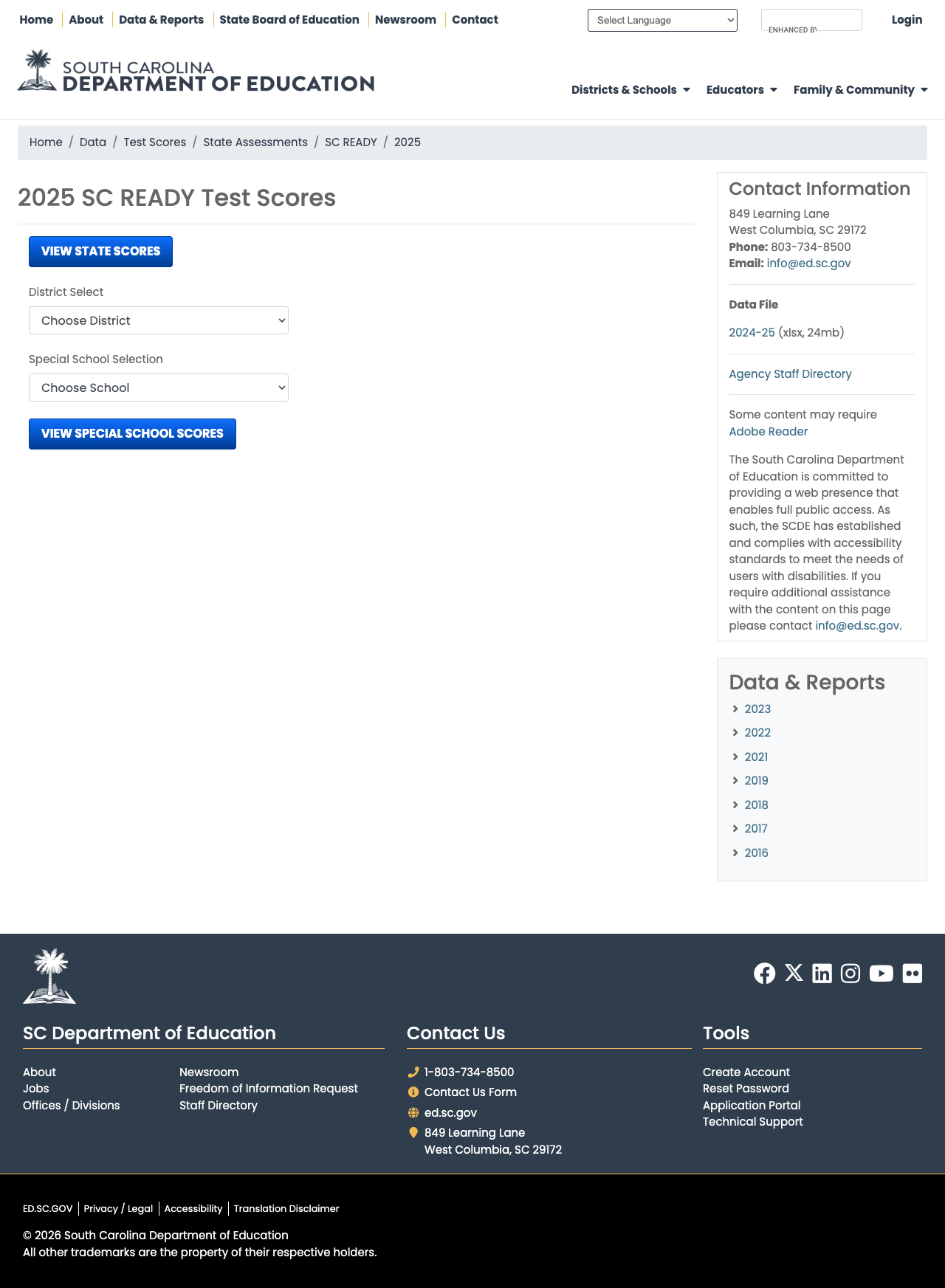
The Data & Reports section provides access to assessment results across 13+ state assessments (SC READY, SCPASS, EOCEP, ACT, ACT WorkKeys, ACCESS, and more) plus national assessments (SAT, AP, IB, NAEP). The 2025 SC READY page provides a 24MB downloadable xlsx dataset, district and school-level selectors, and breadcrumb navigation for easy wayfinding. Historical data goes back to 2016 for most assessments.
5. Thoughtful Navigation Architecture
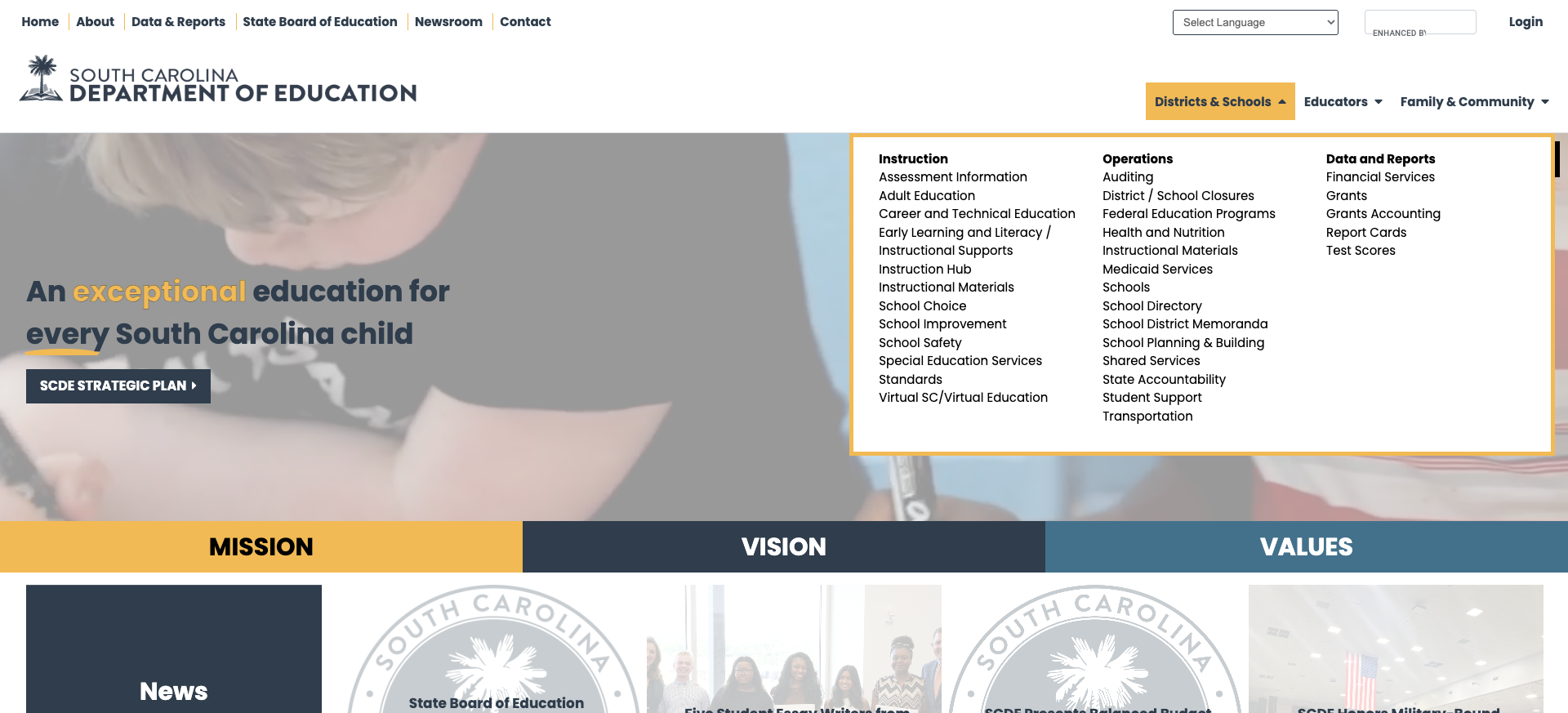
The three audience-based mega menus — Districts & Schools, Educators, and Family & Community — provide structured access to the site's deep content library. The Districts & Schools menu alone organizes links into three clear columns: Instruction (12 items), Operations (14 items), and Data and Reports (5 items). The Educators dropdown is equally comprehensive, organized into topical clusters including Certification Quick Links for common tasks. A secondary top nav bar (Home, About, Data & Reports, State Board, Newsroom, Contact) provides utility access. Google Translate integration supports 200+ languages.
Weaknesses
1. Family Learning and Resources Page Is Offline
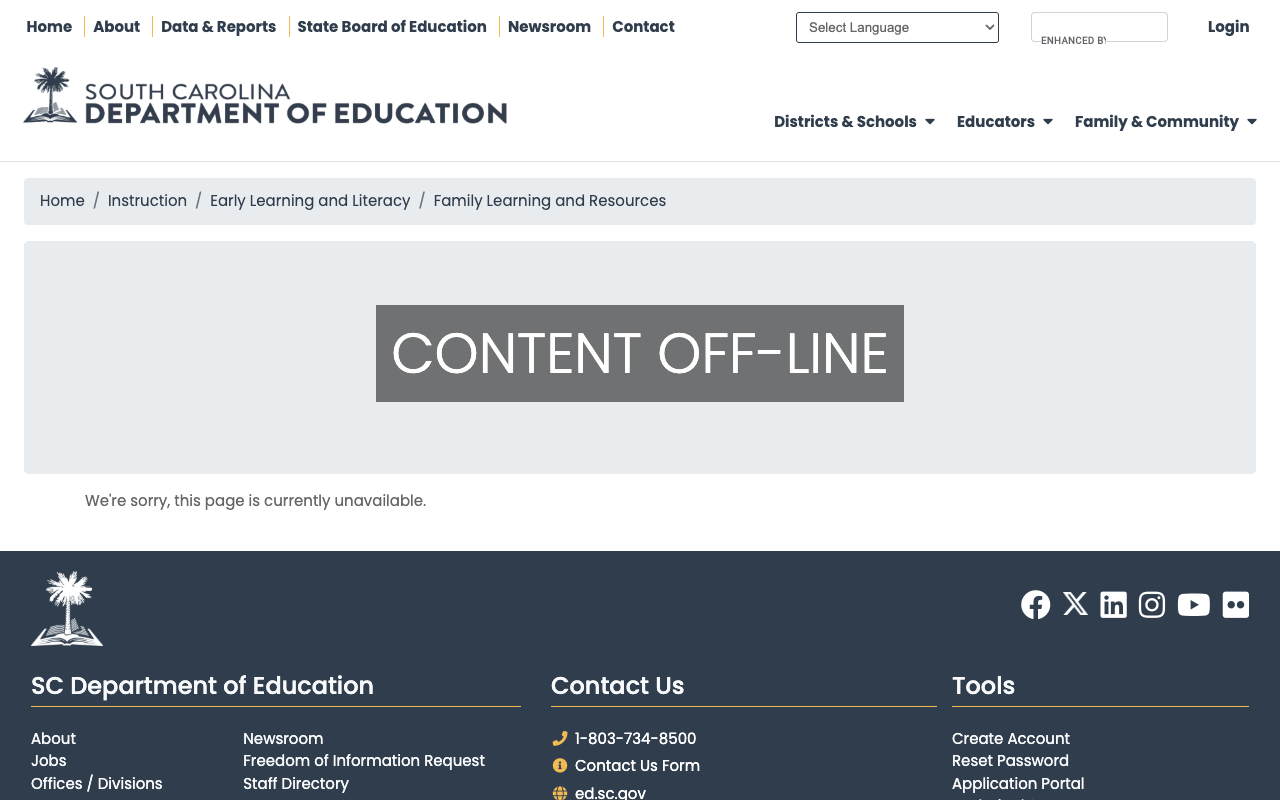
The primary parent-facing resource page linked from the Family & Community navigation — Family Learning and Resources — displays a stark "CONTENT OFF-LINE" message with the apology "We're sorry, this page is currently unavailable." For the main landing page that parents are directed to for early learning and literacy resources, this is a significant gap. The broader Family & Community section lacks a dedicated parent portal, instead scattering parent resources across School Choice, Student Support, and various subdomains.
2. Severely Slow Server Response Times
The site's Time to First Byte (TTFB) consistently measures 2.6–3.6 seconds across multiple tests — nearly double the recommended 2-second maximum for government websites. The 62KB homepage transfers at a reasonable size, but the Mura CMS backend combined with the F5 BIG-IP load balancer introduces substantial server-side latency. HSTS is deployed but with a minimal max-age of just 1,200 seconds (20 minutes), far below the recommended one-year (31,536,000 seconds) setting.
3. No Skip Navigation or Consistent Breadcrumbs
The site lacks a skip navigation link — a core WCAG 2.1 AA requirement that allows keyboard users to bypass repetitive navigation. Breadcrumbs are implemented on some pages (test scores, report cards) but missing on others (certification, homepage), creating an inconsistent wayfinding experience. The Section 508 accessibility statement acknowledges the commitment but the implementation has gaps.
4. Fragmented Parent Experience Across Subdomains
Critical parent-facing services are scattered across multiple subdomains with little cross-linking: Special Education lives at oses.ed.sc.gov, Adult Education at adulted.ed.sc.gov, Virtual Education at virtualsc.org, the Education Scholarship Trust Fund at sc-estf-program.com, and report cards at screportcards.com. While each subdomain serves its purpose, parents must navigate across at least five different web properties to access the full range of available services — with no unified parent portal to connect them.
Opportunities
Build a Parent Portal: Create a single "For Parents & Families" landing page that aggregates links to School Choice, the ESTF program, SC Report Cards, Special Education, school directory, and the (currently offline) Family Learning resources. Several states including Georgia and Florida successfully use audience-organized portals to improve the parent experience.
Optimize Server Performance: With TTFB well above 3 seconds, there's significant room for improvement. Implementing a CDN (Cloudflare, Azure Front Door), adding server-side caching for Mura CMS pages, and increasing the HSTS max-age would meaningfully improve load times and security posture.
Enhance GPS as a Public-Facing Tool: The Growing Pathways for Students platform is innovative but currently positioned primarily as an internal educator tool. Creating a public-facing dashboard view for parents — even read-only — could differentiate SC's data transparency nationally.
Threats
Content Availability: The "Content Off-Line" issue on a navigation-linked page suggests content management instability. If this pattern extends to other pages or persists, it erodes trust in the site as a reliable resource.
Technical Debt from Mura CMS: Mura CMS is a niche platform with a smaller community than WordPress or Drupal. As the vendor landscape shifts, maintaining and modernizing the site may become increasingly challenging.
Standout Feature
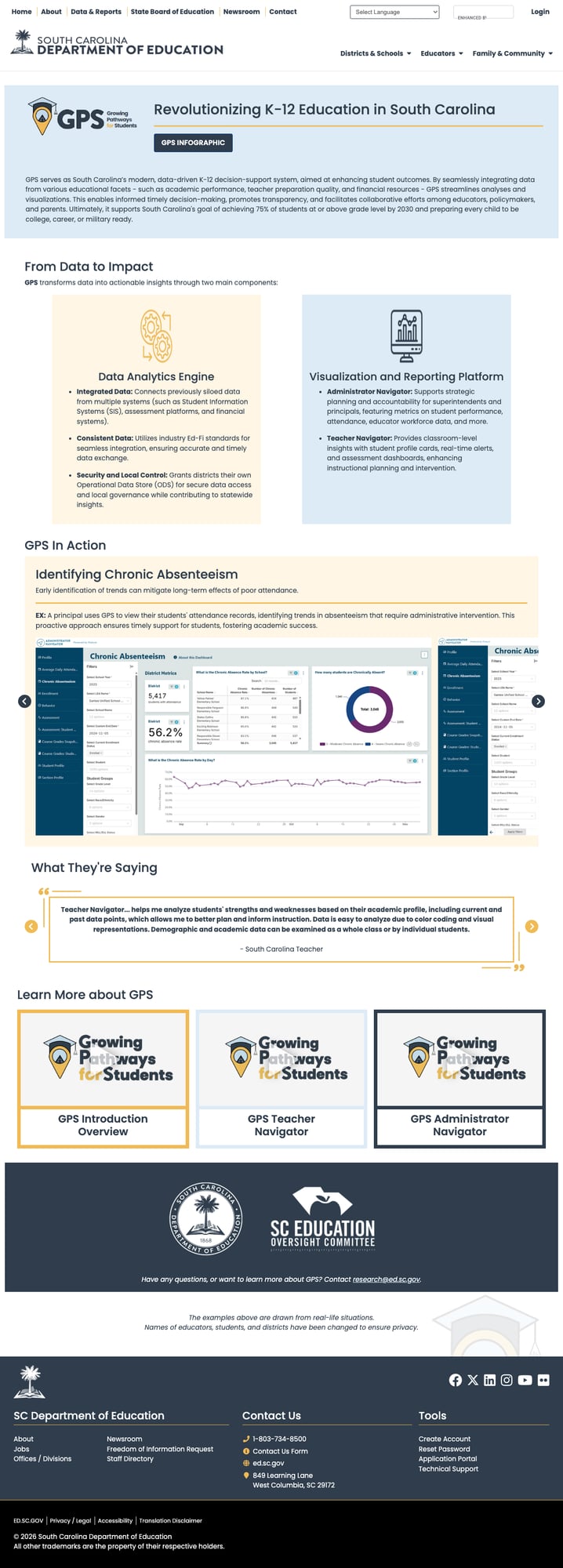
The Growing Pathways for Students (GPS) platform — accessible at ed.sc.gov/gps — is South Carolina's most innovative offering. GPS is a modern, data-driven K-12 decision-support system that integrates student information, assessment results, financial data, and teacher quality metrics into actionable insights. It features two core components: a Data Analytics Engine that connects previously siloed data systems using Ed-Fi standards, and a Visualization and Reporting Platform with administrator and teacher navigators. The platform supports chronic absenteeism identification, skill-level differentiation, and real-time student profile cards. Built in partnership with the SC Education Oversight Committee, GPS represents the kind of forward-thinking data infrastructure that most states have not yet achieved.
Bottom Line
South Carolina's ed.sc.gov delivers where it matters most — data. Between screportcards.com, the GPS analytics platform, and downloadable test score datasets, researchers and educators are well served. The certification hub is among the best organized in the country. However, parents visiting the site will find a fragmented experience with offline content and slow load times. Visitors who need data will find it; visitors who need guidance will struggle.
Grade Breakdown
| Criterion | Weight | Score | Notes |
|---|---|---|---|
| Navigation & Information Architecture | 15% | 7/10 | Three well-organized mega menus, inconsistent breadcrumbs |
| Accessibility (WCAG 2.1 AA) | 15% | 6/10 | Section 508 statement, proper lang/viewport, but no skip nav |
| Search Functionality | 10% | 6/10 | Google CSE works well (16K results), no autosuggest or filters |
| Mobile Responsive Design | 10% | 8/10 | Bootstrap 4 responsive grid, clean hamburger collapse |
| Data Transparency & Open Data | 10% | 8/10 | screportcards.com, GPS platform, downloadable datasets |
| Parent Resources | 10% | 5/10 | Key page offline, no parent portal, fragmented across subdomains |
| Educator Resources | 10% | 8/10 | Excellent certification hub, public lookup, TeachSC, PACE |
| Visual Design & Branding | 10% | 7/10 | Cohesive navy/gold palette, modern homepage, card layouts |
| Performance & Load Speed | 10% | 4/10 | TTFB 2.6–3.6s, minimal HSTS, slow CMS backend |
| Overall | 100% | 66/100 | C |
Discussion