OverviewAll statesPennsylvania
76/100
Grade: B- — A Modern Platform With Deep Data Tools and a Forward-Looking AI Section
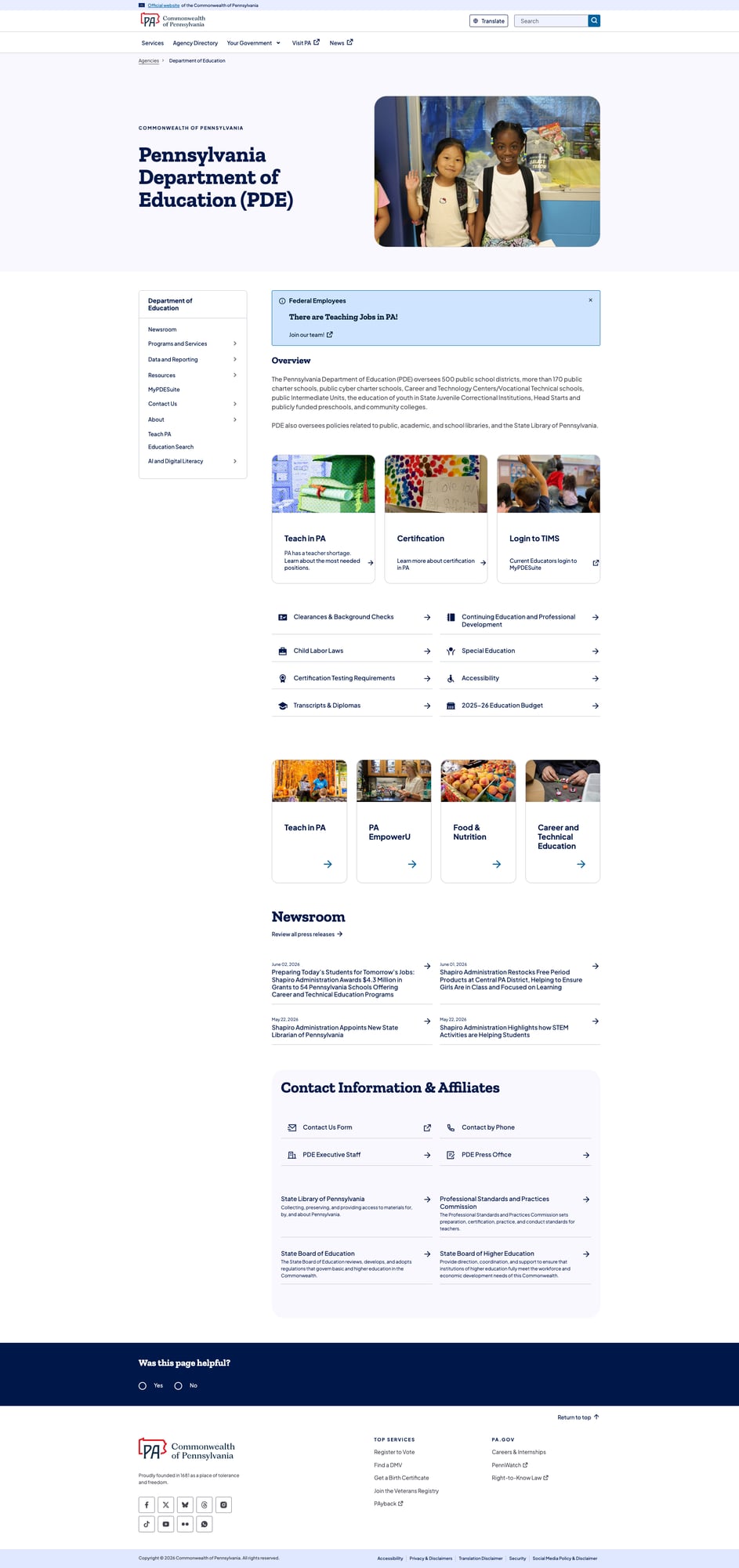
Pennsylvania's Department of Education lives on the Commonwealth's unified pa.gov platform — a modern, well-maintained design system that gives PDE a professional foundation most state education agencies would envy. The site is fast, mobile-friendly, and largely free of broken links. Where PA distinguishes itself is in its data infrastructure: the Future Ready PA Index is one of the better school report card tools in the country, and the dedicated AI and Digital Media Literacy section puts PA ahead of nearly every other state in addressing emerging technology in education. The Teach PA recruitment hub — now actively recruiting laid-off federal employees — is timely and well-executed.
Where PA stumbles is in its family-facing resources, which read more like a general government services directory than an education-specific guide for parents. Legacy data tools like EdNA (Education Names and Addresses) feel like time capsules from the early 2000s. And while the pa.gov platform's search is powered by Coveo — an enterprise-grade engine — the dedicated Education Search page dumps users into an unfiltered stream of 18,725 results dominated by law enforcement training schedules rather than the certification, assessment, and school information families and educators are actually looking for.
Strengths
1. Deep Data Ecosystem and Future Ready PA Index
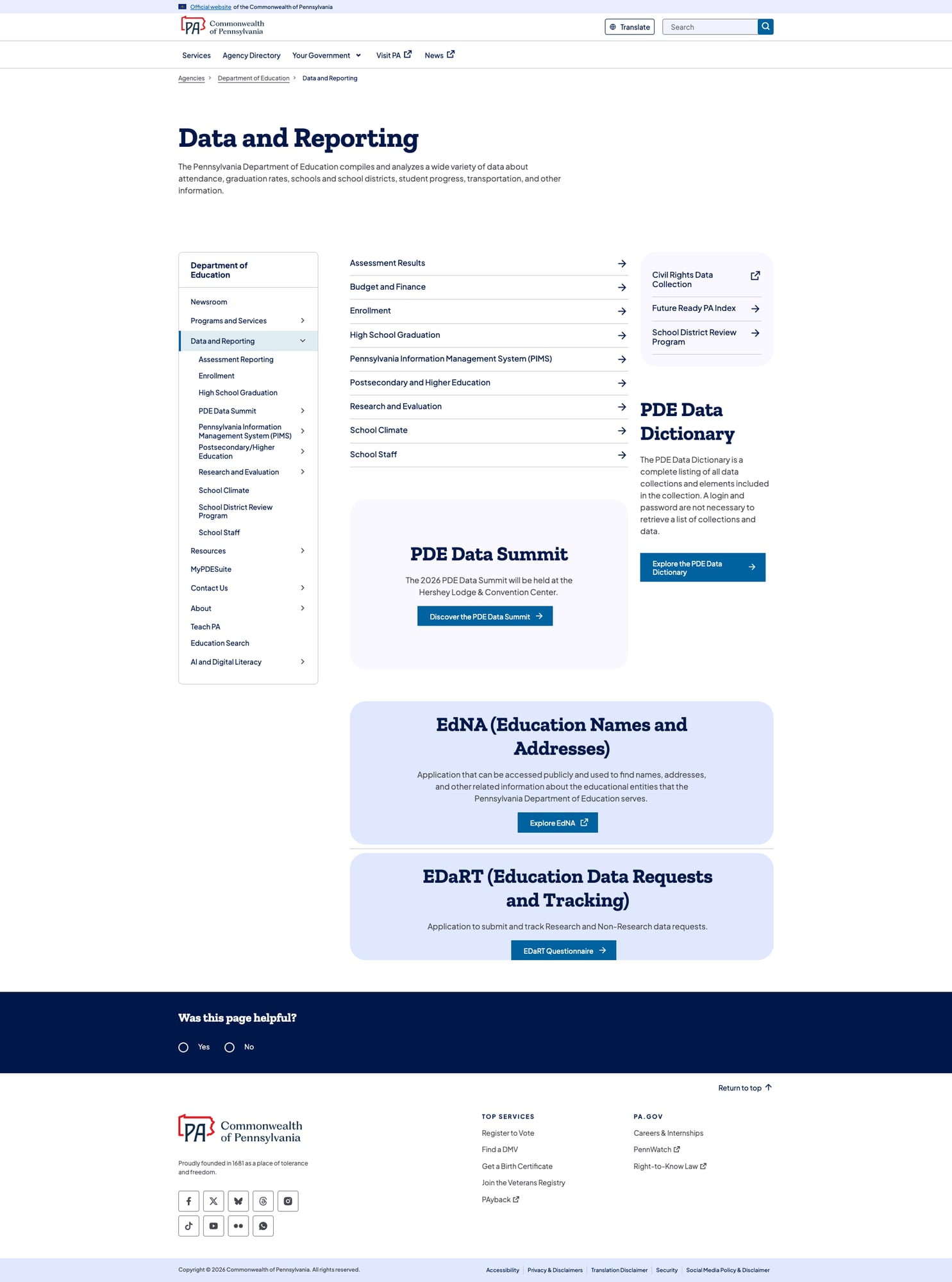
PDE's Data and Reporting section is comprehensive: assessment results, enrollment, graduation rates, school climate, school staff data, postsecondary outcomes, and the PIMS (Pennsylvania Information Management System) data collection framework. The PDE Data Dictionary catalogs every data element in the system, and the EDaRT (Education Data Requests and Tracking) tool provides a formal process for research and non-research data requests.
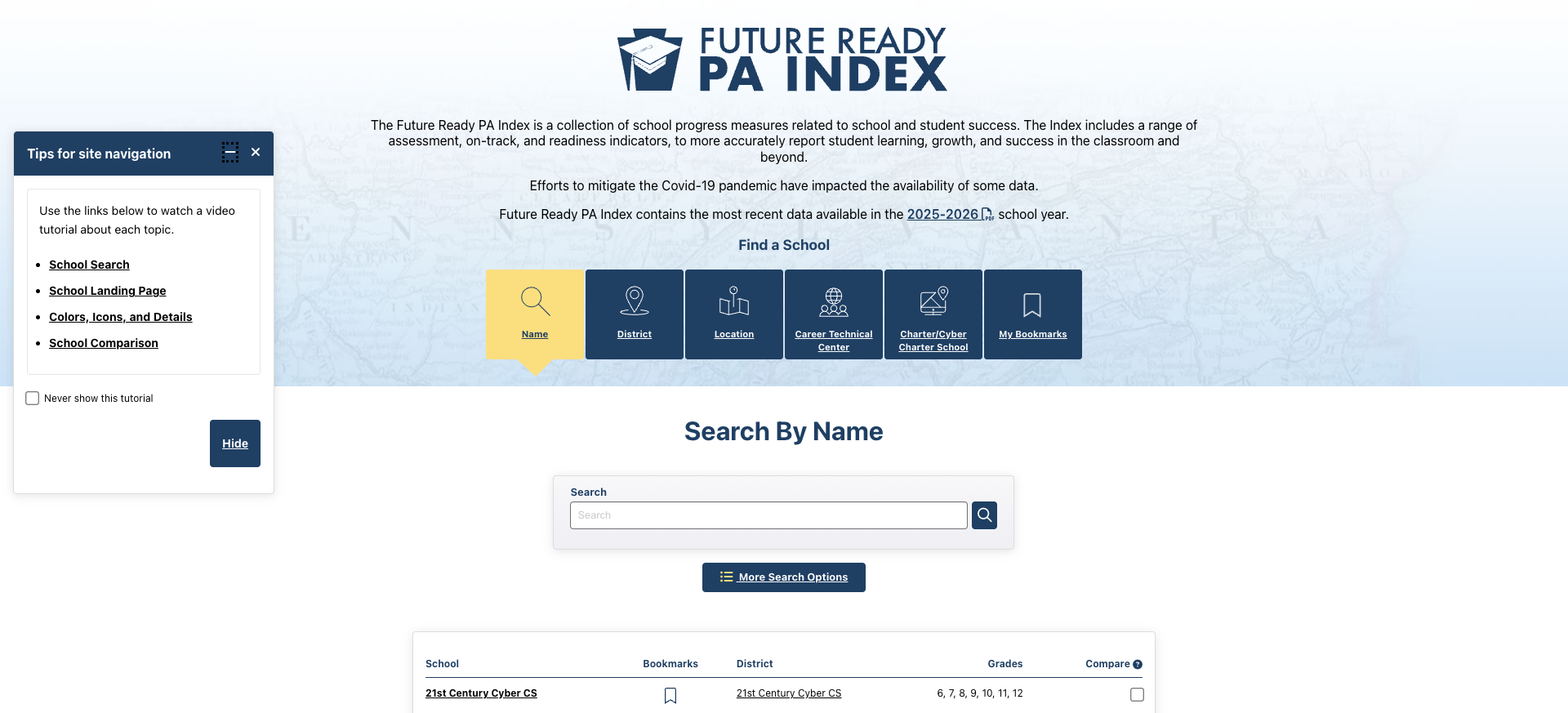
The crown jewel is the Future Ready PA Index — Pennsylvania's school accountability dashboard. Launched in 2018 under ESSA, it covers 2,921 schools and moves deliberately beyond a single summative score. Schools are evaluated across three color-coded categories: academic performance, student progress, and college and career readiness. Users can search by name, district, location, Career Technical Center, or charter/cyber charter school, bookmark schools, and compare them side by side. The tool includes current 2025-2026 data, a glossary, downloadable data files, and guidance documents.
2. AI and Digital Media Literacy Section
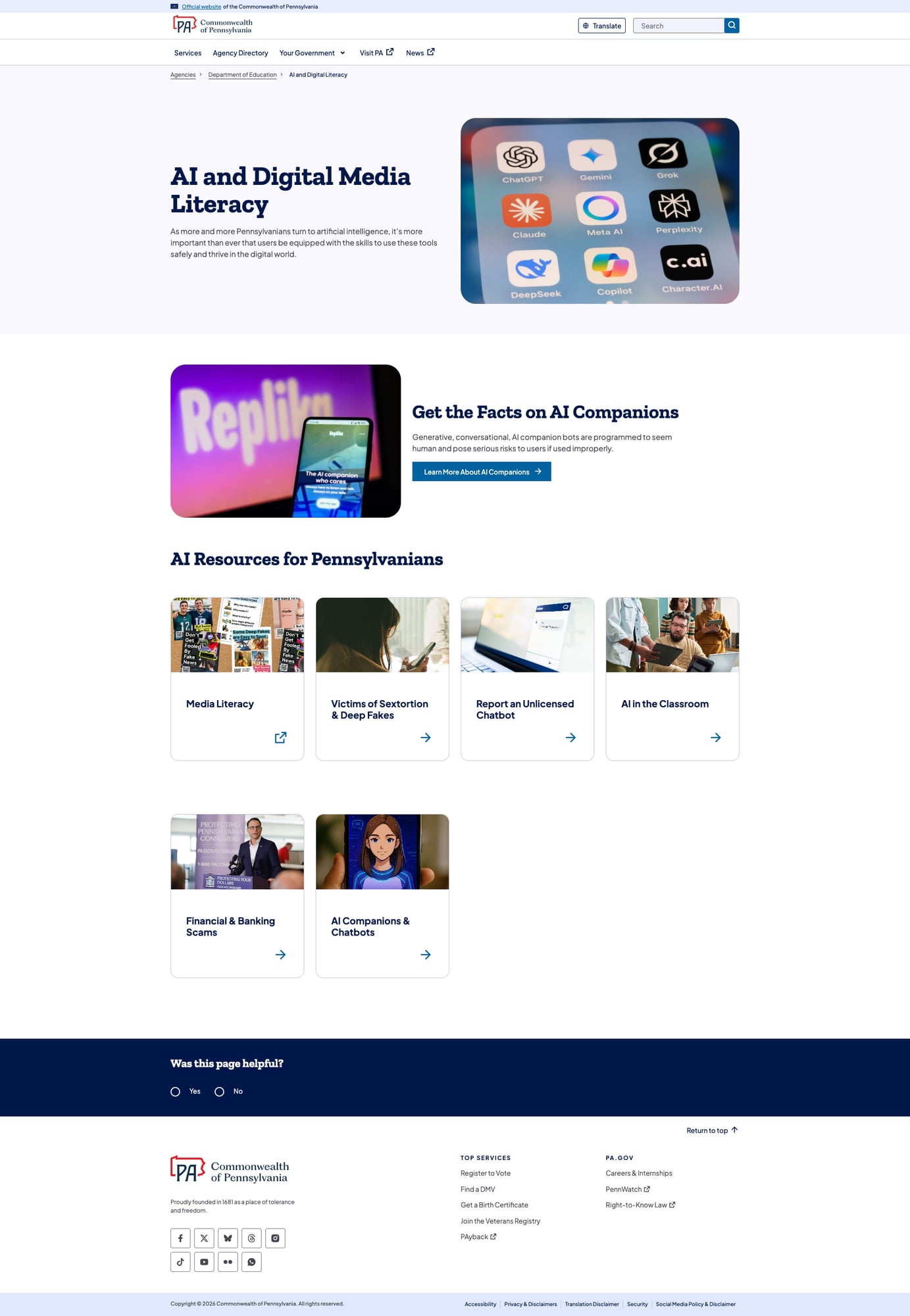
Pennsylvania is one of very few states with a dedicated top-level navigation item for AI and Digital Literacy on its education website. The section addresses AI companion chatbots (with specific warnings about generative conversational bots like Replika), sextortion and deep fakes (linking to Act 125 resources), media literacy curriculum through PDESAS, reporting unlicensed chatbots, financial and banking scams, and AI in K-12 classrooms. The hero image literally shows logos for ChatGPT, Gemini, Claude, Grok, Meta AI, Perplexity, DeepSeek, Copilot, and Character.AI — a surprisingly current and specific acknowledgment of the tools students are actually using.
This isn't buried in a policy document — it's a top-level navigation item alongside Newsroom, Programs and Services, and Data and Reporting. That's a strong signal about where PDE sees emerging risks and opportunities.
3. Teach PA Educator Recruitment Hub
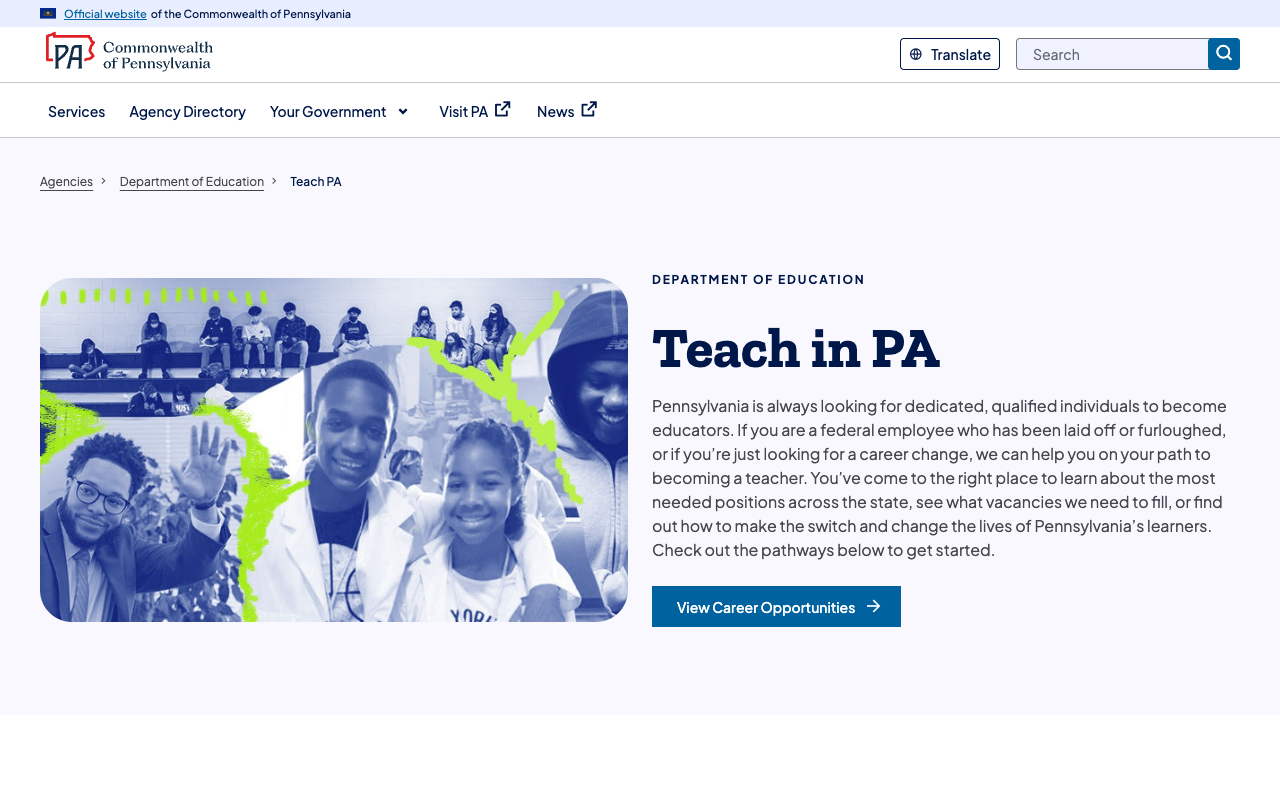
The Teach PA section is a polished recruitment portal that directly addresses Pennsylvania's teacher shortage. The page opens with targeted messaging to laid-off federal employees — a timely pivot that reflects current events. It presents clear pathways ("I Want to Teach" vs. "I'm Interested in Other Education System Careers"), highlights benefits (PA teachers earn 28.5% above average salary per BLS/NCES data, modified summer schedule, loan forgiveness, retirement benefits), and walks prospective educators through the TIMS certification process in three clear steps.
Career resources include links to federal student aid teacher loan forgiveness, Pearson PECT test prep, ETS Praxis resources, the PA Career Opportunities Map, and the PA Student Teacher Support Program through PHEAA. The certification pipeline from interest to classroom is well-documented and accessible.
4. pa.gov Platform Infrastructure
Being hosted on the Commonwealth's unified pa.gov platform gives PDE significant advantages: 134ms TTFB, strong security headers (HSTS, X-Frame-Options, X-Content-Type-Options, Referrer-Policy), consistent responsive design, skip-to-content links, ARIA-labeled navigation, breadcrumb trails throughout, and a "Was this page helpful?" feedback mechanism on every page. The translate button supports 18 languages via Google Translate. The official ".gov" banner at the top clearly identifies this as a government website. Footer links include accessibility policy, privacy, translation disclaimer, and security policy.
Weaknesses
1. Family/Caregiver Resources Are Generic, Not Education-Focused
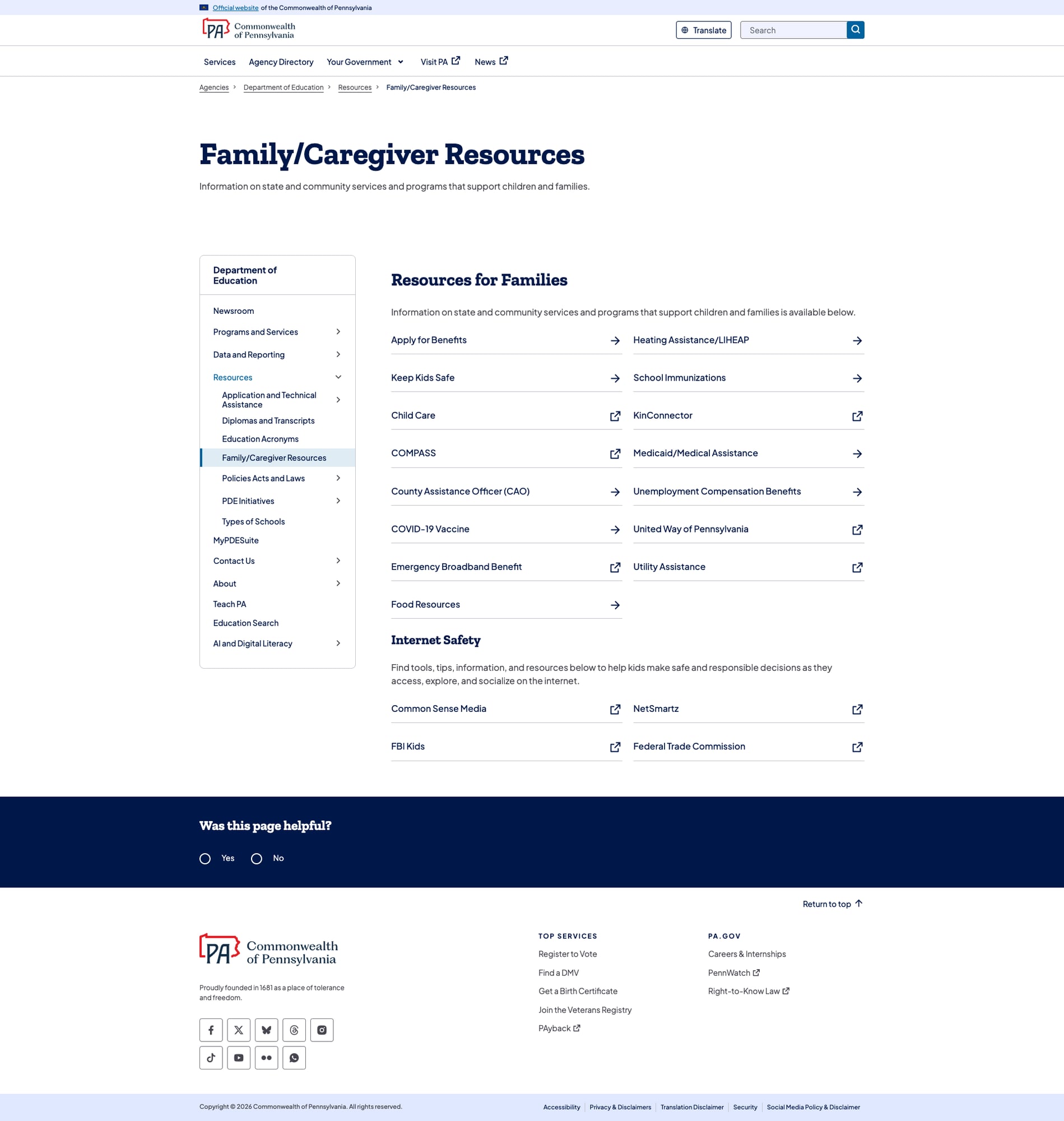
The Family/Caregiver Resources page is essentially a directory of general state government services — Apply for Benefits, Heating Assistance/LIHEAP, Medicaid, Unemployment Compensation, COVID-19 Vaccine, Emergency Broadband Benefit, and Utility Assistance. These are important services, but they have little to do with K-12 education. A parent visiting PDE's website looking for guidance on school choice, curriculum expectations, standardized testing, IEPs, gifted programs, or how to interpret their child's school report card will find almost nothing.
The Internet Safety section consists of four external links (Common Sense Media, NetSmartz, FBI Kids, FTC). There is no dedicated parent portal, no grade-level guides, no plain-language explanations of PA's academic standards, and no resources explaining how to use the Future Ready PA Index to evaluate schools. The EmpowerU student resource hub exists as a separate initiative but isn't cross-linked from the family resources page.
2. Legacy Data Tools Show Their Age
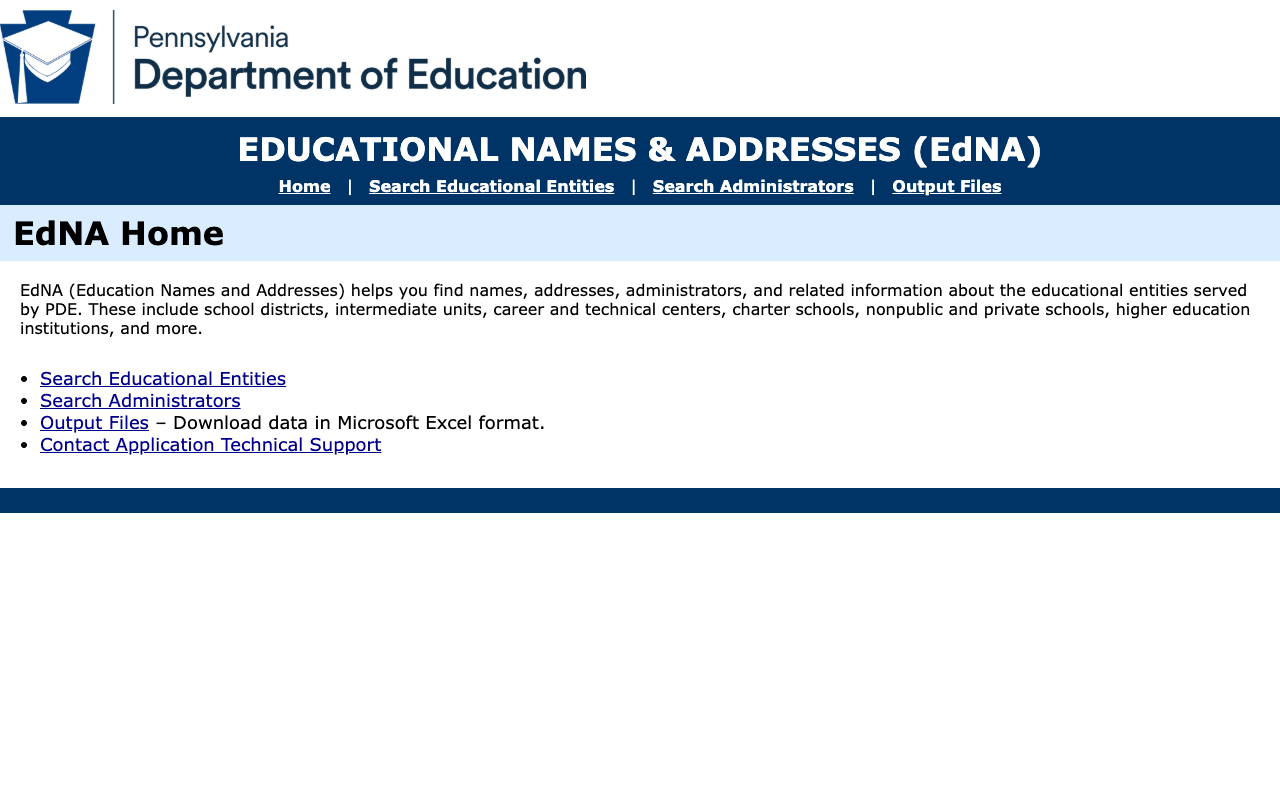
While the main pa.gov site is modern and polished, several of PDE's data tools exist on legacy platforms that haven't been updated in years. EdNA (Education Names and Addresses) at edna.pa.gov is a classic ASP.NET WebForms application with a design aesthetic from circa 2005 — basic HTML table layouts, minimal styling, and a dated PDE logo. The original link from the main site pointed to HTTP (not HTTPS), though the browser now redirects to HTTPS.
The TIMS (Teacher Information Management System) and MyPDESuite applications similarly live on mypdeapps.pa.gov, outside the pa.gov design system. These tools are functional but create a jarring experience when users transition from the modern pa.gov interface to applications that look and feel decades older.
3. Education Search Defaults Are Unhelpful
PDE's dedicated Education Search page uses Coveo, an enterprise-grade search platform — a significant investment. However, the default experience undermines it. Landing on the Education Search page without entering a query dumps the user into 18,725 unfiltered results, the vast majority of which are law enforcement training class schedules from the Institute for Law Enforcement Education. The Sort & Filter panel reveals document type facets (Special Ed Cyclical Monitoring: 3,792 results; Reports by School District: 3,421; National School Lunch Program Reviews: 740), but these are hidden behind a dialog and not presented as default filters.
A parent searching for "report card" or an educator looking for certification information gets buried under training schedules rather than surfacing the most relevant education content first.
4. Translation Is Add-On Only
Pennsylvania's translation support is limited to Google Translate via a dropdown menu — not integrated multilingual content. The 18 language options are commendable in scope (including Arabic, Bengali, Gujarati, Haitian Creole, Khmer, Nepali, and Vietnamese alongside the more common Spanish, Chinese, and Korean), but machine translation of complex education policy and legal documents has significant accuracy limitations. There is no evidence of professionally translated content in Spanish or other high-demand languages, despite Pennsylvania's 6.5% Spanish-speaking population.
Opportunities
Build an Education-Specific Parent Portal: Transform the Family/Caregiver Resources from a general government services directory into a true education guide. Include school choice information, how to read the Future Ready PA Index, understanding PA academic standards, IEP/special education rights, gifted program information, and grade-level expectations. Cross-link to EmpowerU and the Future Ready PA Index.
Modernize Legacy Data Tools: Migrate EdNA and other legacy applications to the pa.gov design system. The data functionality is solid — the interfaces just need to match the quality of the main site. This would also consolidate security and accessibility compliance.
Tune Education Search Defaults: Configure the Coveo search to scope results to education-relevant content by default, or at minimum deprioritize training schedules and administrative filings. Consider adding a "Popular Searches" or "Quick Links" section for certification, assessments, school report cards, and special education — the topics people actually search for.
Threats
Platform Dependency Risk: PDE's website lives entirely within the pa.gov ecosystem. While this provides consistency and infrastructure benefits, PDE has limited control over platform changes, CMS updates, or design system modifications. A pa.gov-wide change could break PDE-specific functionality without PDE input.
Tool Fragmentation: PDE's data and tools live across at least four distinct platforms: pa.gov (main site), futurereadypa.org (school report card), edna.pa.gov (entity search), and mypdeapps.pa.gov (TIMS/certification). Each has different authentication, design, and maintenance cycles. Users must navigate across these systems without a unified experience or single sign-on.
Standout Feature
The Future Ready PA Index is PDE's standout feature. Pennsylvania deliberately chose to move beyond a single school grade, instead presenting a dashboard of indicators across academic performance, student progress, and college and career readiness. The tool covers all 2,921 Pennsylvania public schools with 2025-2026 data, offers search by name/district/location/CTC/charter, enables school comparison and bookmarking, provides a complete glossary and downloadable data files, and includes a video tutorial. The "Find a School" interface with six search modalities — Name, District, Location, Career Technical Center, Charter/Cyber Charter School, and My Bookmarks — shows respect for the different ways stakeholders access school information.
Bottom Line
Pennsylvania's education website delivers where it matters most: data transparency, educator services, and platform infrastructure. The Future Ready PA Index is a best-in-class school accountability tool, and the AI and Digital Literacy section shows PDE is thinking about where education is heading, not just where it's been. Parents and families, however, will find the site oriented primarily toward educators and administrators — the family resources need significant investment to match the quality of the rest of the site. If you're a teacher looking to understand certification, a researcher digging into school performance data, or a policymaker evaluating PA's education system, this site serves you well. If you're a parent trying to understand your child's school, you'll need to find the Future Ready PA Index on your own.
Grade Breakdown
| Criterion | Weight | Score | Notes |
|---|---|---|---|
| Navigation & Information Architecture | 15% | 8/10 | Clean pa.gov sidebar nav, breadcrumbs, expandable menus. All links functional. Logical hierarchy. |
| Accessibility (WCAG 2.1 AA) | 15% | 8/10 | Skip links, ARIA labels, proper lang attribute, 18-language translate. pa.gov platform provides strong baseline. |
| Search Functionality | 10% | 7/10 | Coveo enterprise search with 18,725 results and faceted filtering. Header search has autosuggest. Education Search defaults are unhelpful (training schedule flood). |
| Mobile Responsive Design | 10% | 8/10 | Clean reflow at 375px, hamburger nav, content stacks properly. pa.gov design system handles responsive well. |
| Data Transparency & Open Data | 10% | 8/10 | Future Ready PA Index (2,921 schools), EdNA, PDE Data Dictionary, PIMS, EDaRT, 9 data categories. Downloadable files. |
| Parent Resources | 10% | 5/10 | Family/Caregiver Resources is generic government services, not education-specific. No parent portal or school guides. Internet Safety is 4 external links. |
| Educator Resources | 10% | 8/10 | Teach PA recruitment hub, TIMS certification, Act 48/PERMS, clearances, professional development. Career opportunities. |
| Visual Design & Branding | 10% | 7/10 | Modern pa.gov design system is clean and professional. Legacy tools (EdNA, TIMS) create jarring visual breaks. |
| Performance & Load Speed | 10% | 9/10 | 134ms TTFB. Strong security headers (HSTS, X-Frame, X-Content-Type, Referrer-Policy). Fast and reliable. |
| Overall | 100% | 76/100 | B- |
Discussion