OverviewAll statesOregon
75/100
Grade: B- — A Data Powerhouse Wrapped in SharePoint
Oregon's Department of Education website at oregon.gov/ode is a study in contrasts: it offers one of the most comprehensive data transparency portals we've reviewed in this series, but delivers it through a SharePoint-based design that hasn't fully evolved beyond its circa-2015 origins. Parents, educators, and administrators will find nearly everything they need here — they'll just need patience navigating the text-heavy interior pages to find it.
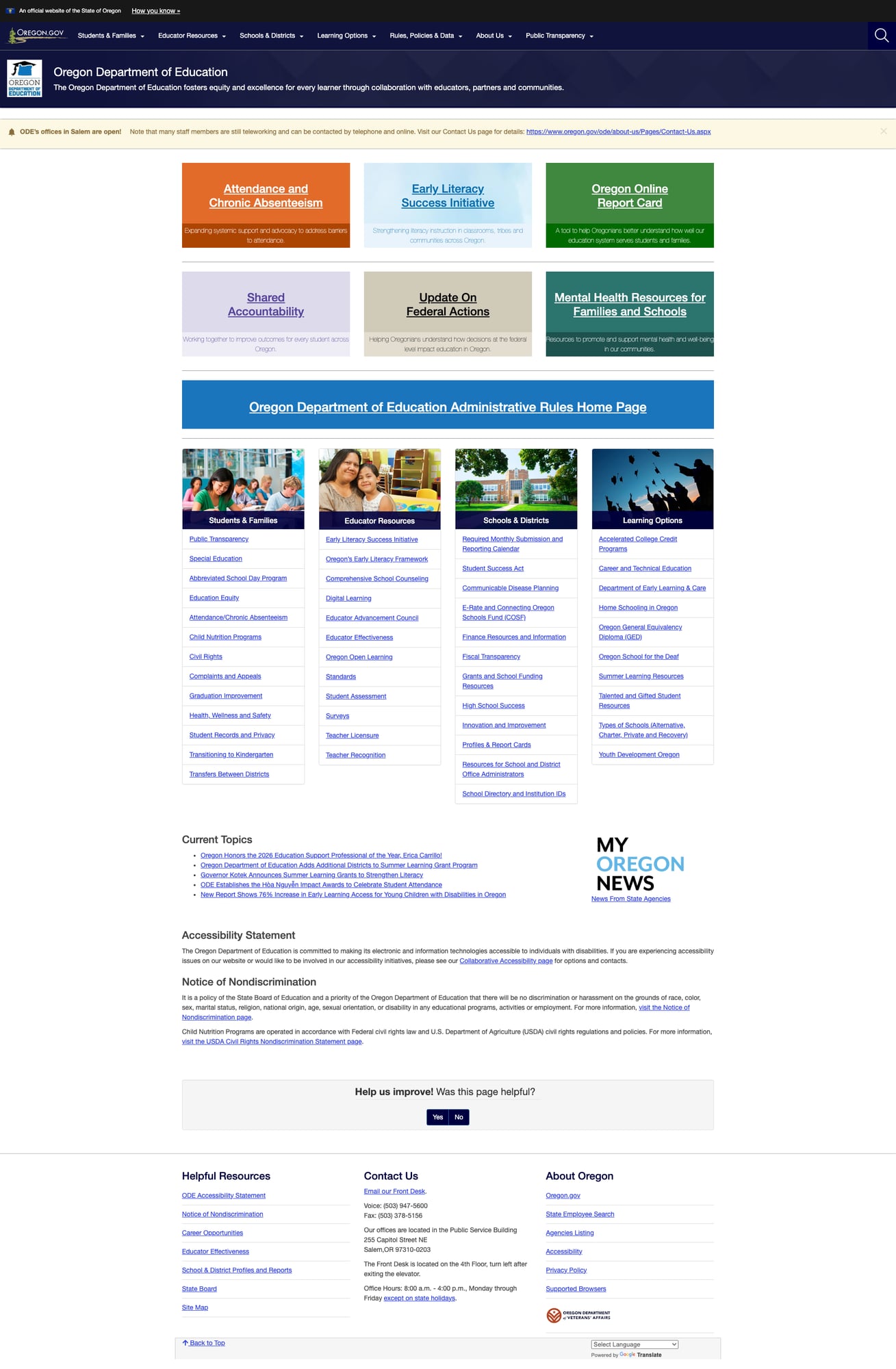
The site lives on the Oregon.gov platform, which provides a consistent statewide experience including the official government banner, shared navigation framework, and Google Translate integration supporting 200+ languages. ODE makes effective use of this infrastructure while adding its own well-organized content hierarchy across seven top-level navigation categories.
What sets Oregon apart is its commitment to transparency. The dedicated Public Transparency portal is a single-page gateway to every dataset ODE produces — from student assessment data to fiscal transparency to workforce surveys — organized in expandable accordion sections that are easy to scan and navigate.
Strengths
1. Exceptional Data Transparency Ecosystem
Oregon's data infrastructure is among the best we've reviewed. The centerpiece is the Public Transparency portal, which consolidates all of ODE's K-12 education data and research in one place. It's organized into eight clear categories — Student Data, Staff Data, School and District Accountability, Research and Reports, Fiscal Transparency, Institutions and Facilities, Instruction, and more — each with expandable accordion sections listing individual datasets.
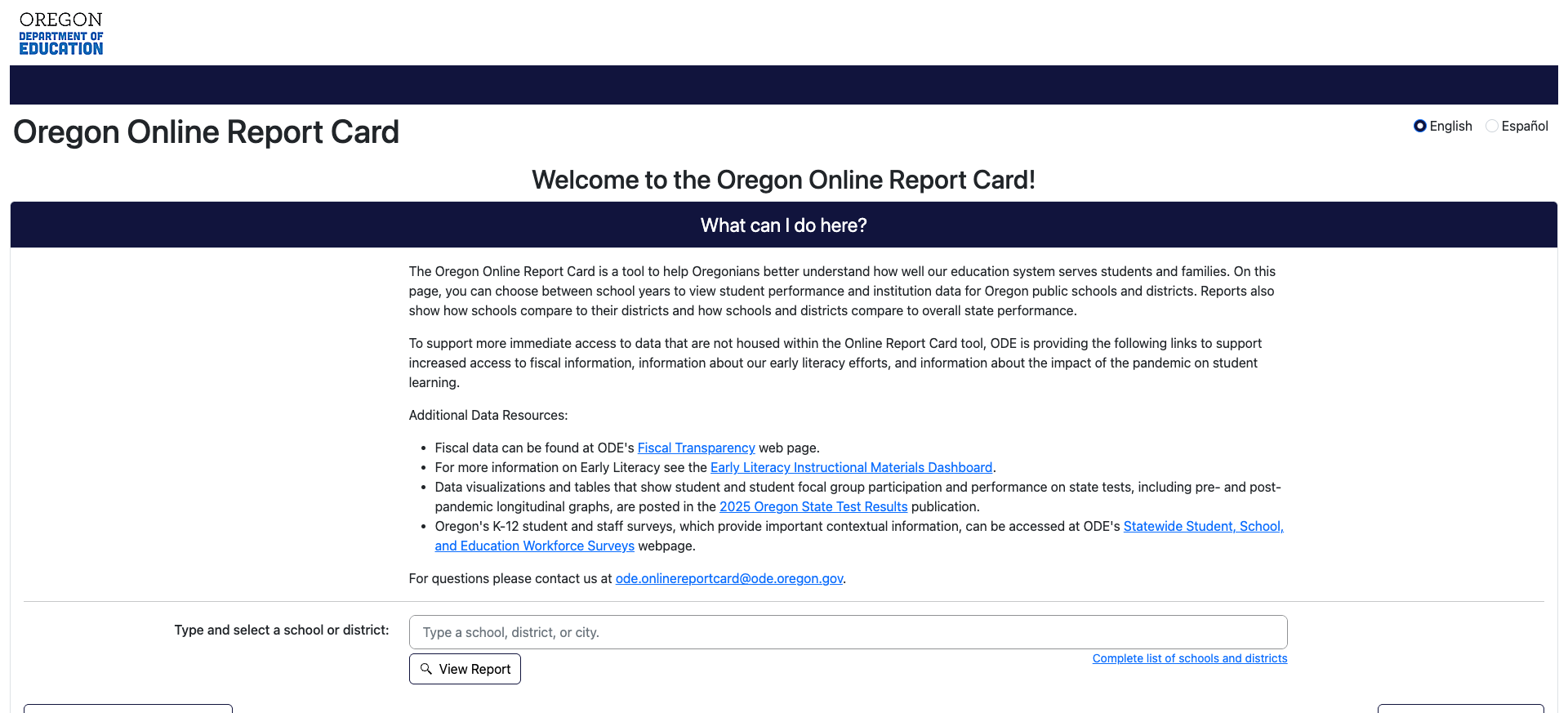
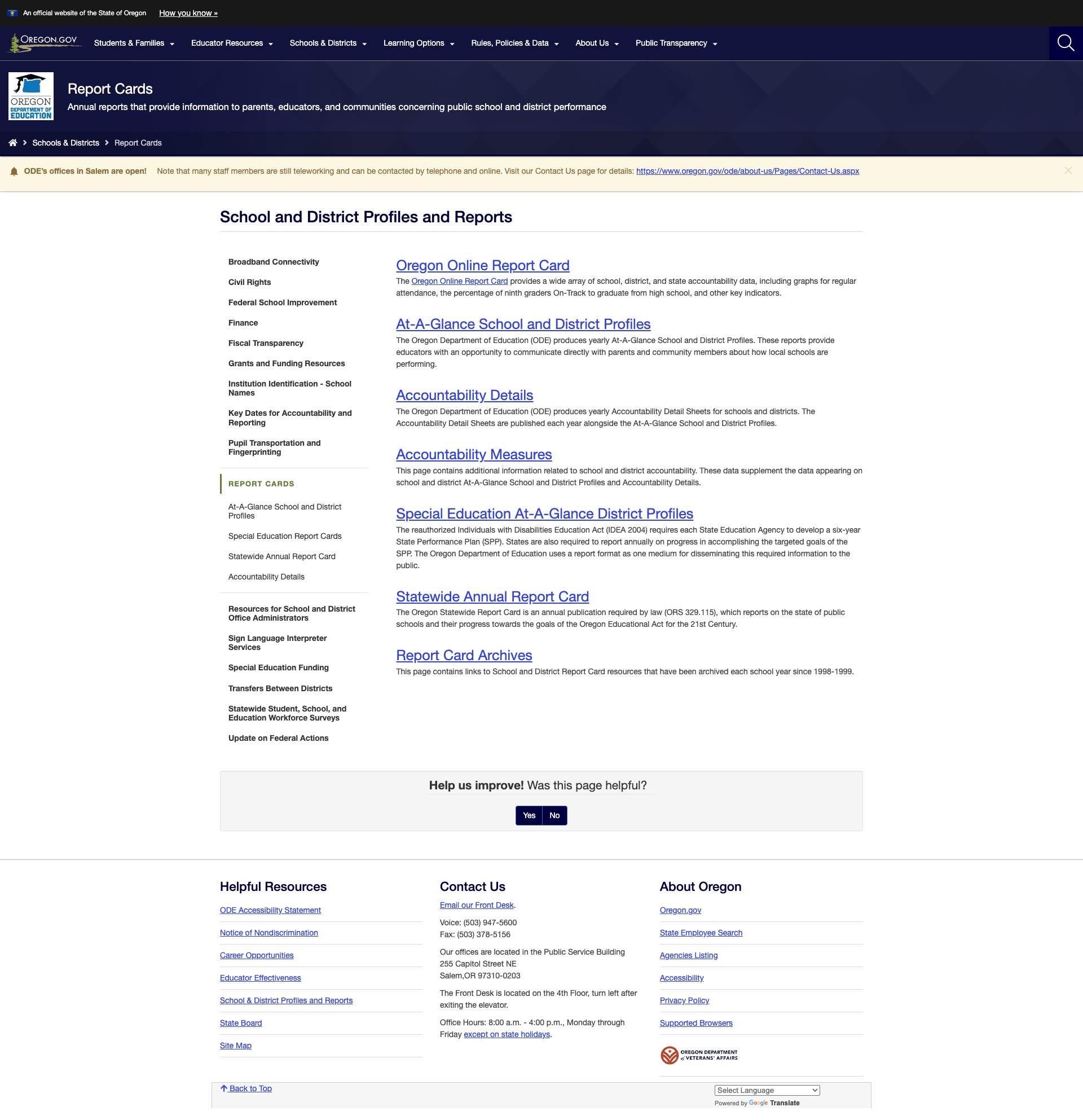
Beyond the transparency portal, the Oregon Online Report Card provides school-by-school and district-by-district performance data with English/Spanish toggle, historical archives dating back to 1998, and a "State Level Data" view. The School and District Profiles and Reports hub adds At-A-Glance profiles, Accountability Detail Sheets, Accountability Measures data, and Special Education district profiles.
The Fiscal Transparency Portal is equally impressive, offering six distinct financial tools: Chart of Accounts Modernization Project, School Level Expenditure Report, Detailed District Revenue and Expenditure Dashboard, Federal Funding by District, Budget and Actuals Report, and Audit Findings.
2. Well-Organized Navigation with 100% Link Health
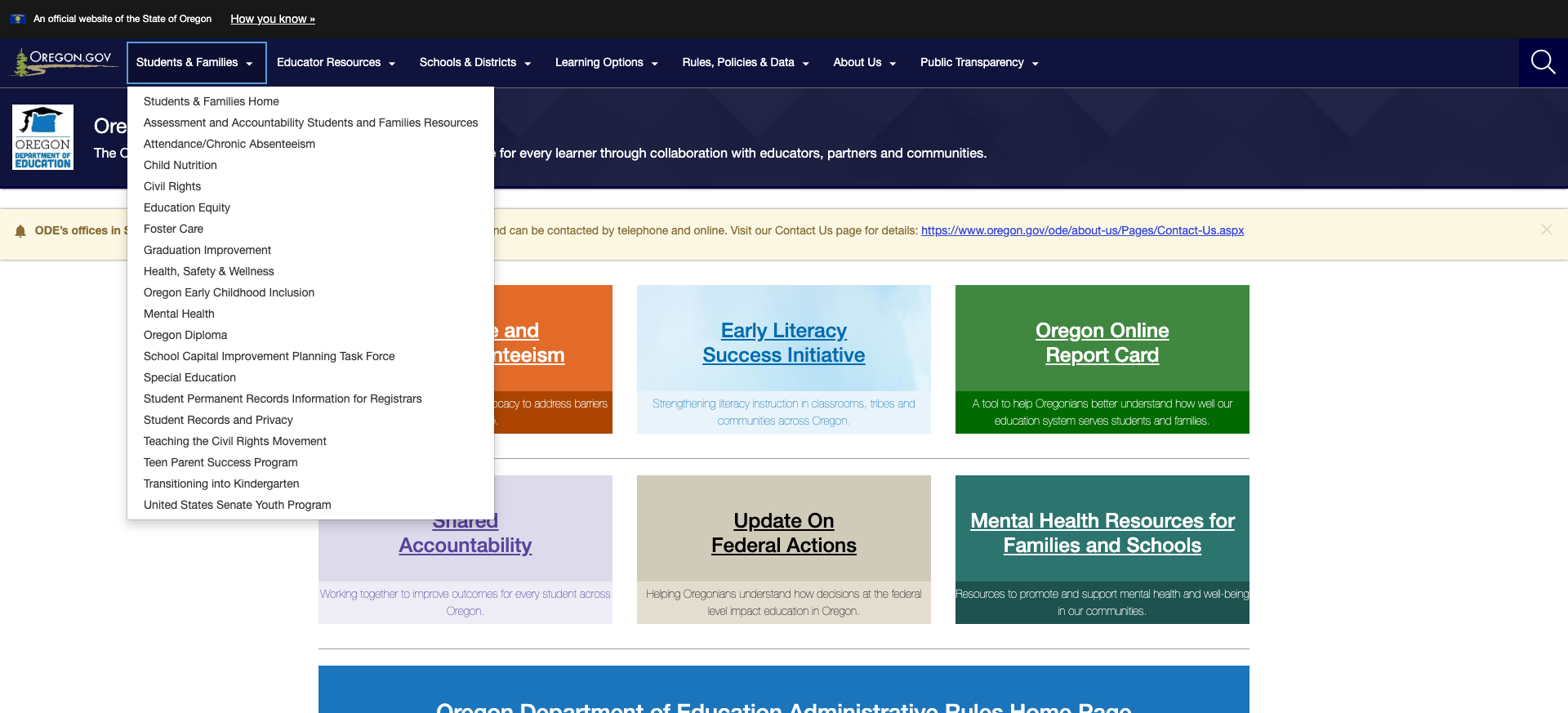
All seven top-level navigation sections — Students & Families, Educator Resources, Schools & Districts, Learning Options, Rules/Policies & Data, About Us, and Public Transparency — resolve to functioning landing pages. Each dropdown menu contains 15-20 sub-items, and every homepage feature link tested returned a 200 status code.
The breadcrumb navigation is consistent throughout, and sidebar navigation on section landing pages provides clear paths to related content. The site map is accessible from the footer. This is notable because many SharePoint-based state education sites we've reviewed suffer from significant link rot — Oregon's appears well-maintained.
3. Comprehensive Educator Resources
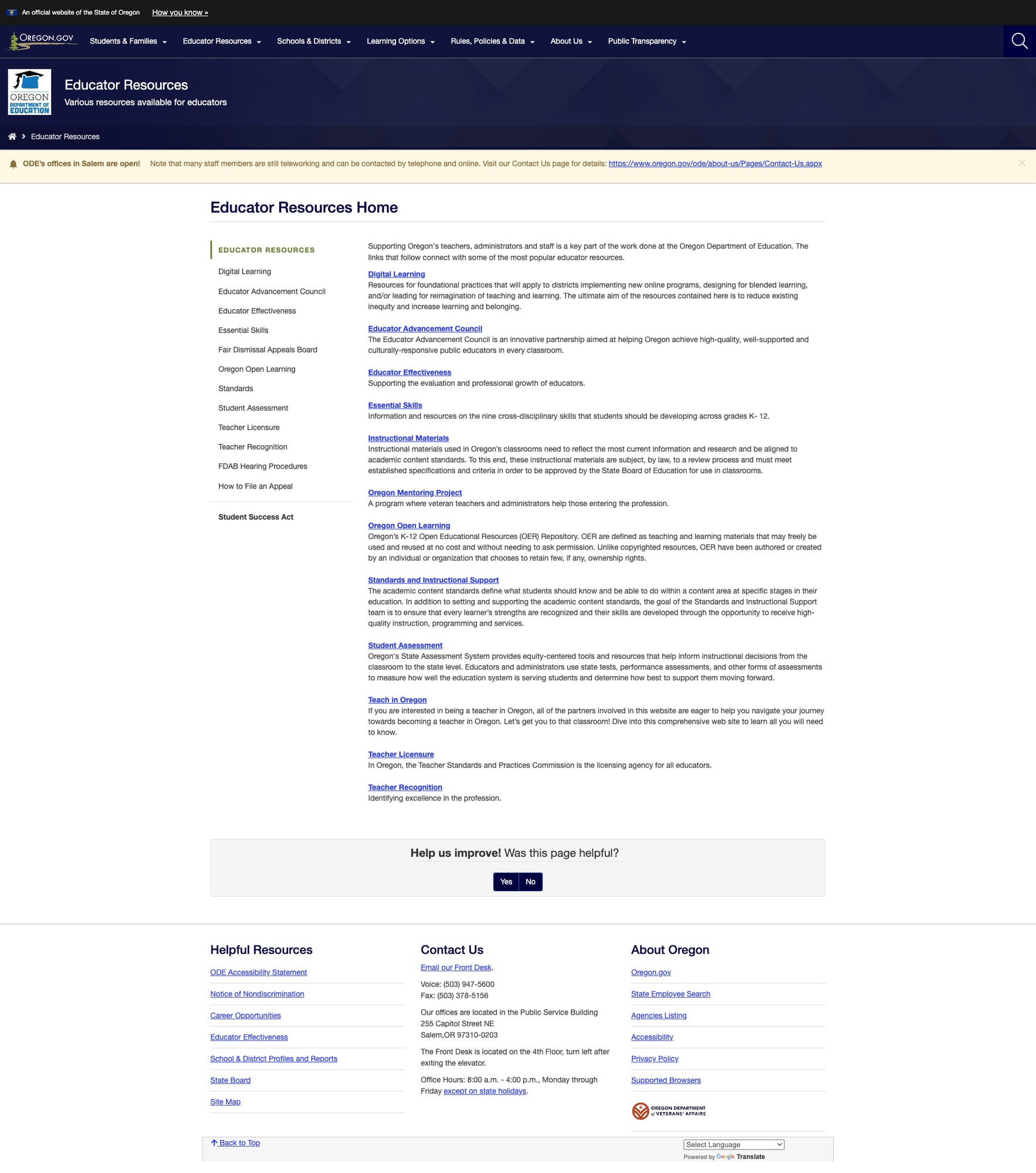
The Educator Resources section provides a well-organized hub with 15+ topic areas including Teacher Licensure (through the Teacher Standards and Practices Commission), Oregon Open Learning (K-12 OER repository), Student Assessment tools, Standards and Instructional Support, the Oregon Mentoring Project for new teachers, Essential Skills, Educator Effectiveness evaluation frameworks, Digital Learning resources, and Teacher Recognition programs.
The Educator Advancement Council is an innovative cross-agency partnership, and the Early Literacy Success Initiative — created by 2023 legislation — demonstrates Oregon's investment in evidence-based literacy instruction through four distinct grant programs: School District Grants, Community Grants, Tribal Grants, and Birth Through Five Plan.
4. Strong Accountability Framework
The Accountability for Oregon's Schools page clearly presents Oregon's Education Accountability Act (SB 141), which establishes evidence-based tracking, meaningful improvement goals, clearer ODE authority, and reduced administrative barriers. The page features a three-column resource layout covering the legislation, areas of focus, and communication tools, plus monthly news updates organized in expandable accordions spanning January through December 2025.
Weaknesses
1. Stale COVID-Era Banner Still Active
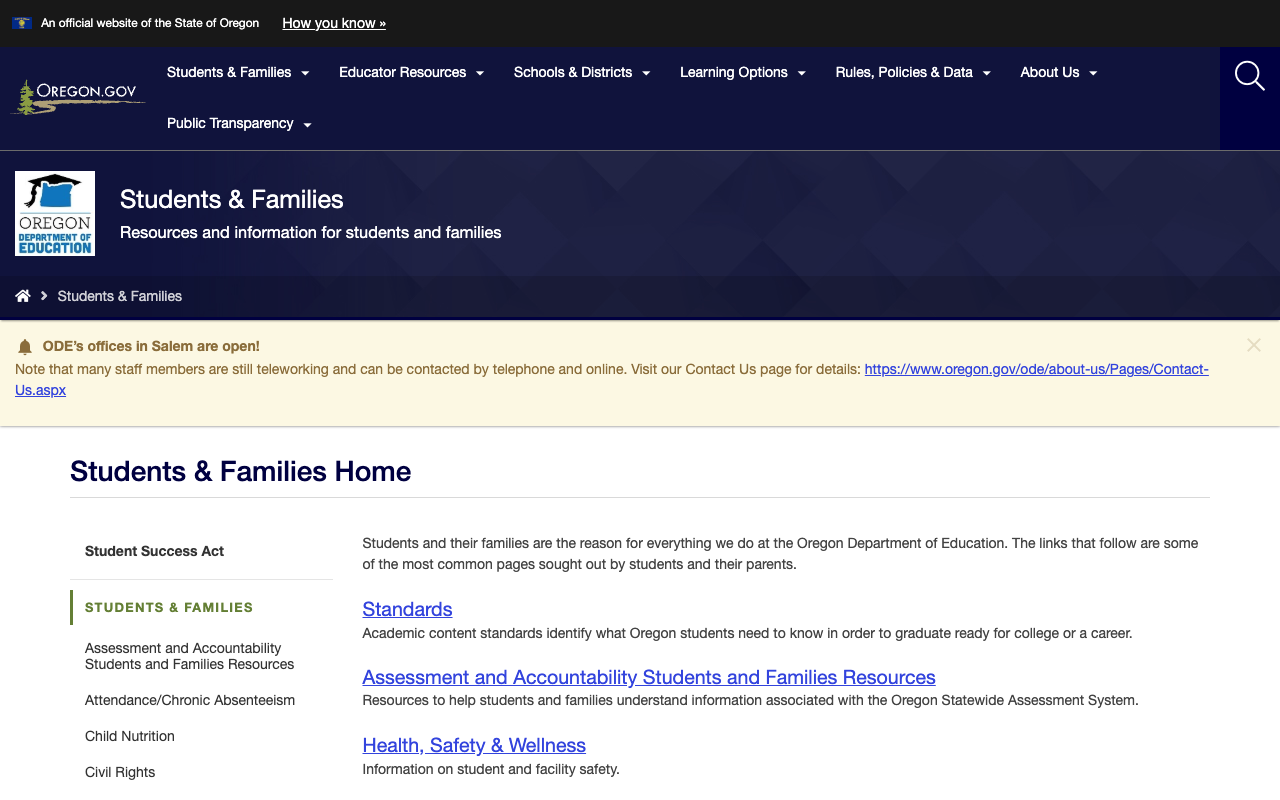
Every page on the site displays a persistent yellow notification banner reading "ODE's offices in Salem are open!" with a note that "many staff members are still teleworking." This is clearly a remnant from the COVID-19 pandemic era, and in mid-2026 it reads as neglected rather than informative. The banner pushes actual content down the page and may cause visitors to question whether other content is similarly outdated.
2. Dated SharePoint Visual Design on Interior Pages
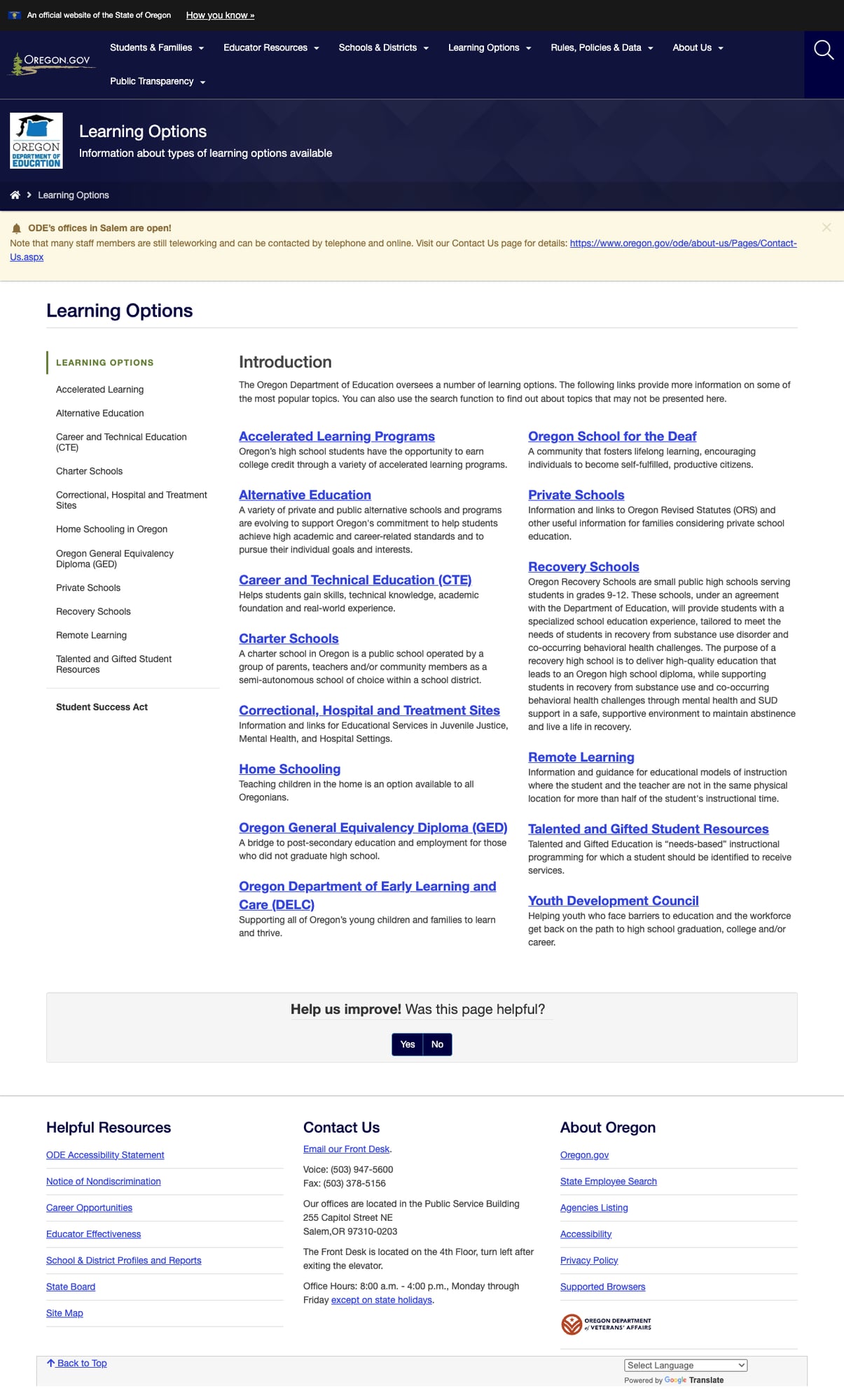
While the homepage features attractive colored feature cards and section images, the interior landing pages revert to a text-heavy two-column SharePoint layout with minimal visual hierarchy. The Learning Options page, for example, presents 15 program descriptions as a wall of blue hyperlinks and paragraph text with no images, icons, or cards to help users scan content. This creates a jarring inconsistency between the polished homepage and the utilitarian inner pages.
The underlying SharePoint 2016 platform (MicrosoftSharePointTeamServices: 16.0.0.5513) is showing its age, and the .aspx URL structure creates long, unfriendly URLs like /ode/schools-and-districts/FiscalTransparency/Pages/default.aspx.
3. Empty Alt Attributes on Section Images
The four main section images on the homepage (Students & Families, Educator Resources, Schools & Districts, Learning Options) all have empty alt attributes (alt with no value), which means screen readers will either skip them or announce them as unlabeled images. Since these images serve as visual identifiers for the four main audience sections, they should have descriptive alt text. This is a specific WCAG 2.1 AA violation (Success Criterion 1.1.1 Non-text Content).
4. News Outsourced to GovDelivery
The "Current Topics" section on the homepage links exclusively to GovDelivery bulletin pages (content.govdelivery.com) rather than hosting news content on the ODE site itself. This means visitors clicking a news headline leave the site entirely, losing the ODE navigation and branding context. There is no dedicated news or press release archive on the ODE site.
5. Report Card Link Uses HTTP
The homepage links to the Oregon Online Report Card using http:// rather than https://. While the Report Card server does support HTTPS, this insecure link reference is a minor security and trust concern, especially on a government education website.
Opportunities
Modernize interior page design: The gap between the homepage's visual polish and the text-heavy interior pages is the site's biggest UX issue. Adding cards, icons, or even header images to section landing pages would dramatically improve scannability and bring the interior up to the standard set by the homepage and the Public Transparency portal.
Build an integrated news section: Rather than linking out to GovDelivery for all news, ODE could host news summaries on-site with a dedicated news/press archive page, keeping visitors within the ODE experience while still linking to full GovDelivery bulletins.
Remove stale notifications and add a parent portal: Retiring the COVID-era banner and investing in a dedicated parent portal (with grade-specific resources, school lookup, and enrollment guidance) would significantly improve the parent experience beyond the current link-list approach.
Threats
SharePoint platform aging: Running on SharePoint 2016 means the site is on a platform that Microsoft has moved past. Migration to a modern CMS or headless architecture would be a significant undertaking but is increasingly necessary as the platform falls further behind in accessibility, performance, and design flexibility.
Accessibility liability: The empty alt attributes, combined with the platform-level limitations of SharePoint for modern accessibility patterns, create legal and reputational risk as WCAG enforcement in education technology continues to tighten.
Standout Feature
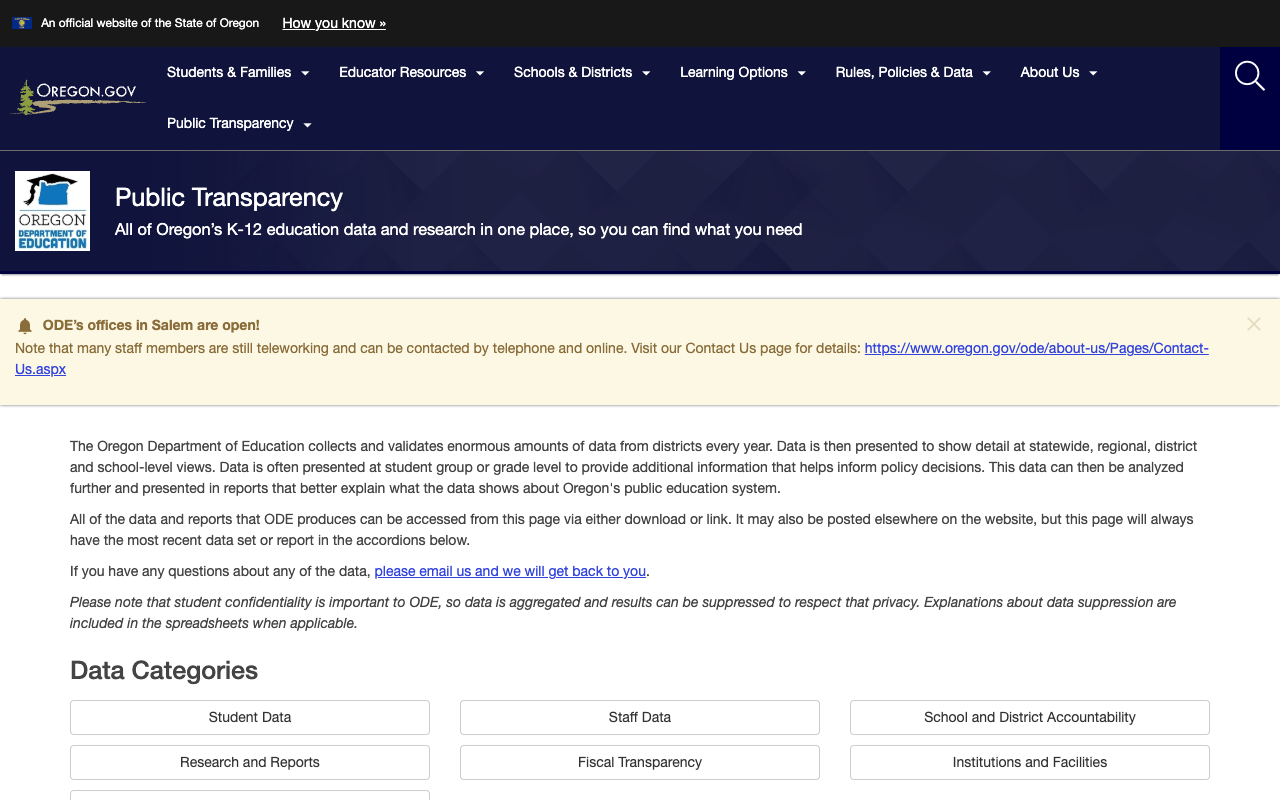
The Public Transparency portal is Oregon's crown jewel. Under the tagline "All of Oregon's K-12 education data and research in one place, so you can find what you need," it consolidates every dataset ODE produces into a single, well-organized page. Eight data categories — Student Data, Staff Data, School and District Accountability, Research and Reports, Fiscal Transparency, Institutions and Facilities, Instruction, and more — are presented as expandable accordion sections.
What makes this exceptional is the philosophy: rather than scattering data across dozens of subpages, Oregon puts a single front door on its entire data ecosystem. The page includes clear explanations of data suppression for student privacy, a direct email contact for questions, and links to Public Records Request forms. This is transparency done right — it's not just about making data available, but about making it findable.
Bottom Line
Oregon's Department of Education website is a strong performer that punches above its weight on data transparency and content organization. Parents will find well-organized resources across 18+ topic areas. Educators have access to licensure, standards, OER, and professional development. Data researchers and administrators will find one of the most comprehensive transparency portals in the nation. The site's main limitation is its aging SharePoint design, which makes interior pages feel like document libraries rather than modern web experiences. If Oregon modernizes its presentation layer while preserving its outstanding content architecture, it could easily move into the B+ tier.
Grade Breakdown
| Criterion | Weight | Score | Notes |
|---|---|---|---|
| Navigation & Information Architecture | 15% | 8/10 | 7 nav sections all functional, dropdown menus, breadcrumbs, sidebar nav, site map. Well-organized hierarchy. |
| Accessibility (WCAG 2.1 AA) | 15% | 7/10 | Proper lang attribute, ARIA labels, skip nav, keyboard nav. But 4 section images have empty alt attributes. |
| Search Functionality | 10% | 7/10 | Google Custom Search via Oregon.gov with tabbed results (All, Forms, Online Services). No autosuggest or ODE-specific filters. |
| Mobile Responsive Design | 10% | 8/10 | Responsive layout, hamburger nav, content stacks cleanly. Touch targets adequate. |
| Data Transparency & Open Data | 10% | 9/10 | Outstanding: Public Transparency portal, Online Report Card (archives to 1998), Fiscal Transparency with 6 tools, At-A-Glance profiles. |
| Parent Resources | 10% | 7/10 | Students & Families section with 18+ topics. No dedicated parent portal. Google Translate (200+ languages). |
| Educator Resources | 10% | 8/10 | 15+ topic areas: licensure, OER, standards, mentoring, assessment, Early Literacy Initiative. Well-organized. |
| Visual Design & Branding | 10% | 5/10 | Homepage is polished with feature cards. Interior pages are text-heavy SharePoint. Stale COVID banner. Inconsistent experience. |
| Performance & Load Speed | 10% | 8/10 | 135ms TTFB, 89KB page size. Fast and reliable on IIS/SharePoint infrastructure. |
| Overall | 100% | 75/100 | B- |
Discussion