OverviewAll statesNew Jersey
72/100
Grade: C+ — Solid Infrastructure, Government Template Limits Its Reach
The New Jersey Department of Education (NJDOE) website lives within the broader NJ.gov platform, which gives it immediate infrastructure benefits — fast performance, consistent accessibility, and a familiar interface for anyone who has used another New Jersey state agency site. For the parents, educators, and administrators trying to navigate education in a state with 2,500+ schools and 1.4 million students, the site delivers competently on the essentials while rarely exceeding them.
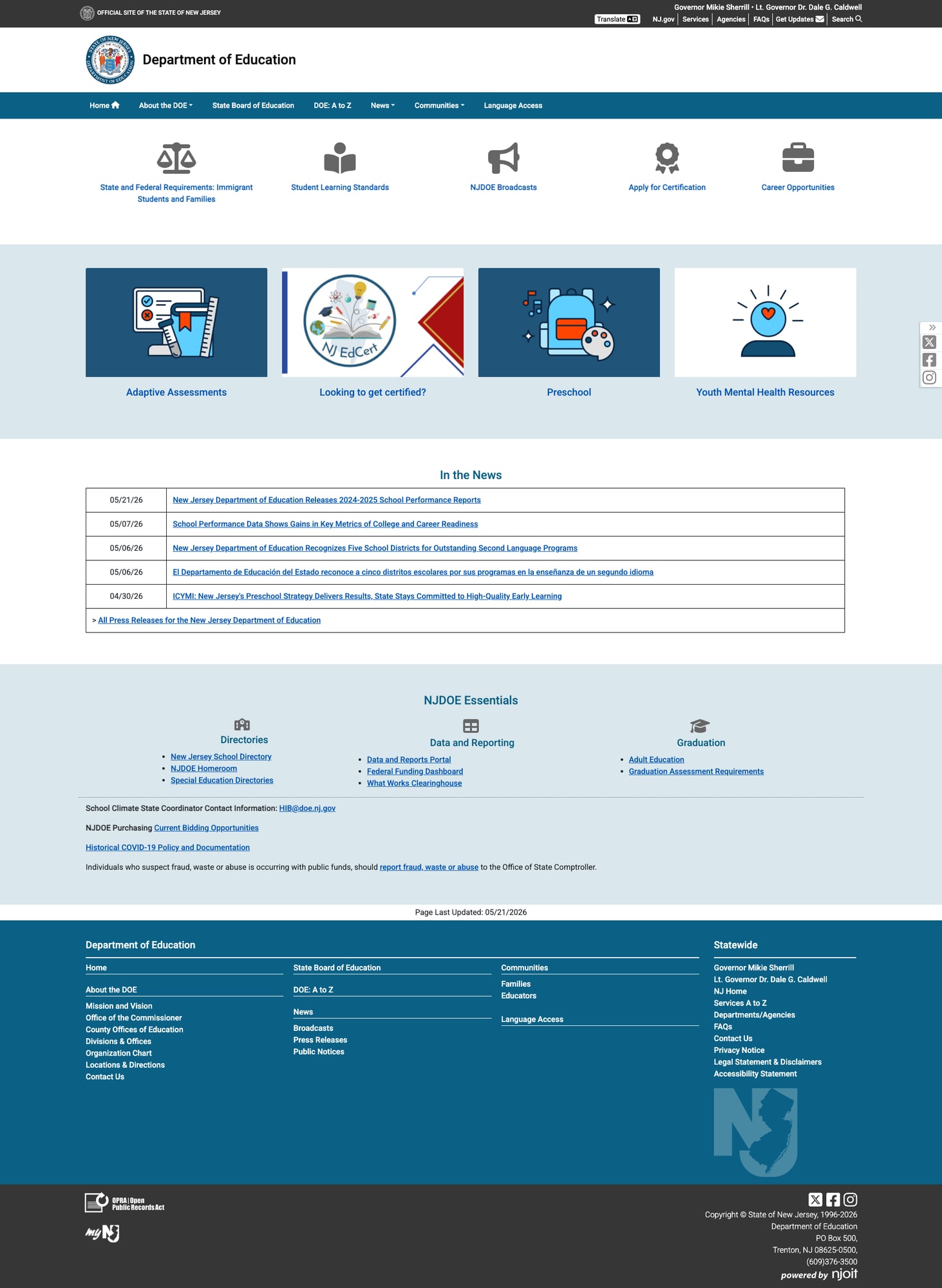
First impressions are functional rather than inspiring. The homepage presents a row of icon tiles — Immigrant Student Rights, Student Learning Standards, NJDOE Broadcasts, Certification, Career Opportunities — that feel more like a quick-links utility than a welcoming front door. Beneath that, four feature cards, a news table, and an "NJDOE Essentials" section round out a page that works but doesn't invite exploration. The real treasures are a click or two deeper, particularly the School Performance Reports — a genuinely excellent data tool — and the well-organized Data & Reports Portal.
Where NJ falls short is in the details that separate a functional government website from an engaging education resource. Press releases are exclusively PDFs. Search redirects to a statewide NJ.gov Google Custom Search with no DOE-specific filtering. The Language Access page — in a state where 31% of residents speak a language other than English at home — is a single paragraph with a PDF link. These gaps keep what could be a B-tier site firmly in C+ territory.
Strengths
1. School Performance Reports — A Standout Data Tool
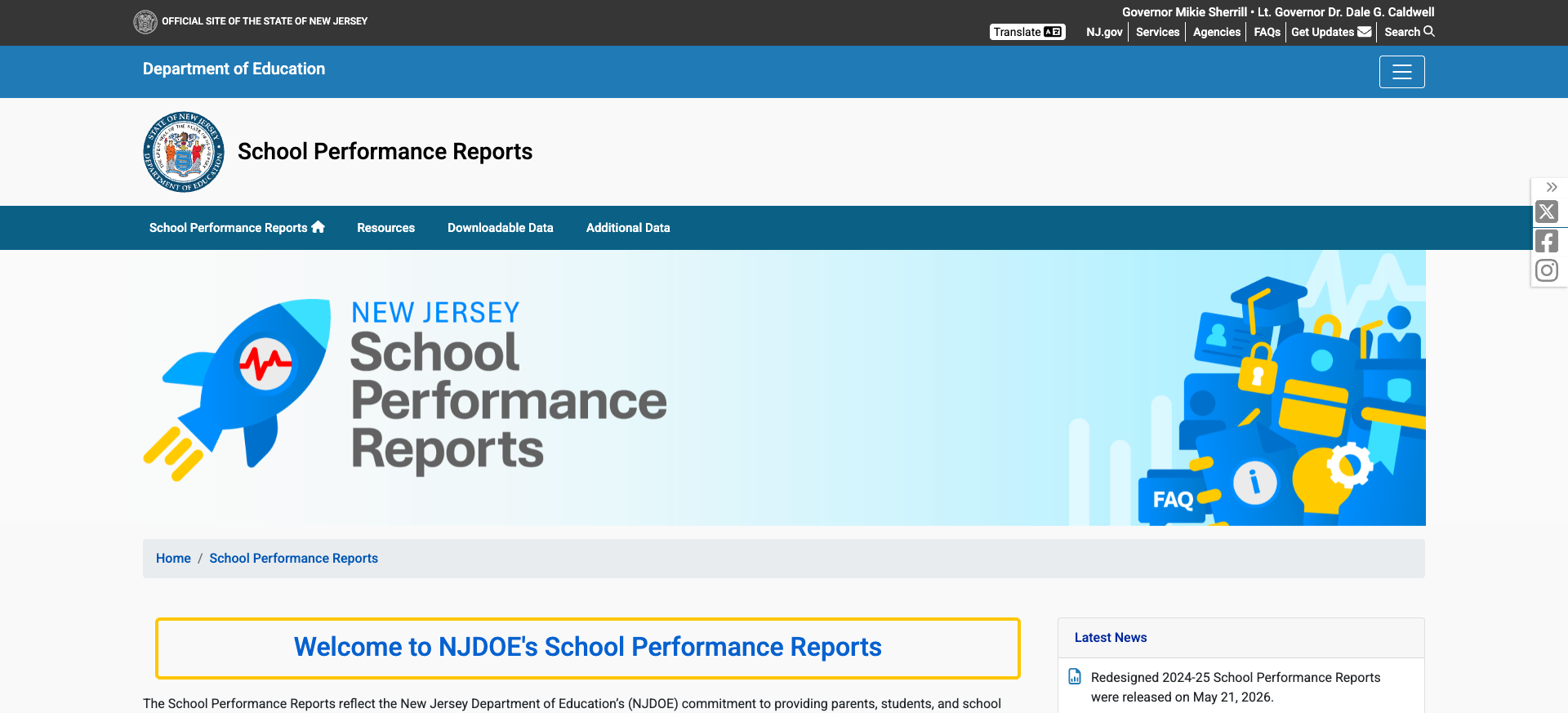
The School Performance Reports (nj.gov/education/spr/) are the crown jewel of NJDOE's digital presence. The tool covers 2024-2025 data (released May 21, 2026) with search by school name, district, county, or zip code. An alphabetical browser lets users browse all schools, and the system supports school, district, and state-level report types spanning back to 2016-2017. Each school report includes assessment data, demographics, staffing, financial information, and student outcomes. The sub-navigation offers Resources, Downloadable Data, and Additional Data sections for researchers and administrators who need raw datasets.
2. Comprehensive Family Resources
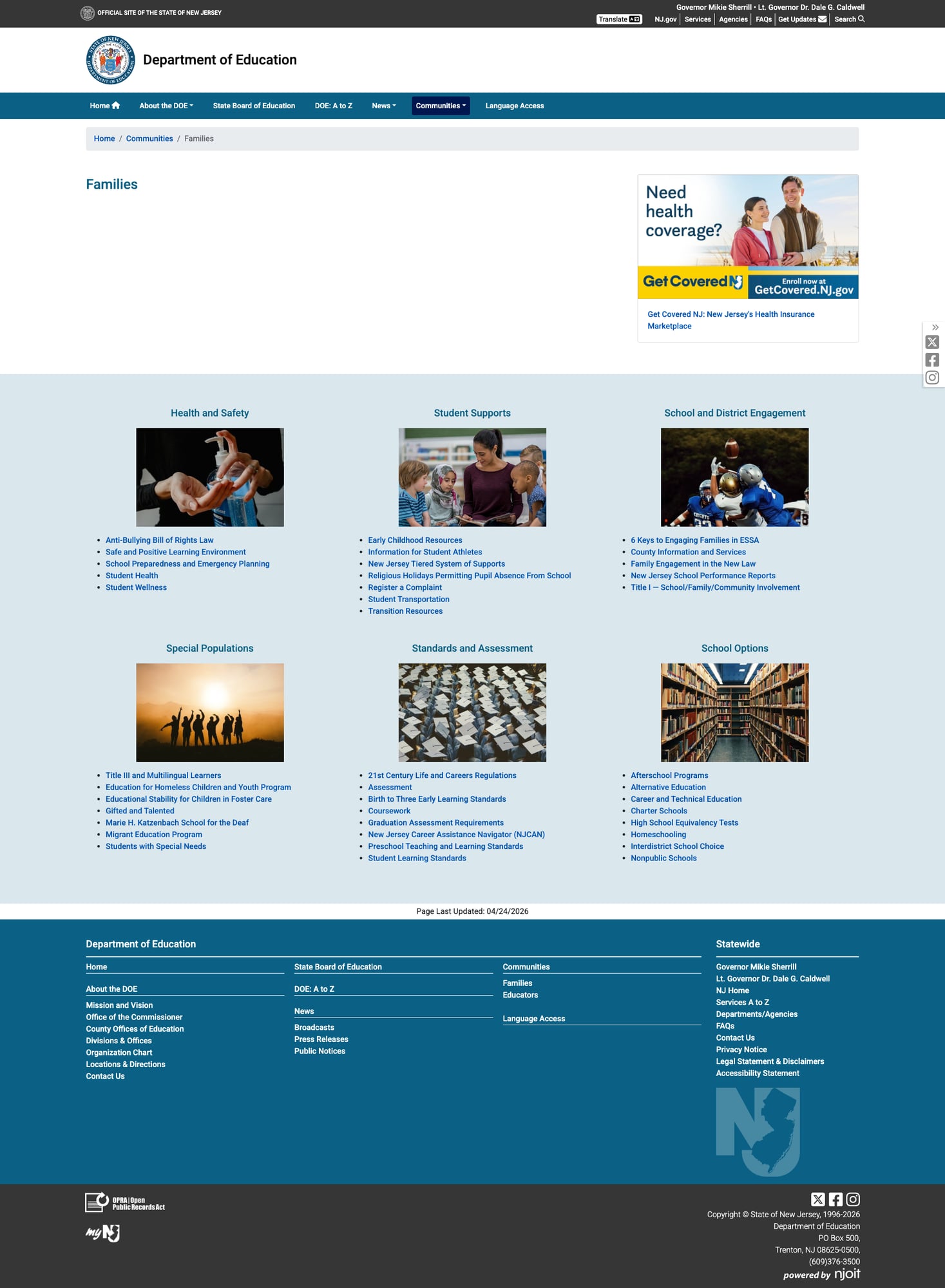
The Families page at /education/community/families is organized into six clearly labeled categories: Health and Safety, Student Supports, School and District Engagement, Special Populations, Standards and Assessment, and School Options. Each section provides curated links with practical resources — from the Anti-Bullying Bill of Rights Law to Interdistrict School Choice information. The page directly links families to the School Performance Reports and includes resources for special populations including homeless youth, foster care, gifted and talented, and multilingual learners.
3. Excellent Mobile Responsiveness
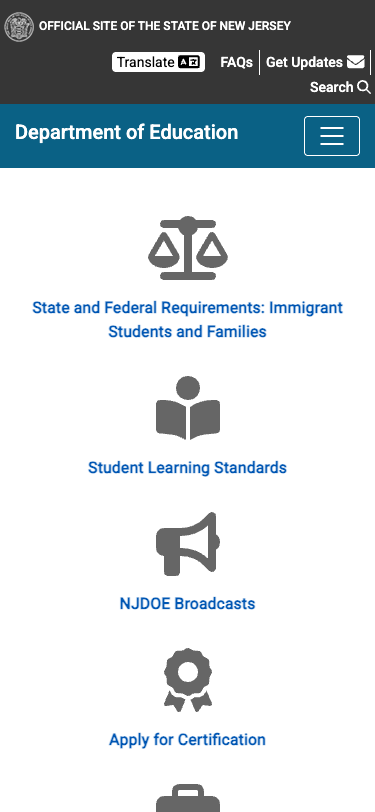
Built on Bootstrap via the NJ.gov platform, the site performs well on mobile devices. The navigation collapses to a hamburger menu at mobile widths, content stacks cleanly in a single column, touch targets are appropriately sized, and the homepage icon tiles reflow naturally. The proper viewport meta tag (width=device-width, initial-scale=1.0) ensures consistent rendering. This is one area where the NJ.gov template genuinely pays dividends — responsive design is baked in.
4. Well-Organized Data & Reports Portal
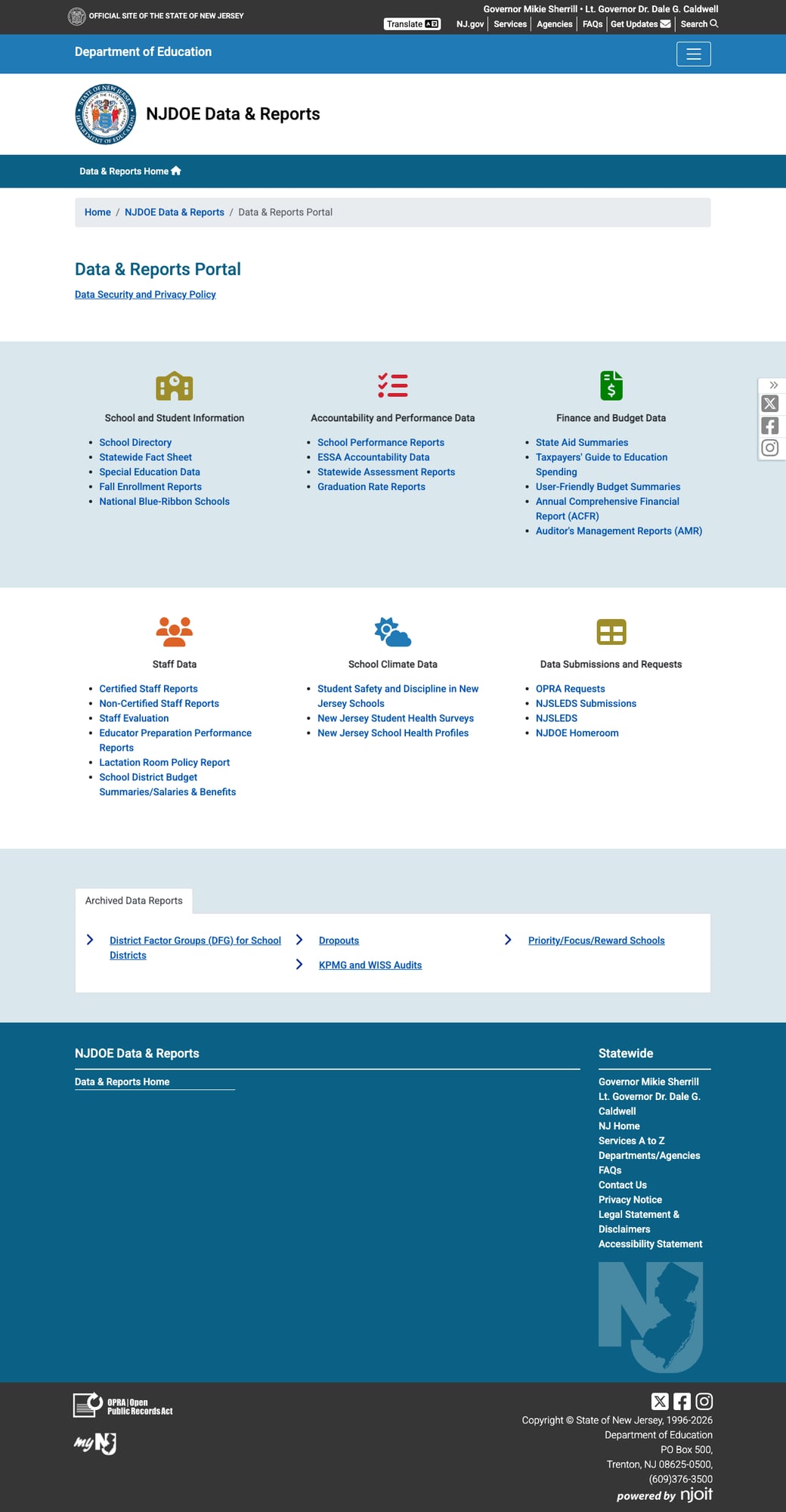
The Data & Reports Portal at /education/doedata/ organizes New Jersey's education data into six intuitive categories: School and Student Information, Accountability and Performance Data, Finance and Budget Data, Staff Data, School Climate Data, and Data Submissions and Requests. Notable resources include the Federal Funding Dashboard (a PowerBI interactive tool), ESSA Accountability Data, the Taxpayers' Guide to Education Spending, and Educator Preparation Performance Reports. A Data Security and Privacy Policy is prominently linked, and archived data reports are accessible via a tab interface.
5. DOE: A to Z Index
The A-to-Z index at /education/atoz lists over 300 entries alphabetically, providing a comprehensive catalog of every topic, program, and resource the NJDOE offers. From "A4-1/A4-2 Tuition Calculation" to "Youth Mental Health Resources," this page serves as an effective alternative navigation path when the main menu doesn't surface what a user needs. It's a simple concept executed well.
Weaknesses
1. Press Releases Published Exclusively as PDFs
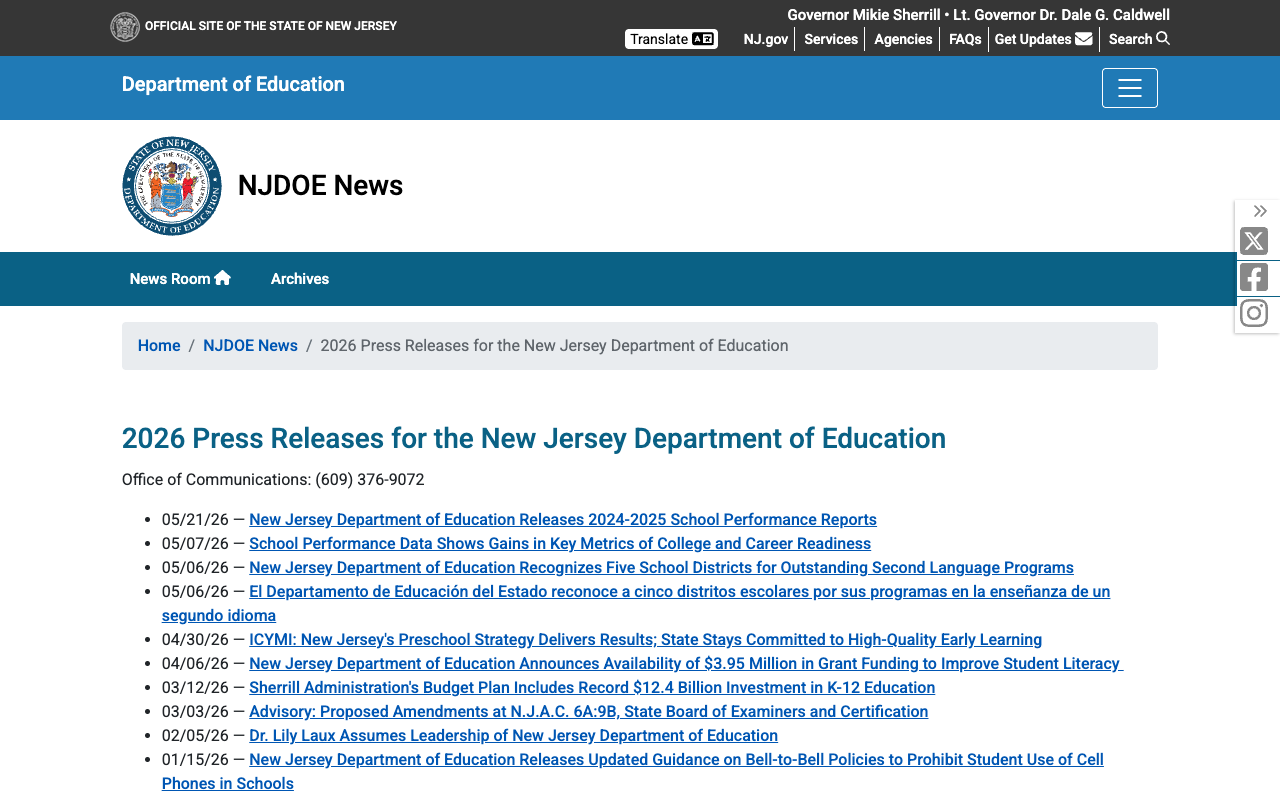
Every NJDOE press release is a downloadable PDF file rather than a web page. This is a significant usability and accessibility problem. PDFs are harder to share on social media, don't render well on mobile devices, can't be indexed as effectively by search engines, and present barriers for screen readers. A Spanish-language press release about second language programs exists as a PDF too, undermining the accessibility it was meant to provide. The news page itself is a plain bulleted list with dates and PDF links — no summaries, no images, no way to scan content without downloading each file.
2. Statewide Search Without DOE Filtering
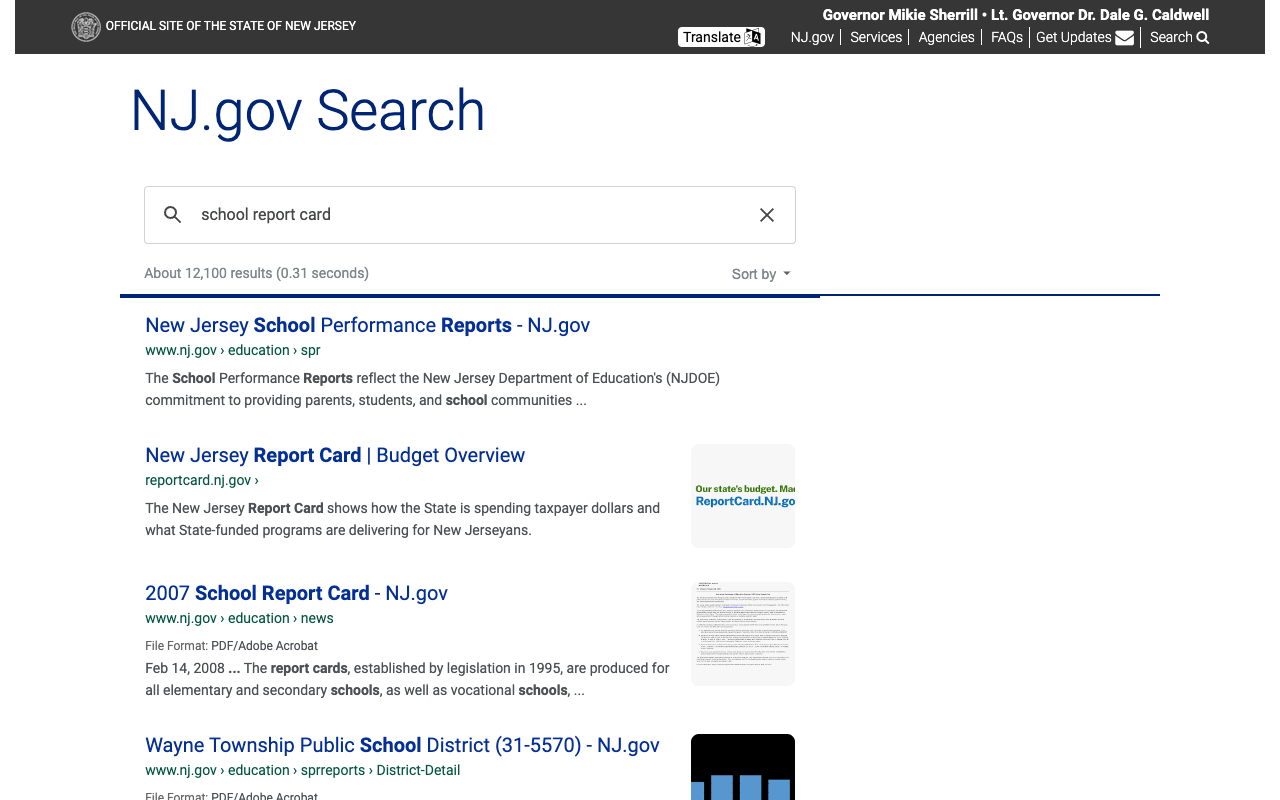
Clicking "Search" from the NJDOE site redirects to NJ.gov's statewide Google Custom Search. While it returns results (12,100 for "school report card"), there is no way to filter results to DOE content specifically. A parent searching for "school report card" gets results from the DOE, the state budget office, and individual school districts mixed together. There is no autosuggest, no spelling correction, and no content-type filtering. The search is functional at a basic level but does not serve the education-specific audience well.
3. Minimal Language Access Page
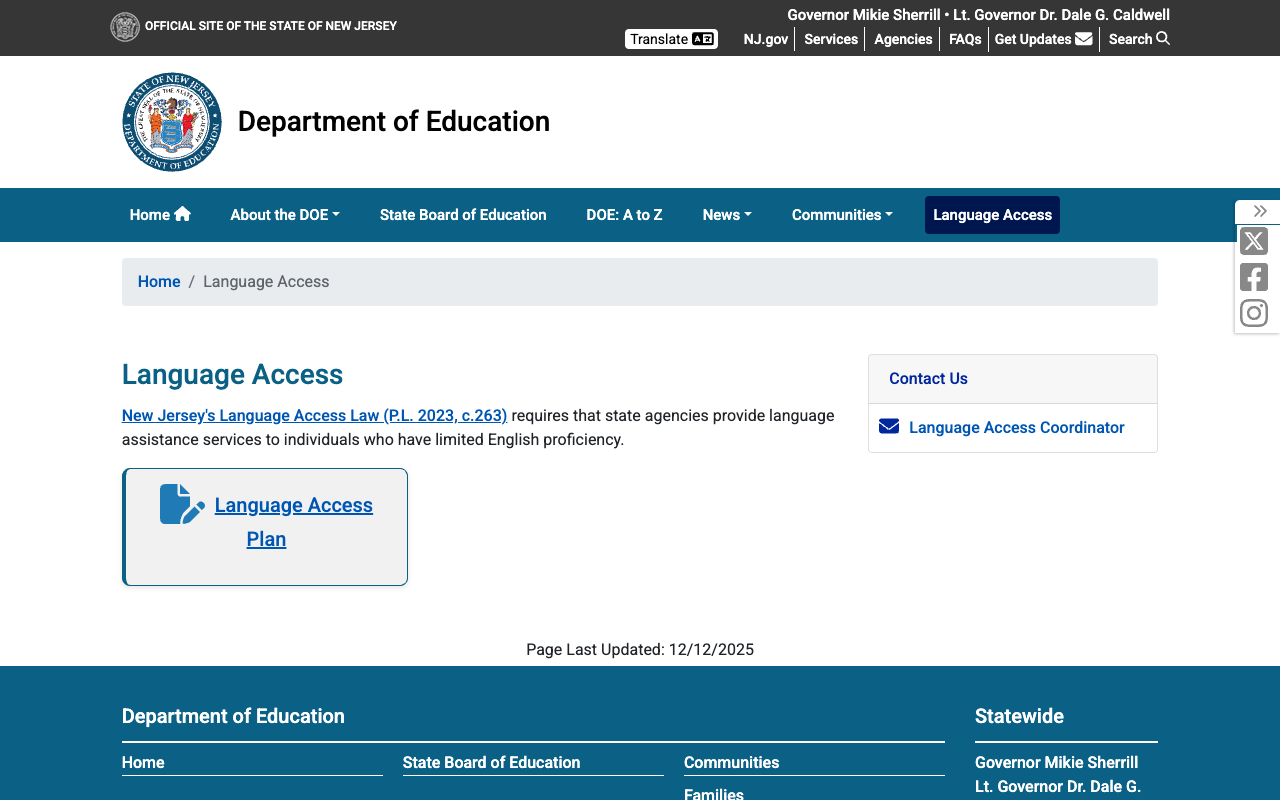
New Jersey's Language Access page — the dedicated section for the 31% of state residents who speak a language other than English at home — consists of a single paragraph referencing the Language Access Law (P.L. 2023, c.263), a link to the Language Access Plan (PDF), and a contact email for the Language Access Coordinator. That's it. No translated resources, no language selector beyond the global Google Translate widget in the header, no guidance for families on how to access services in their language. The page was last updated December 12, 2025. For a state with the nation's 5th largest English Learner population, this is conspicuously thin.
4. Utilitarian Visual Design
The site inherits the NJ.gov template, which is clean and consistent but visually dated and institutional. The homepage hero area is a row of gray icon tiles rather than engaging imagery or dynamic content. The "In the News" section is an HTML table. The feature cards in the middle section use clip-art-style illustrations. There is no visual storytelling, no photography of actual New Jersey students or schools, and limited use of color beyond the navy/teal header bar. The design communicates "government compliance" rather than "education excellence."
Opportunities
Publish press releases as web pages with structured data. Converting PDFs to HTML pages would improve search visibility, mobile readability, social sharing, and accessibility. A parallel Spanish version could be published as a native web page rather than a PDF.
Build a DOE-specific search experience. Even a simple filter that scopes Google Custom Search results to
nj.gov/education/*would dramatically improve search utility. Better yet, implement a faceted search with filters for audience (families, educators, administrators), content type (data, policy, news), and topic area.Expand the Language Access page into a multilingual resource hub. With NJ's substantial Spanish, Chinese, Korean, Gujarati, and Arabic-speaking populations, the page should include translated key documents, visual guides, and direct links to bilingual school resources. The Google Translate widget is helpful but insufficient for critical education information.
Threats
PDF-centric content creates an accessibility liability. As federal and state digital accessibility requirements strengthen, the reliance on PDFs for press releases, policy documents, and even data reports creates compliance risk. PDFs are harder to make fully accessible than web pages.
Template constraints may limit future innovation. The NJ.gov platform provides infrastructure benefits but also imposes design and functionality constraints. As other states deploy interactive dashboards, AI-powered search, and personalized content experiences, NJ's ability to innovate within the template may become a competitive disadvantage.
Standout Feature
The School Performance Reports at nj.gov/education/spr/ are the clear standout. With nine years of data (2016-2025), school/district/state report types, searchable by name, county, or zip code, and downloadable datasets, this tool gives New Jersey families genuine power to evaluate and compare schools. The reports were redesigned for 2024-2025 and released as recently as May 21, 2026, showing active maintenance and investment. It's one of the better school report card implementations we've reviewed.
Bottom Line
The NJDOE website is a competent, fast, accessible government site that delivers strong data tools and comprehensive resource organization. Parents will find what they need through the Families page and School Performance Reports; educators have a well-structured resource page; and data researchers will appreciate the organized portal. But the PDF-only news, minimal multilingual support, statewide (not DOE-specific) search, and institutional visual design keep it from reaching its potential. If you need New Jersey education data, this site delivers. If you're looking for an engaging, user-friendly digital experience, you'll find the infrastructure is excellent but the polish is lacking.
Grade Breakdown
| Criterion | Weight | Score | Notes |
|---|---|---|---|
| Navigation & Information Architecture | 15% | 8/10 | Clean 7-item nav with dropdowns, breadcrumbs throughout, 300+ item A-to-Z index, all links functional |
| Accessibility (WCAG 2.1 AA) | 15% | 7/10 | Skip to Content, ARIA labels, proper heading hierarchy, alt text, lang="en". Some images lack descriptive alt text |
| Search Functionality | 10% | 5/10 | Google Custom Search returns results but is statewide, no DOE-specific filters or autosuggest |
| Mobile Responsive Design | 10% | 8/10 | Bootstrap-based, hamburger menu, proper viewport, clean stacking, touch-friendly |
| Data Transparency & Open Data | 10% | 9/10 | Outstanding: SPR with 9 years of data, Data Portal with 6 categories, PowerBI dashboards, downloadable datasets |
| Parent Resources | 10% | 7/10 | Dedicated Families page with 6 sections, school choice info, SPR link. Google Translate only for multilingual |
| Educator Resources | 10% | 7/10 | Teachers and Administrators sections, certification, professional development, standards, evaluation tools |
| Visual Design & Branding | 10% | 5/10 | NJ.gov template is consistent but utilitarian. Icon tiles, clip-art illustrations, HTML table for news |
| Performance & Load Speed | 10% | 8/10 | 155ms TTFB, 295ms total, 36KB homepage. Fast and efficient on NJ.gov infrastructure |
| Overall | 100% | 72/100 | C+ |
Discussion