OverviewAll statesMissouri
75/100
Grade: B- — Strong Foundation with Functional Search and Genuine Depth
Missouri's Department of Elementary and Secondary Education (DESE) website at dese.mo.gov runs on Drupal 10 and presents a clean, audience-organized homepage that immediately sorts visitors into the right lane — Educators, Parents & Students, Stakeholders, or Administrators. The site loads in 60ms, boasts 100% link health across all tested pages, and maintains consistent state-government branding throughout.
The site's strengths are real: a full-featured MO.gov Fusion Search that returns over 17,000 results with source, category, and type filters; genuine depth in educator resources; a thoughtfully structured parent portal with tabbed navigation; and a strong data ecosystem (the MCDS Missouri Education Dashboard and District/Building Matrix tools). Where Missouri falls short is multilingual support — a notable gap given that 5.4% of students are English Language Learners — and a data portal that can be confusing to access due to session-cookie gating.
What holds Missouri to a B- rather than a B is the lack of any integrated translation feature, a data portal that confuses bots and first-time visitors alike, and a visual design that hasn't kept pace with modern state agency sites.
Strengths
1. Audience-Organized Homepage with "How Can We Help?" Grid
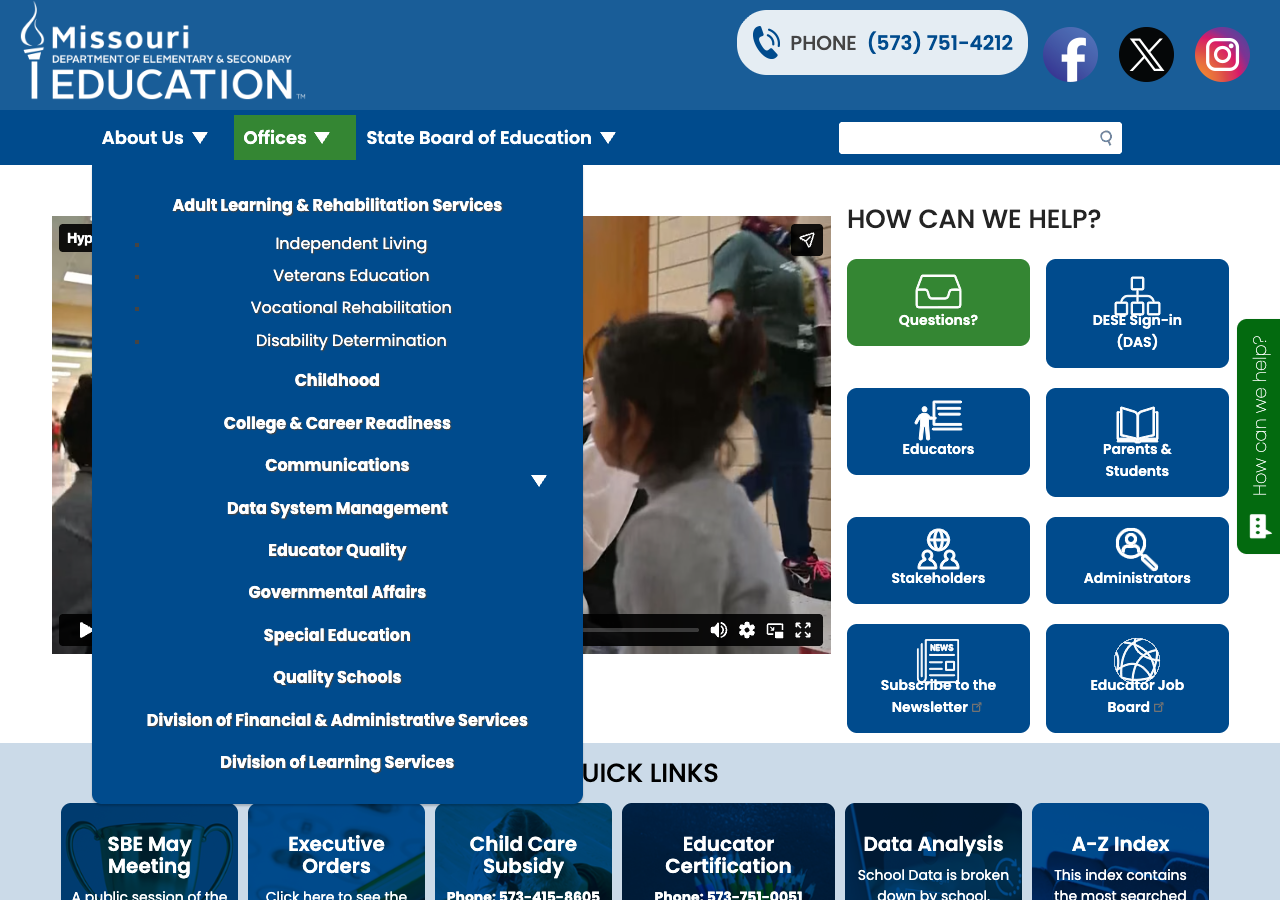
The homepage's right-hand panel immediately segments visitors into six clear audience channels: Questions, DESE Sign-in, Educators, Parents & Students, Stakeholders, and Administrators. Each tile uses a distinct icon and links directly to a curated landing page. Below that, six Quick Links cards surface the most common tasks (SBE meetings, Executive Orders, Child Care Subsidy, Educator Certification, Data Analysis, A-Z Index) with descriptions and direct contact numbers.
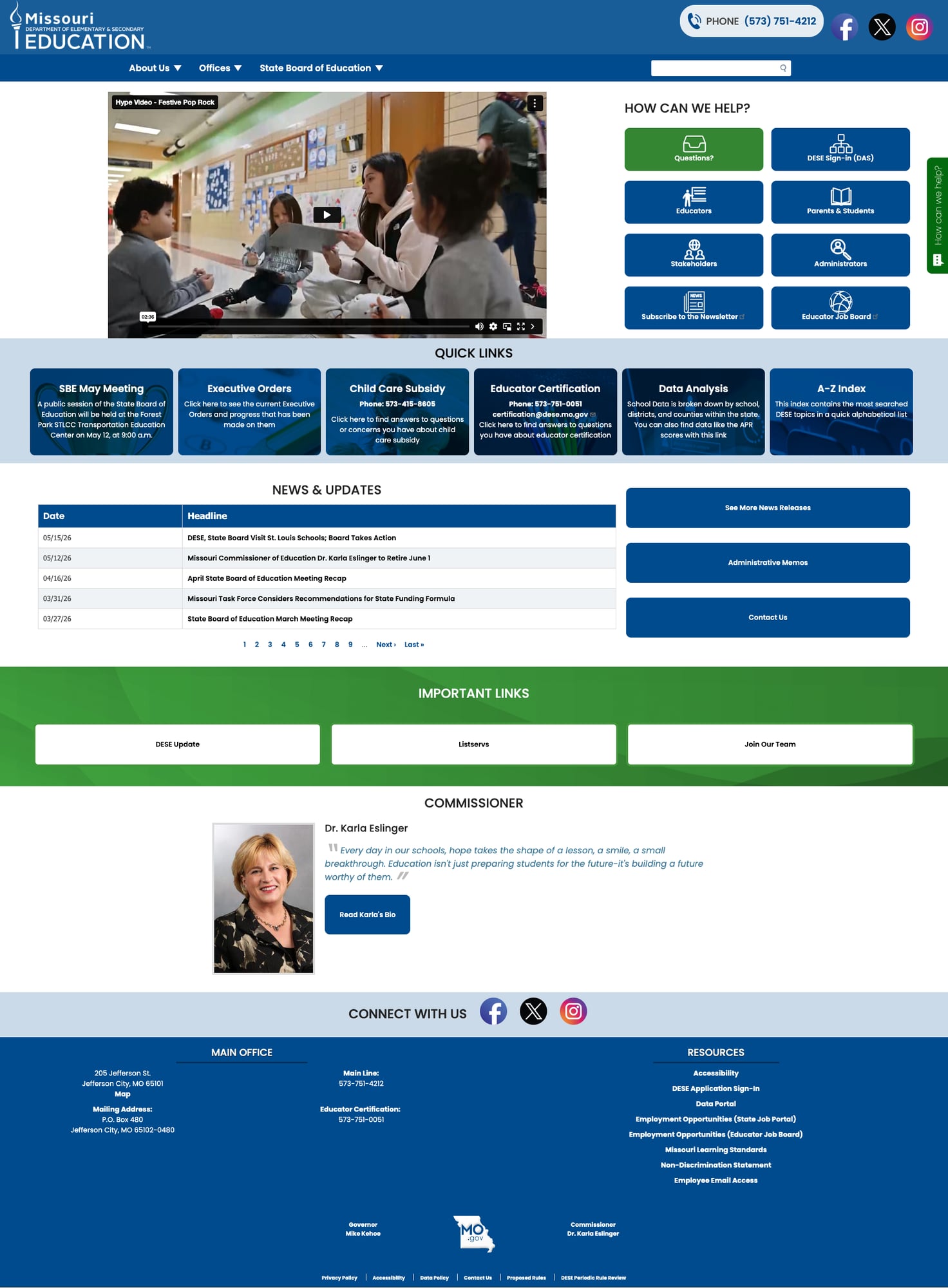
2. Insights & Analysis Data Ecosystem
Missouri's Insights & Analysis page showcases four data tools: the District Matrix, Building Matrix, Level Up (coming soon), and the Data Portal. The District Matrix and Building Matrix provide interactive platforms for educators and administrators to analyze performance across districts and schools. The MCDS Data Portal provides comprehensive data by school, district, and county, including APR scores and federal reporting.
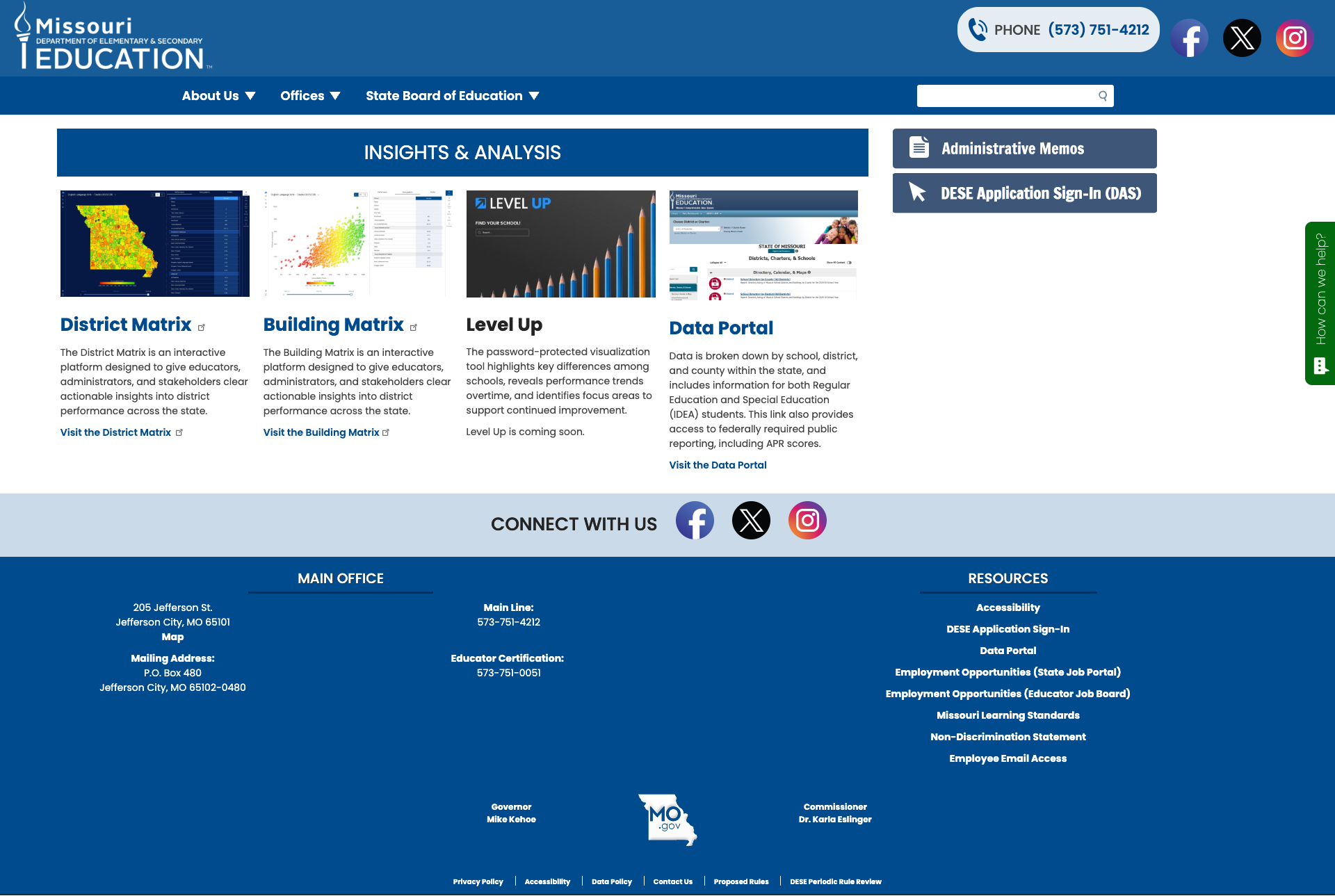
3. "Questions? (Lets Talk)" Feedback System
The site deploys a persistent "How can we help?" floating widget (powered by K12 Insight's Let's Talk platform) that leads to a structured feedback form. Users can submit Questions, Comments, Suggestions, Concerns, or Compliments — and the form includes a "Select a Language" dropdown for multilingual support (notably, one of the few multilingual features on the entire site). This is a more sophisticated constituent communication tool than most SEA sites offer.
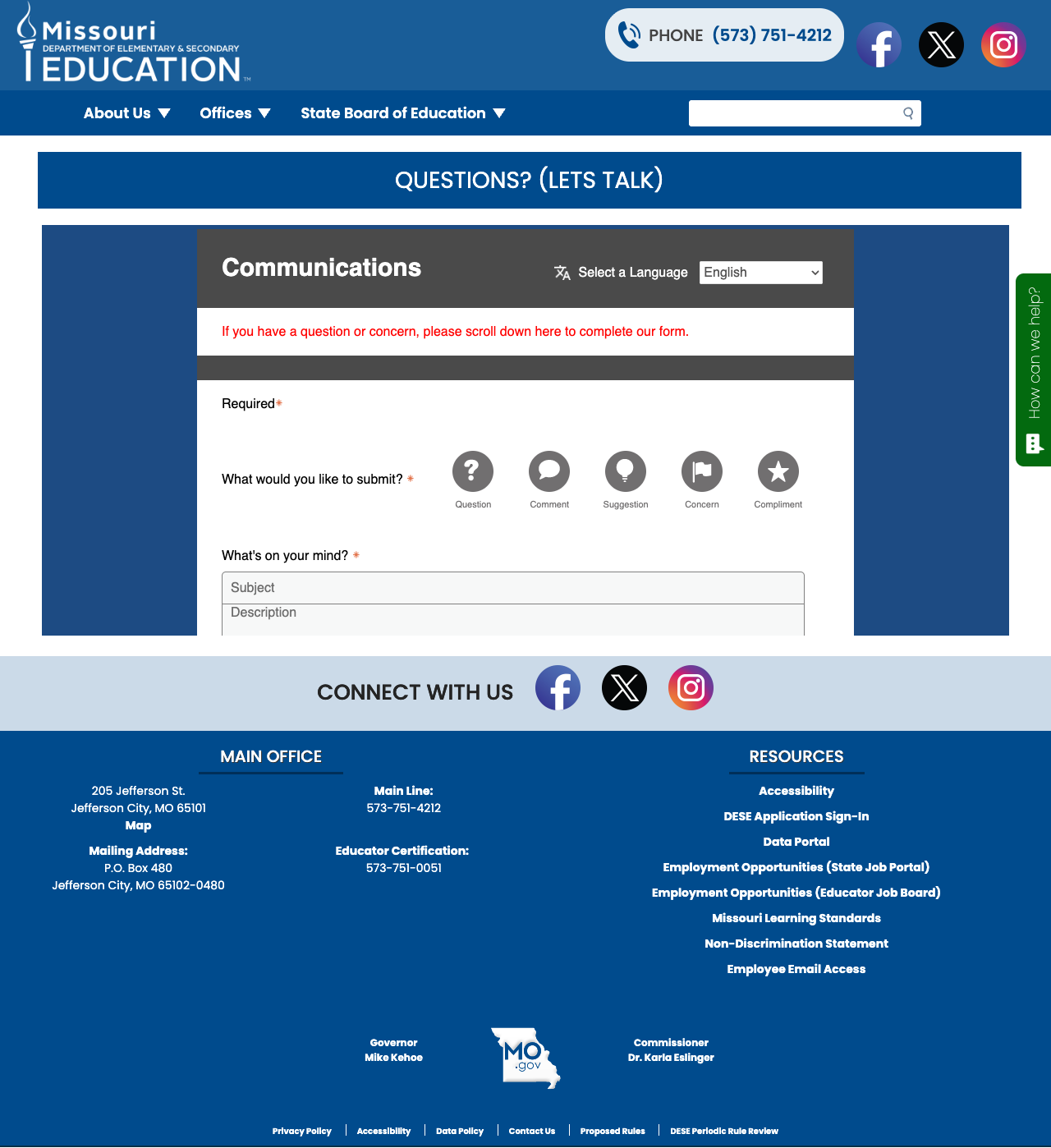
4. Deep Educator Resources with Popular Services Sidebar
The Educators page organizes 16 topic areas alphabetically from Assessment to Teaching Jobs, each with a brief description and direct link. A "Popular Services" sidebar on the right surfaces the seven most-used tools: Fingerprinting/Background Checks, Web Applications Login, Educator Assessments (Praxis), Certification, Preparation Reports, and Professional Learning Guidelines. The Certification Account Portal allows educators to apply for, print, and track certificates online.
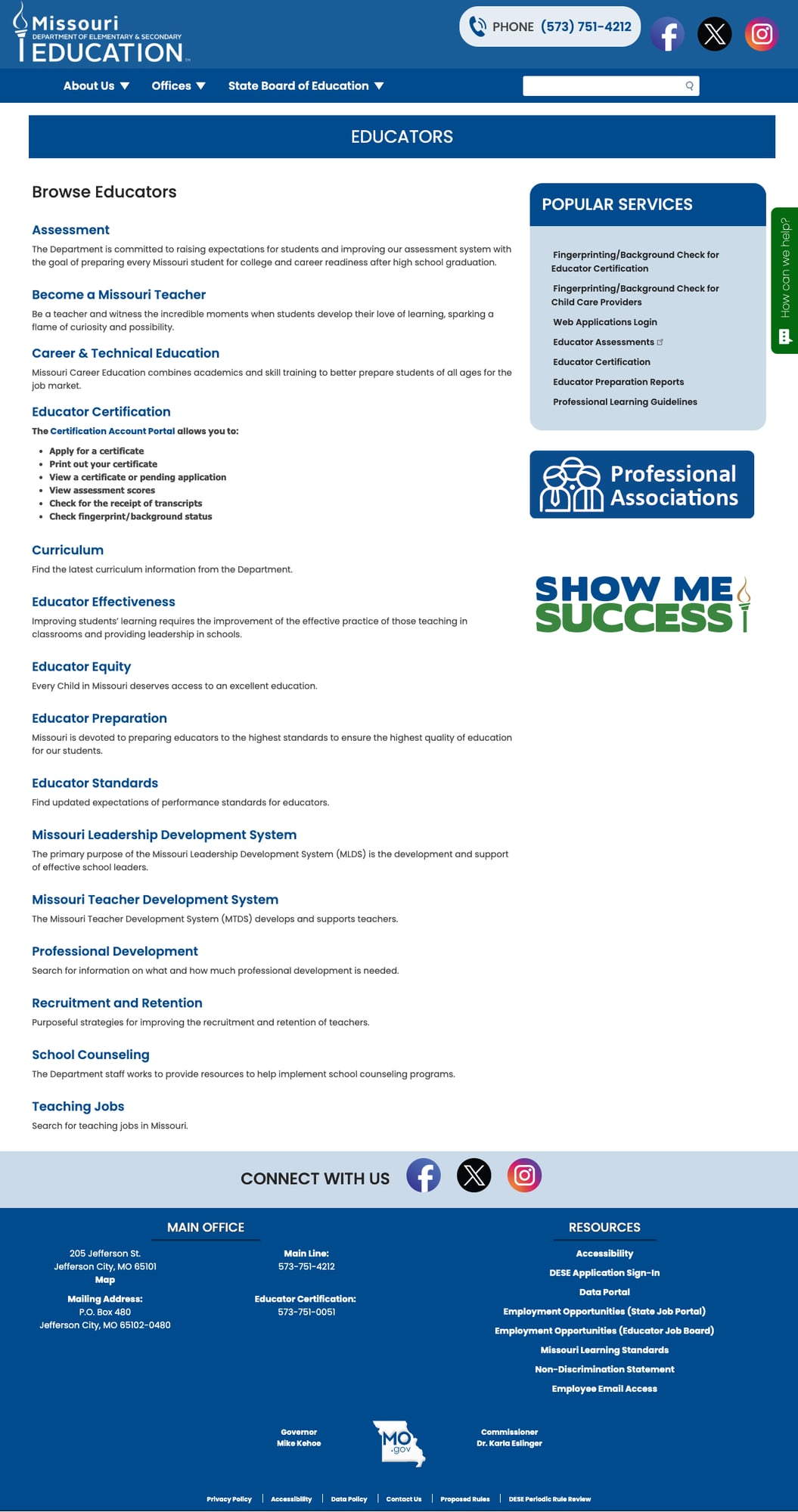
5. Excellent Mobile Responsiveness
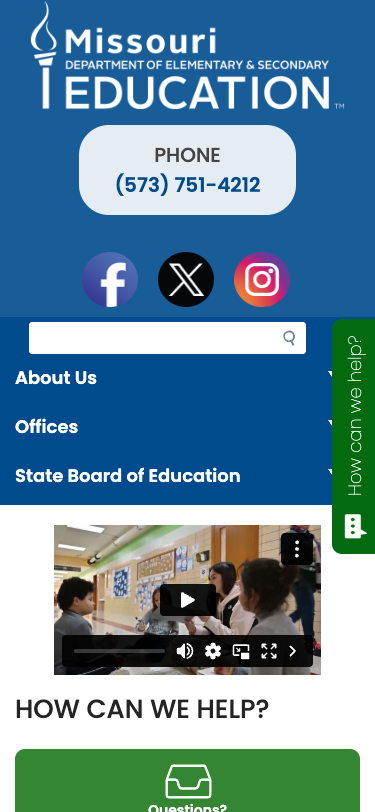
At 375px (iPhone SE), the site stacks cleanly with no horizontal scrolling. The nav items remain accessible as a vertical list, the search bar stays visible, and the "How can we help?" icons reflow into a single column. Content remains fully readable and touch targets are generously sized.
Weaknesses
1. Search Works — But the Legacy Drupal Index is a Dead End
Missouri deploys the MO.gov Fusion Search as its primary search engine, and it works well: a query for "school report card" returns over 17,000 results with left-rail filters for Source, Categories, and Type — a more feature-rich experience than most state education sites offer. Results load in approximately 65ms with relevance ranking and clear source attribution.
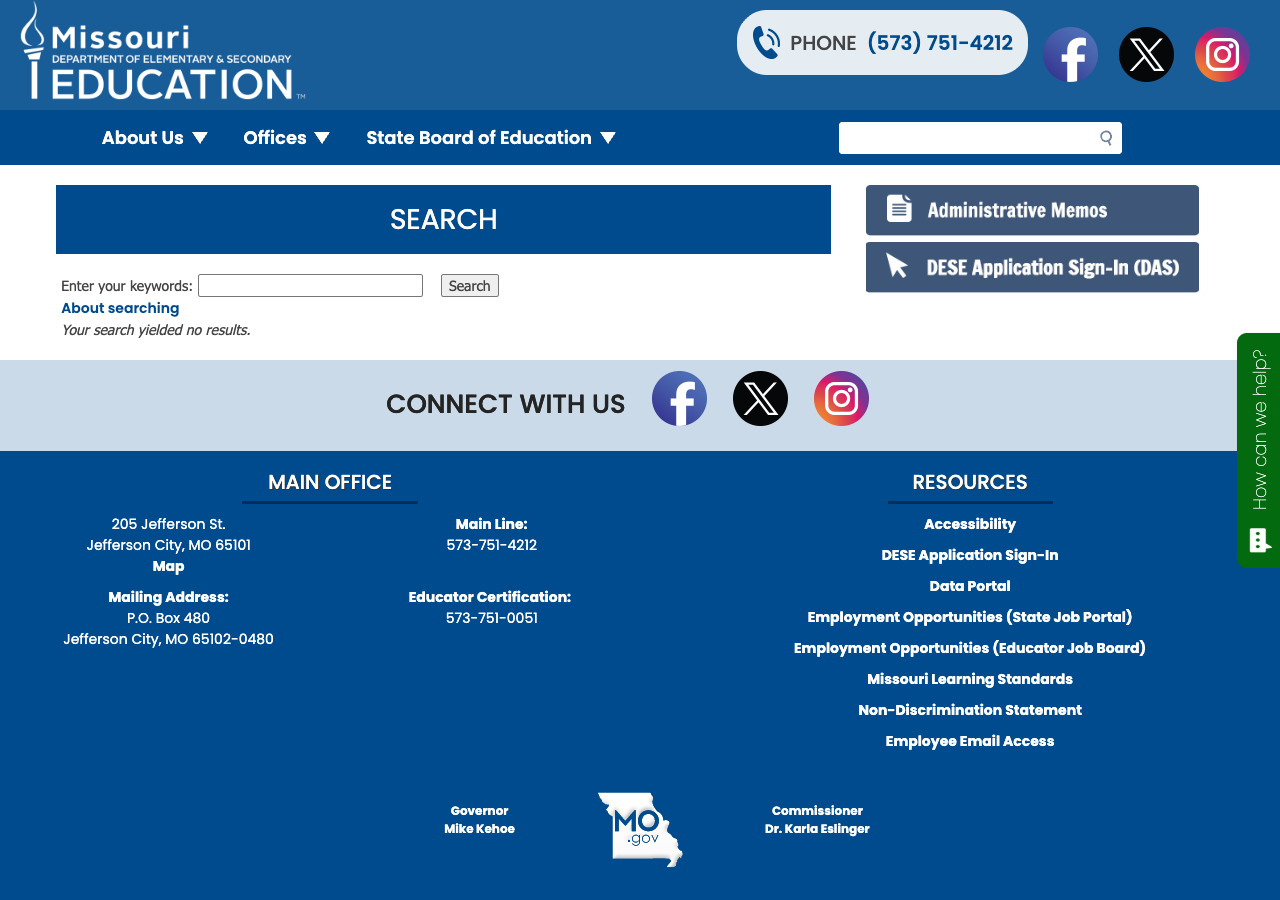
The caveat: the site also exposes a legacy Drupal search endpoint at /search?keys=... that returns "Your search yielded no results" for every query. This endpoint appears in the HTML but is not the search box users interact with. The actual search widget POSTs to /mogov-search/form and redirects to the fully functional results page. Users who navigate directly to the Drupal search URL (or tools that test it programmatically) will see a false empty-results page, but real users in a browser never encounter this.
2. No Multilingual Support
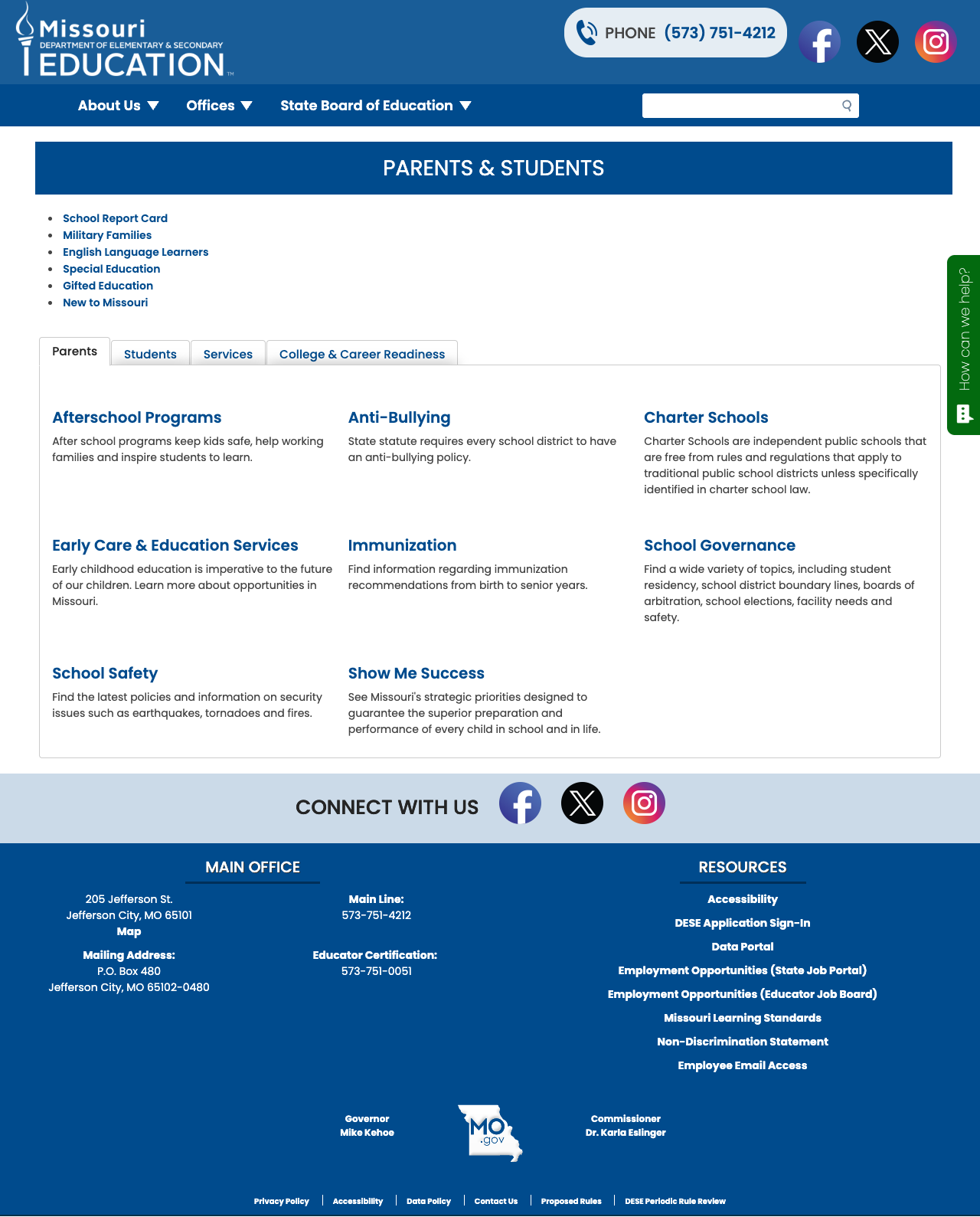
Despite Missouri having approximately 5.4% English Language Learners across its districts, the main DESE site offers no integrated translation feature. There is no Google Translate widget, no language selector in the header, and no translated content. The only multilingual feature found is the language selector on the Let's Talk feedback form — which is a third-party widget, not a site feature. The Parents & Students page — the section most likely to be visited by non-English-speaking families — has zero language options.
3. Data Portal Hidden Behind Session Gates
The MCDS (Missouri Comprehensive Data System) Data Portal, District Matrix, Building Matrix, and School Report Card all redirect to a login page when accessed via direct URL or curl. While these tools do load in a browser session (apparently using cookie-based public access rather than credentials), the redirect behavior creates confusion. A parent clicking "School Report Card" from the Parents & Students page may encounter a login screen before the dashboard loads. The Level Up tool is listed as "coming soon" with no launch date.
4. Minimal Top-Level Navigation
The site has only three top-level nav items: About Us, Offices, and State Board of Education. While the mega-dropdown menus beneath each are well-organized (Offices alone shows 12 divisions with sub-items), important audience-specific pages like Educators, Parents & Students, and Data Analysis are accessible only through the homepage tiles or the About Us dropdown — not as primary navigation items. First-time visitors who don't land on the homepage may struggle to find these sections.
5. Dated Visual Design
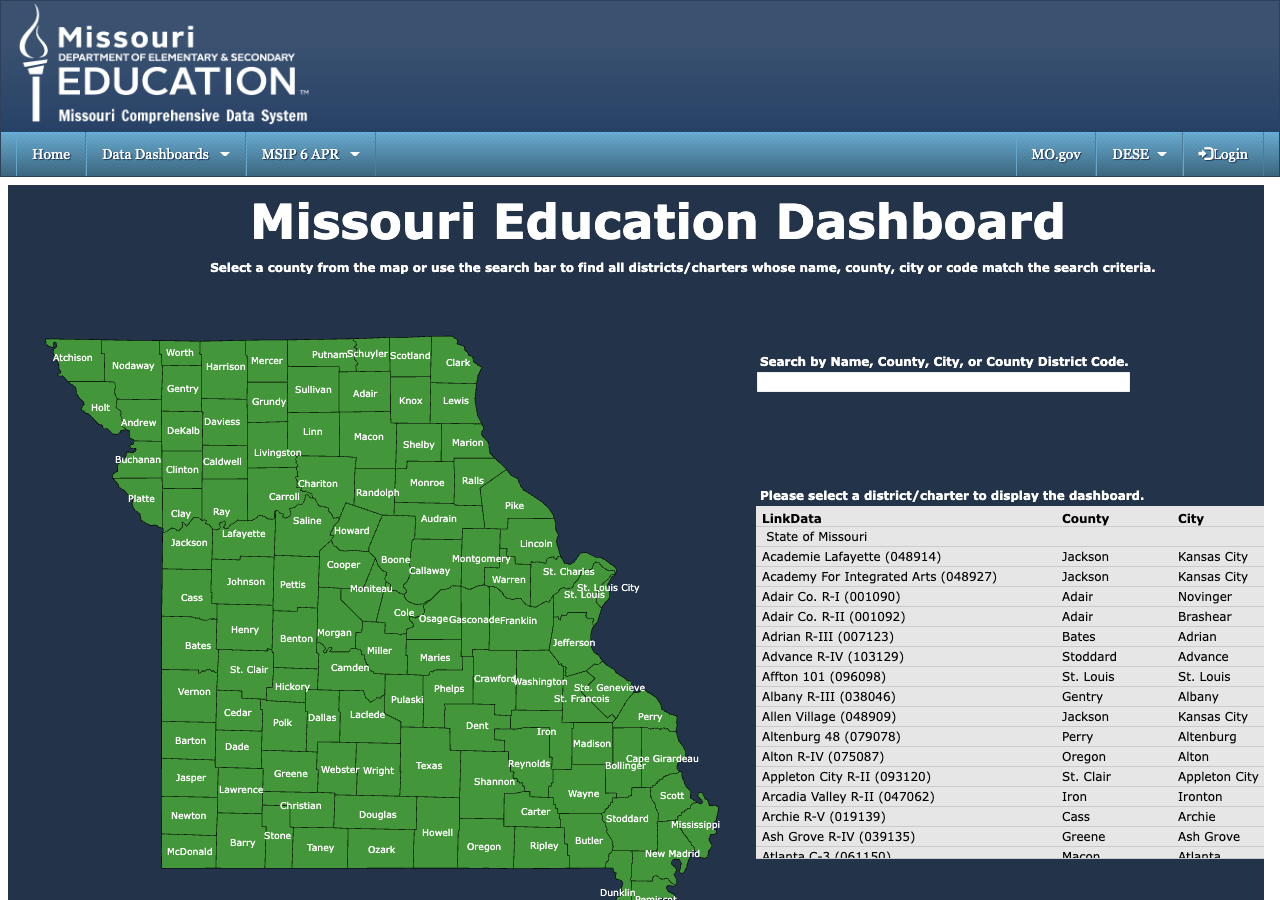
The site's blue-and-white color scheme with green accent tiles is professional but dated. The Quick Links section uses colored cards that feel more like 2018-era Bootstrap components than modern design. The Vimeo "Hype Video" hero embed, while functional, takes up a large portion of the homepage without providing clear navigational value. The MCDS data tools run on a completely different visual framework (dark navy theme), creating a jarring disconnect when users transition from the main site.
Opportunities
Add site-wide Google Translate. Many other state education sites (Alabama, Hawaii, Idaho) integrate Google Translate with a simple widget. For Missouri's ELL population, this is a straightforward win that could be deployed in days.
Surface the MCDS dashboard more prominently. The Missouri Education Dashboard is genuinely useful — an interactive county map with district-level data. But it's buried behind the "Data Analysis" quick link → Insights & Analysis page → Data Portal link → session redirect. A direct "School Report Card" link in the main navigation would save parents significant confusion.
Clean up the legacy Drupal search endpoint. The
/search?keys=...endpoint returns empty results for every query. Since Fusion Search handles all real user searches, the legacy endpoint should either be redirected to Fusion Search or disabled. Leaving an empty-results search URL exposed creates confusion for power users and developers who discover it.
Threats
Legacy data tools. The MCDS platform runs on classic ASP.NET WebForms — technology that's increasingly difficult to maintain and impossible to make fully accessible. As other states move to modern, public-facing dashboards (Georgia's CCRPI, Florida's Know Your Schools), Missouri's login-gated, session-dependent approach will fall further behind.
ELL population underserved. With 5.4% of Missouri students classified as English Language Learners and no site-wide translation feature, the department risks failing a growing constituency. If Missouri's ELL population continues to grow without a corresponding translation investment, the gap between what the site offers and what families actually need will widen.
Standout Feature
The Missouri Education Dashboard within the MCDS platform is the site's standout feature. It presents an interactive county map of Missouri where users can click any county to see all districts and charter schools, search by name/county/city/code, and access the full MSIP 6 Annual Performance Report (APR) data. The map-based navigation is intuitive and the district-level detail is comprehensive. While the visual design is dated and access can be confusing (session cookies required), the underlying data breadth is impressive.
Bottom Line
Missouri DESE's website is a well-structured Drupal 10 site with genuine depth in educator resources, a thoughtful parent portal, a functional Fusion Search that returns over 17,000 results with meaningful filters, and a rich (if hard-to-reach) data ecosystem. Parents seeking school information will generally find it, though the confusing data portal access path and absence of any translation feature create real barriers for non-English-speaking families. Educators fare best, with 16 organized resource categories and a popular services sidebar that anticipates their most common needs. Add multilingual support and surface the MCDS dashboard more prominently, and this site could comfortably reach a solid B.
Grade Breakdown
| Criterion | Weight | Score | Notes |
|---|---|---|---|
| Navigation & Information Architecture | 15% | 8/10 | Clean 3-item top nav with rich mega-dropdowns, audience-organized homepage tiles, A-Z Index, breadcrumbs. All nav links functional (100% link health). Limited top-level items compensated by deep dropdown structure. |
| Accessibility (WCAG 2.1 AA) | 15% | 7/10 | Drupal 10 with proper ARIA roles, skip-to-content link, lang attribute, all images have alt text, proper viewport meta. Section 508/WCAG 2.0 policy documented. No automated accessibility audit widget. External link warnings enabled. |
| Search Functionality | 10% | 6/10 | MO.gov Fusion Search is functional: 17,000+ results for "school report card" with Source/Categories/Type filter sidebar, relevance sorting, ~65ms response. Legacy Drupal search endpoint (/search?keys=...) returns empty results but is not the user-facing search. No search autocomplete or contextual suggestions. |
| Mobile Responsive Design | 10% | 8/10 | Clean responsive layout at 375px. Nav stacks vertically, search accessible, icons reflow, no horizontal scroll. Touch targets adequately sized. |
| Data Transparency & Open Data | 10% | 7/10 | MCDS with District Matrix, Building Matrix, School Report Card, and county-level data. Session-cookie access confuses bots/curl but works in browsers. Level Up "coming soon." No open data download portal or API. |
| Parent Resources | 10% | 7/10 | Dedicated Parents & Students page with tabbed interface (Parents/Students/Services/College & Career). School Report Card, Military Families, Special Education links. No multilingual support for non-English families. |
| Educator Resources | 10% | 8/10 | 16 organized categories with descriptions. Popular Services sidebar. Certification Account Portal, Praxis integration, Professional Development, Recruitment & Retention. Strong breadth. |
| Visual Design & Branding | 10% | 7/10 | Consistent blue/white/green state branding. Professional icons on homepage. Functional but dated (2018-era Bootstrap feel). MCDS data tools on completely different visual framework. |
| Performance & Load Speed | 10% | 9/10 | 60ms TTFB, fast load. Drupal 10 with aggregated CSS/JS. Strong security headers (CSP, HSTS, X-XSS-Protection, X-Content-Type-Options). Google Analytics (G-0VS0PE47HY). |
| Overall | 100% | 75/100 | B- |
Discussion