OverviewAll statesMaryland
69/100
Grade: C — A Solid Foundation Fragmented Across Too Many Front Doors
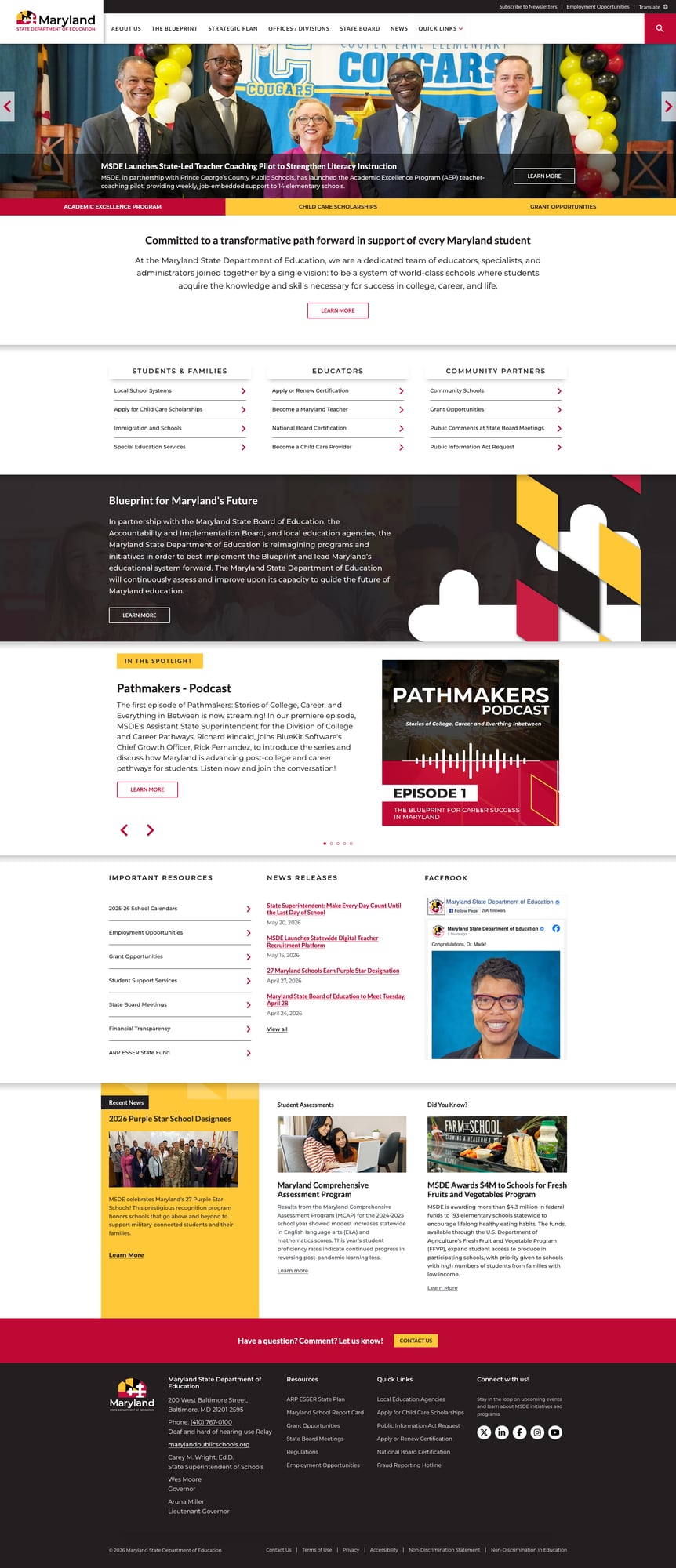
The Maryland State Department of Education (MSDE) operates one of the more ambitious web ecosystems in state education. The main site at marylandpublicschools.org is a freshly reskinned SharePoint 2013 installation wrapped in Bootstrap 5, delivering a professional maroon-and-gold design with fast load times and perfect link health. The problem isn't quality — it's coherence. Maryland's education web presence is scattered across at least four distinct platforms (the main SharePoint site, the Blueprint WordPress site, the Early Childhood Drupal site, and the Report Card web app), each with its own design language, navigation, and search. A parent looking for child care scholarships will navigate through at least two completely different websites before they find what they need.
For educators, the story is better: teacher certification, recruitment via teach.maryland.gov, and National Board Certification resources are well-organized and accessible. The Maryland School Report Card at reportcard.msde.maryland.gov stands out as a genuinely excellent data tool with 2025 data, school-level search, and data downloads. And the Blueprint for Maryland's Future site is one of the most polished policy microsites we've reviewed in any state.
But the main marylandpublicschools.org site itself has gaps. Its navigation is organization-centric rather than audience-centric — parents won't intuitively know to click "Offices / Divisions" to find what they need. Search punts to maryland.gov entirely. And the Students & Families section on the homepage offers just four links, none of which lead to a comprehensive parent portal.
Strengths
1. The Blueprint for Maryland's Future — A Model Policy Microsite
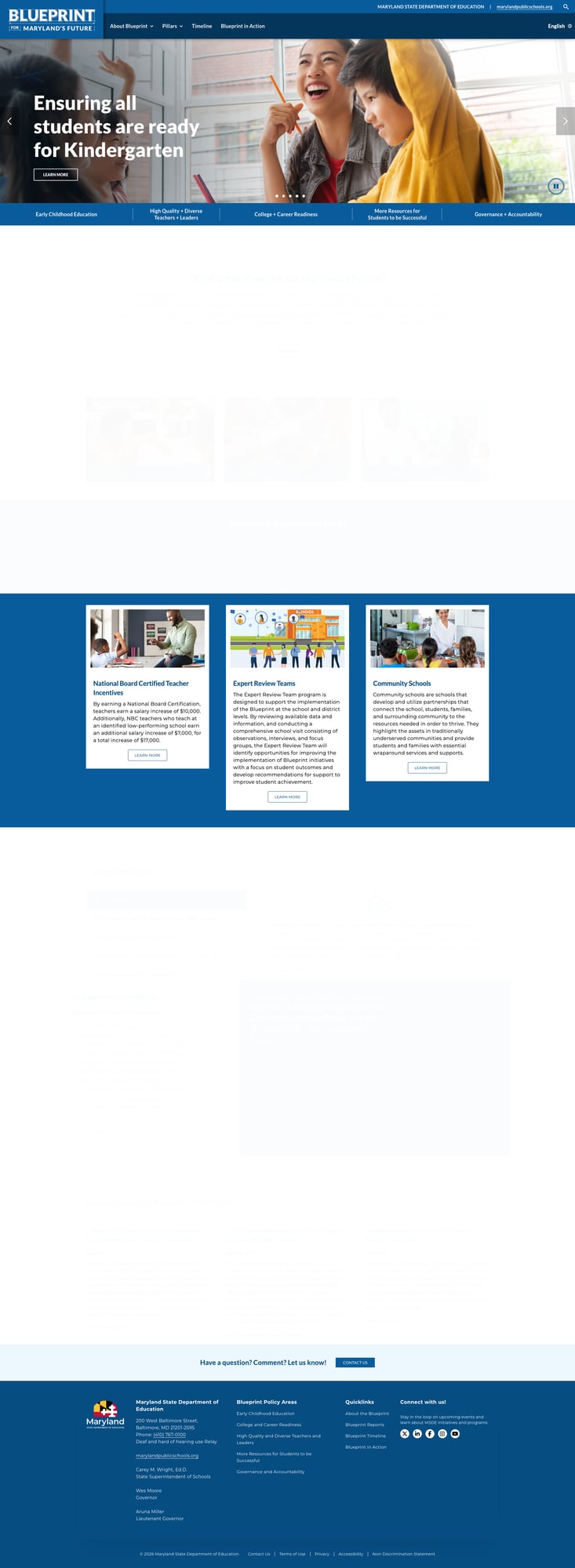
The Blueprint site at blueprint.marylandpublicschools.org is arguably the best policy-focused microsite we've seen from any state education agency. Built on a modern WordPress platform with clean, responsive design, it organizes Maryland's landmark $3.8 billion education reform law by its five policy pillars: Early Childhood Education, High Quality & Diverse Teachers & Leaders, College & Career Readiness, More Resources for Students to Be Successful, and Governance & Accountability. The site includes an English language toggle, a dedicated timeline feature, and "Blueprint in Action" stories. National Board Certified Teacher incentives, Expert Review Teams, and Community Schools are all explained with clear, plain-language descriptions. This is what government web communication should look like.
2. Active, Current News Operations
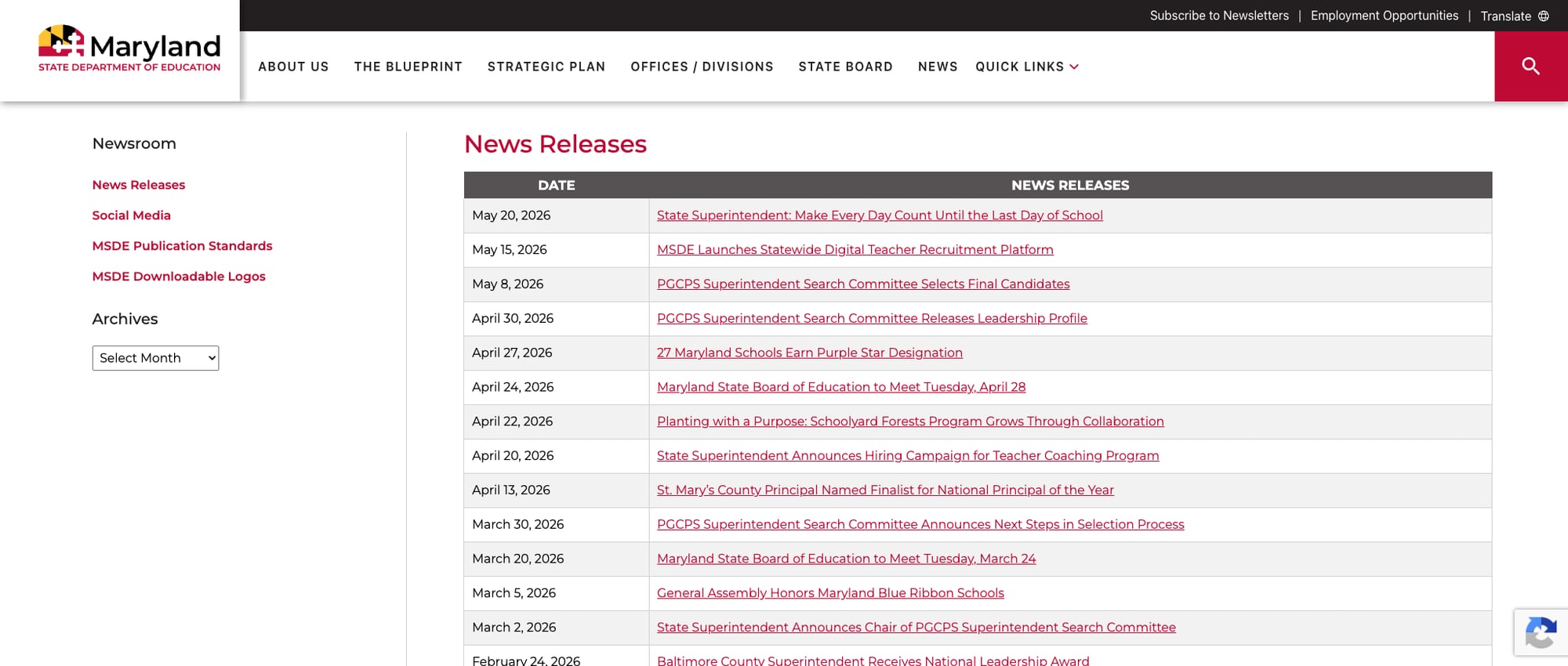
Maryland's newsroom at news.maryland.gov/msde/ is consistently active, with the most recent press release dated the day of this review (May 20, 2026). The homepage integrates news releases directly with dates and links, and the newsroom page provides a complete archive with month-by-month filtering. Coverage spans superintendent communications, school recognitions (Purple Star designations, Blue Ribbon Schools), State Board meeting announcements, and program launches. The homepage also features a "Recent News" section with three highlighted stories and a live Facebook feed integration.
3. Audience-Organized Homepage with Quick Access Links
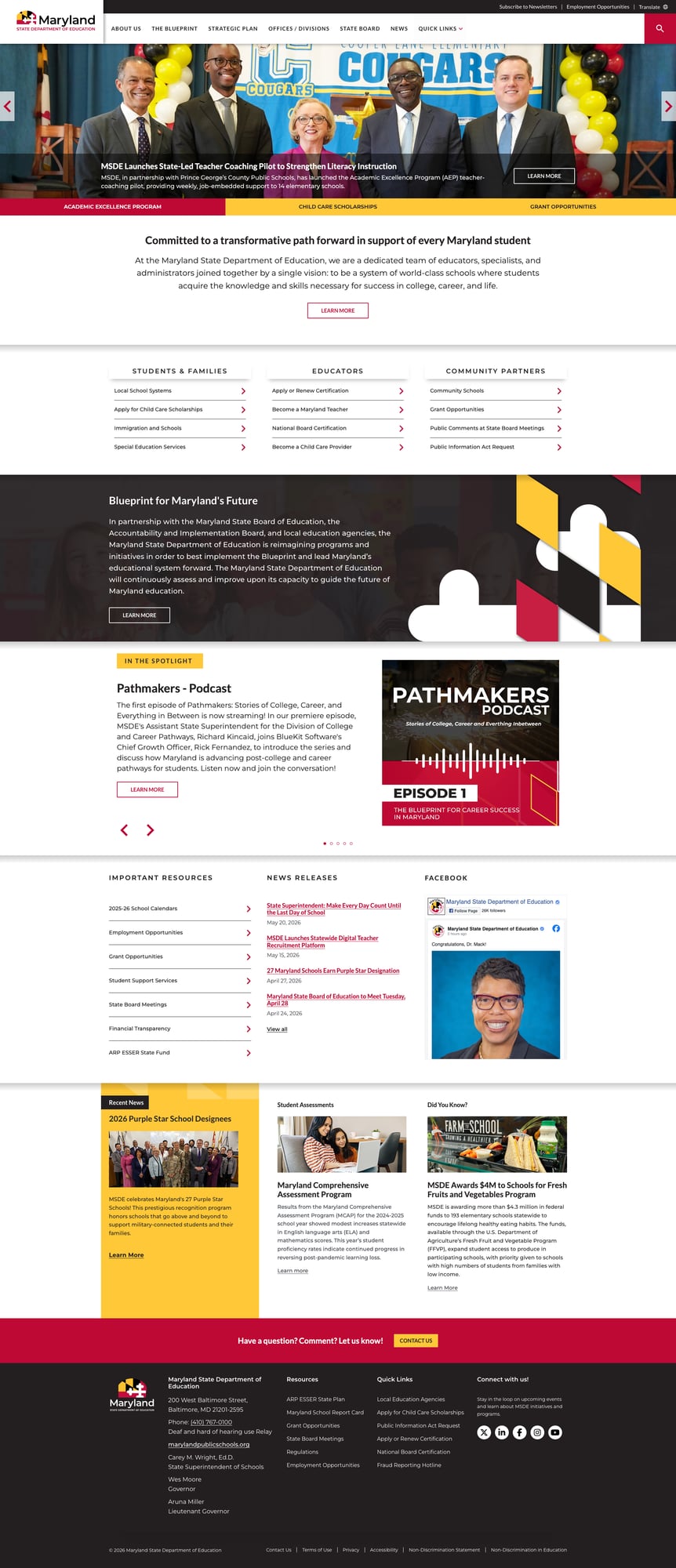
The MSDE homepage includes a three-panel audience section — Students & Families, Educators, and Community Partners — each with four direct-action links. This is a smart design pattern that helps users self-select their path without wading through organizational jargon. The Students & Families panel links to Local School Systems, Child Care Scholarships, Immigration and Schools, and Special Education Services. The Educators panel offers certification, teacher recruitment, National Board Certification, and child care provider pathways. The Community Partners panel points to Community Schools, Grant Opportunities, Public Comments, and PIA Requests. Below the fold, an "Important Resources" section provides another layer of quick links to calendars, employment, grants, and financial transparency.
4. Perfect Link Health and Excellent Performance
In our comprehensive testing, every single link on the MSDE website returned HTTP 200 — a 100% link health rate that is exceedingly rare among state education agency websites. The main site delivered an 89ms time-to-first-byte (TTFB) behind Cloudflare CDN, the Report Card app clocked 59ms TTFB, and even the Blueprint microsite loaded in under 200ms. This level of reliability and speed reflects disciplined content management and strong infrastructure.
5. Maryland School Report Card — Modern Data Tool with 2025 Data
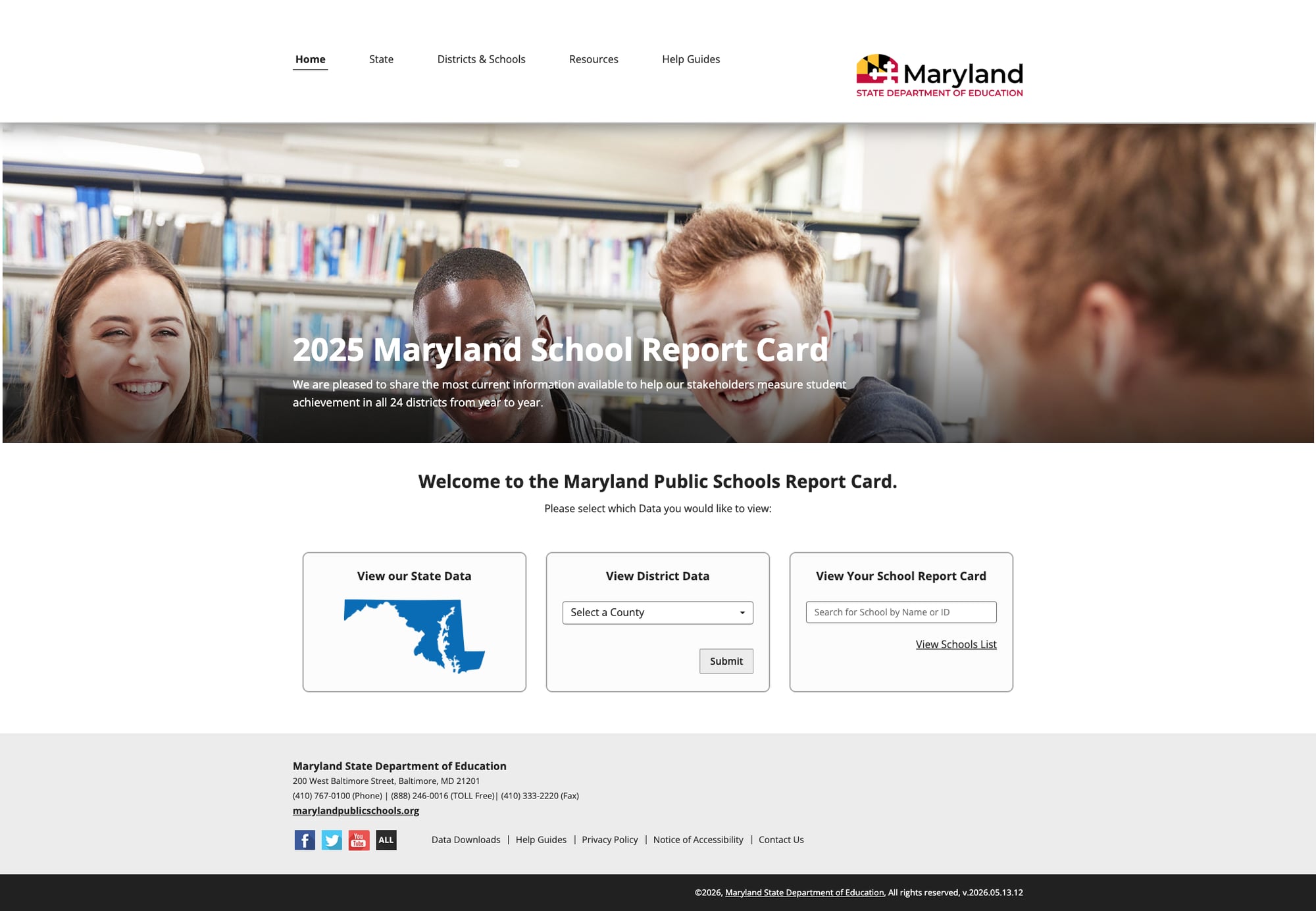
The Maryland School Report Card is a well-designed standalone web application offering state-level data, county/district selection via dropdown, and individual school lookup by name or ID. It features the current 2025 school year data, data downloads, help guides, privacy policy, and accessibility notices — all within a clean, purpose-built interface. The tool includes social media links, contact information, and footer navigation. Version 2026.05.13.12 indicates active, recent development.
Weaknesses
1. Search Leaves the Building
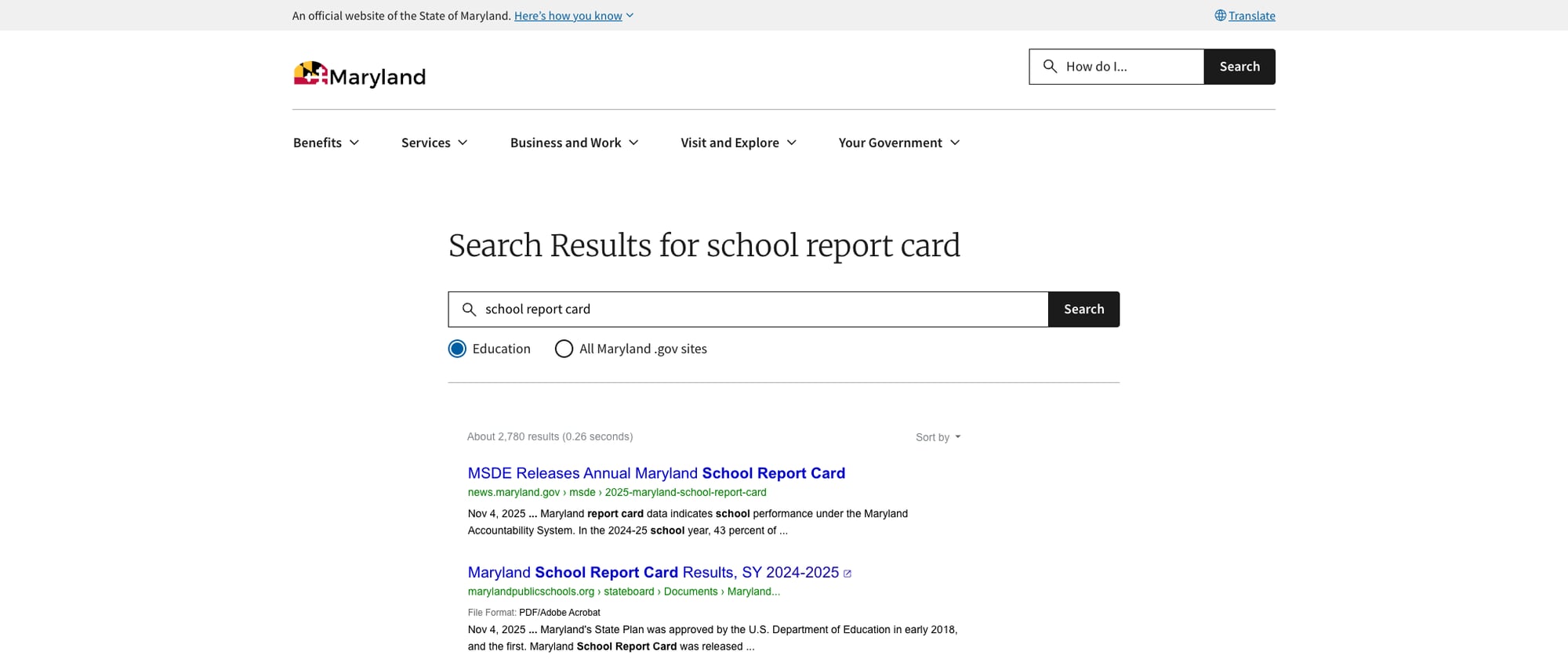
When a user clicks the search button on marylandpublicschools.org, they're redirected entirely to maryland.gov's search page — a Google Custom Search scoped to the Education collection. While the search itself returns relevant results (2,780 hits for "school report card"), the user has completely left the MSDE website. There's no on-site search experience, no autosuggest, no faceted filtering, and no way to search without context-switching. The search results page has maryland.gov's branding, navigation, and design — not MSDE's. For a site with 1,400+ schools and deep content across multiple offices, this is a significant UX gap.
2. Fragmented Web Ecosystem Across Multiple Platforms
Maryland's education web presence is split across at least four distinct platforms with different designs, navigation patterns, and URLs:
- marylandpublicschools.org — SharePoint 2013, Bootstrap 5 reskin (main site)
- blueprint.marylandpublicschools.org — WordPress (Blueprint policy)
- earlychildhood.marylandpublicschools.org — Drupal (early childhood/child care)
- reportcard.msde.maryland.gov — Custom web app (school data)
- teach.maryland.gov — Maryland.gov platform (teacher recruitment)
- news.maryland.gov/msde/ — Maryland.gov WordPress (newsroom)
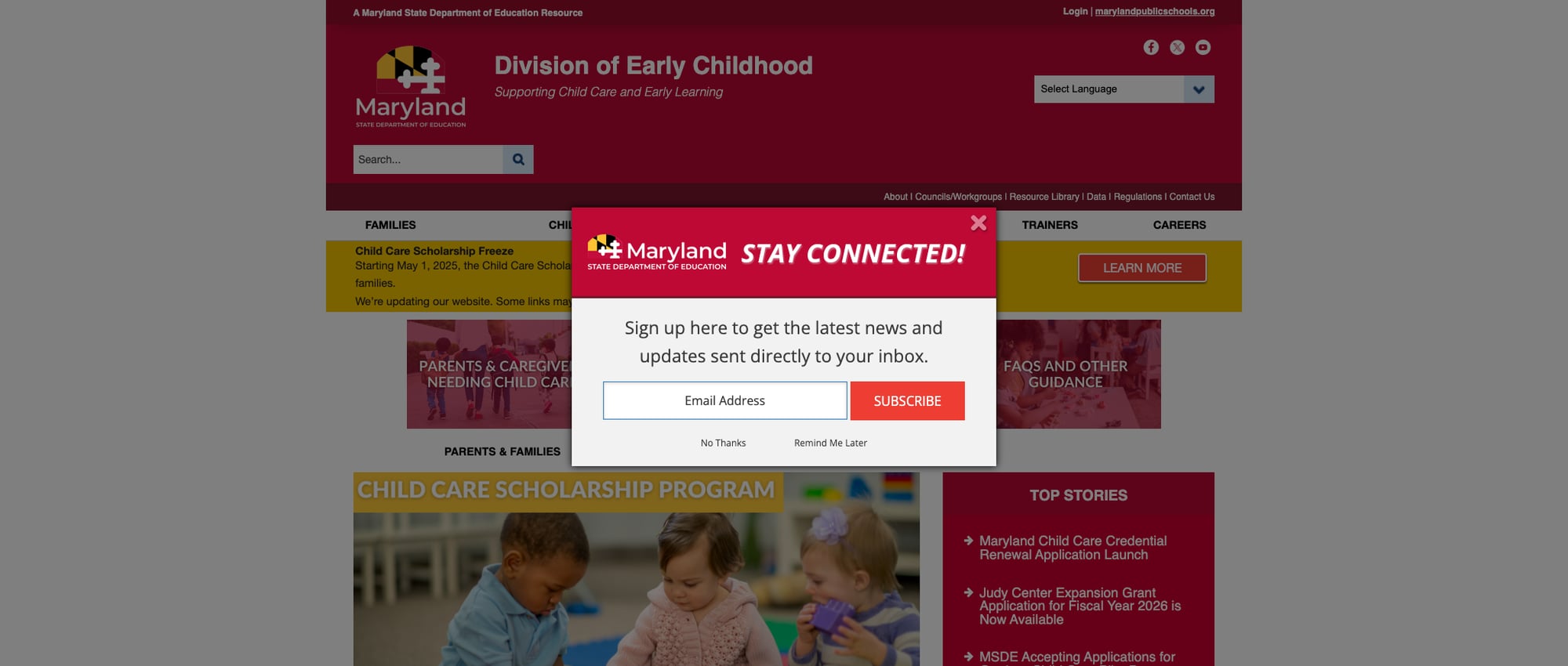
Each has its own header, footer, search, navigation, and visual identity. A parent who clicks "Apply for Child Care Scholarships" from the homepage lands on a completely different site (earlychildhood.marylandpublicschools.org) with its own popup modal, different navigation, and a separate "Select Language" dropdown. There's no unified wayfinding between these properties.
3. Organization-Centric Navigation
The main navigation — About Us, The Blueprint, Strategic Plan, Offices / Divisions, State Board, News, Quick Links — is organized around MSDE's internal structure rather than user needs. A parent wondering about school standards, a teacher looking for professional development, or a community member seeking school performance data would struggle to identify the right starting point. The "Offices / Divisions" link points to a page showing leadership names and an org chart — not the division-level content users would expect. Only the homepage audience panels (Students & Families, Educators, Community Partners) provide audience-oriented navigation, but these panels are a small section of the homepage, not reflected in the persistent site navigation.
4. Limited Parent Resources
The Students & Families section offers just four links, and there is no dedicated parent portal. Maryland lacks a centralized hub where parents can find school performance data, understand the Blueprint's impact on their children, locate school calendars, or navigate special education services — all without bouncing between subdomains. The Early Childhood subdomain serves families with young children well, but K-12 parents are largely left to navigate the organization-centric main site or discover the Report Card tool independently. There's no plain-language guide, FAQ section, or life-stage organization (unlike Delaware's approach). Google Translate provides multilingual support, but it's a generic widget rather than purpose-built multilingual content — notable given Maryland's 11.5% English Learner population.
Opportunities
Unified design system and navigation: Maryland should adopt a shared header/footer and navigation pattern across all subdomains (main site, Blueprint, Early Childhood, Report Card, Teach Maryland). Even if the backend systems differ, a consistent visual shell with cross-site navigation would dramatically reduce the feeling of fragmentation. States like Florida have achieved this across similar multi-platform setups.
On-site search integration: Implementing a federated search that indexes all MSDE properties and returns results within the marylandpublicschools.org experience — with filters by audience (Parents, Educators, Administrators) and content type (Forms, Data, News, Policies) — would be transformative. The current maryland.gov redirect is functional but not user-friendly.
Dedicated parent hub: Creating a comprehensive parent portal that aggregates the best of each subdomain — Report Card data, Blueprint FAQs, school calendars, special education resources, child care scholarships — would serve Maryland's families far better than the current four-link section. The Blueprint site's plain-language writing style should be the model for parent-facing content site-wide.
Threats
SharePoint 2013 end-of-life: The main site runs on SharePoint 2013 (version 15.0), which reached end of extended support in April 2023. While the Bootstrap 5 reskin gives it a modern appearance, the underlying platform no longer receives security patches from Microsoft. This presents both a security risk and a migration challenge — the longer the delay, the harder the eventual transition.
Subdomain sprawl risk: As new initiatives launch (like the Blueprint or CTE pathways), the tendency to create new standalone sites rather than integrating into the main platform will continue to fragment the user experience. Without a clear web governance strategy, Maryland risks accumulating more disconnected properties that compete for user attention and dilute the MSDE brand.
Standout Feature
The Maryland School Report Card at reportcard.msde.maryland.gov is the standout feature. It's a modern, purpose-built web application with 2025 data covering all 24 districts and their schools. Users can view state-level aggregate data, select a county for district-level details, or search for individual schools by name or ID. The tool includes data downloads, help guides, accessibility notices, and active development (version 2026.05.13.12). It's fast (59ms TTFB), clean in design, and does exactly what a school report card should: make student achievement data accessible to every stakeholder.
Bottom Line
Maryland's education web presence has excellent individual components — a standout report card tool, one of the best policy microsites in the country, strong educator recruitment, and perfect link reliability. But the experience is fragmented across too many platforms and the main site's navigation prioritizes organizational structure over user needs. Parents and community members will find what they need eventually, but not without bouncing between multiple sites with different designs and navigation. If MSDE can unify its web ecosystem with consistent navigation and an on-site search that spans all properties, this could easily become a B+ or A- operation.
Grade Breakdown
| Criterion | Weight | Score | Notes |
|---|---|---|---|
| Navigation & Information Architecture | 15% | 7 | 7 clean nav items, 100% link health, audience homepage panels, breadcrumbs. But organization-centric nav, no audience-based persistent navigation. |
| Accessibility (WCAG 2.1 AA) | 15% | 7 | Section 508 statement, proper viewport/lang/ARIA, Skip to Content, alt text, Bootstrap 5. Google Translate for multilingual. No dedicated accessibility toolbar. |
| Search Functionality | 10% | 5 | Functional via maryland.gov Google Custom Search redirect — relevant results, Education scope. But leaves the site entirely, no autosuggest or filters, complete context switch. |
| Mobile Responsive Design | 10% | 7 | Bootstrap 5 responsive framework, proper viewport meta, hamburger menu, d-lg-none mobile classes. Touch-friendly controls in the responsive CSS. |
| Data Transparency & Open Data | 10% | 8 | Excellent Report Card (2025 data, school search, data downloads), ESSER transparency, Strategic Plan Data Dashboard, financial transparency section. |
| Parent Resources | 10% | 5 | Homepage panel with 4 links, Early Childhood subdomain for child care. No dedicated parent portal, no FAQ, limited plain-language guides, content fragmented across subdomains. |
| Educator Resources | 10% | 7 | Certification lookup, teach.maryland.gov recruitment portal, National Board via Blueprint, child care provider pathway, CTE resources. Well-organized but split across sites. |
| Visual Design & Branding | 10% | 7 | Professional Bootstrap 5 redesign with consistent maroon/gold/black. Clean typography and visual hierarchy. Inconsistency across subdomains reduces cohesion. |
| Performance & Load Speed | 10% | 9 | 89ms TTFB (main), 59ms (Report Card), 195ms (Blueprint). Cloudflare CDN. 100% uptime during testing. Excellent across all properties. |
| Overall | 100% | 69/100 | C |
Discussion