OverviewAll statesKansas
67/100
Grade: C — Strong Data Ecosystem With Functional Search, Held Back by Mobile and Parent Resource Gaps
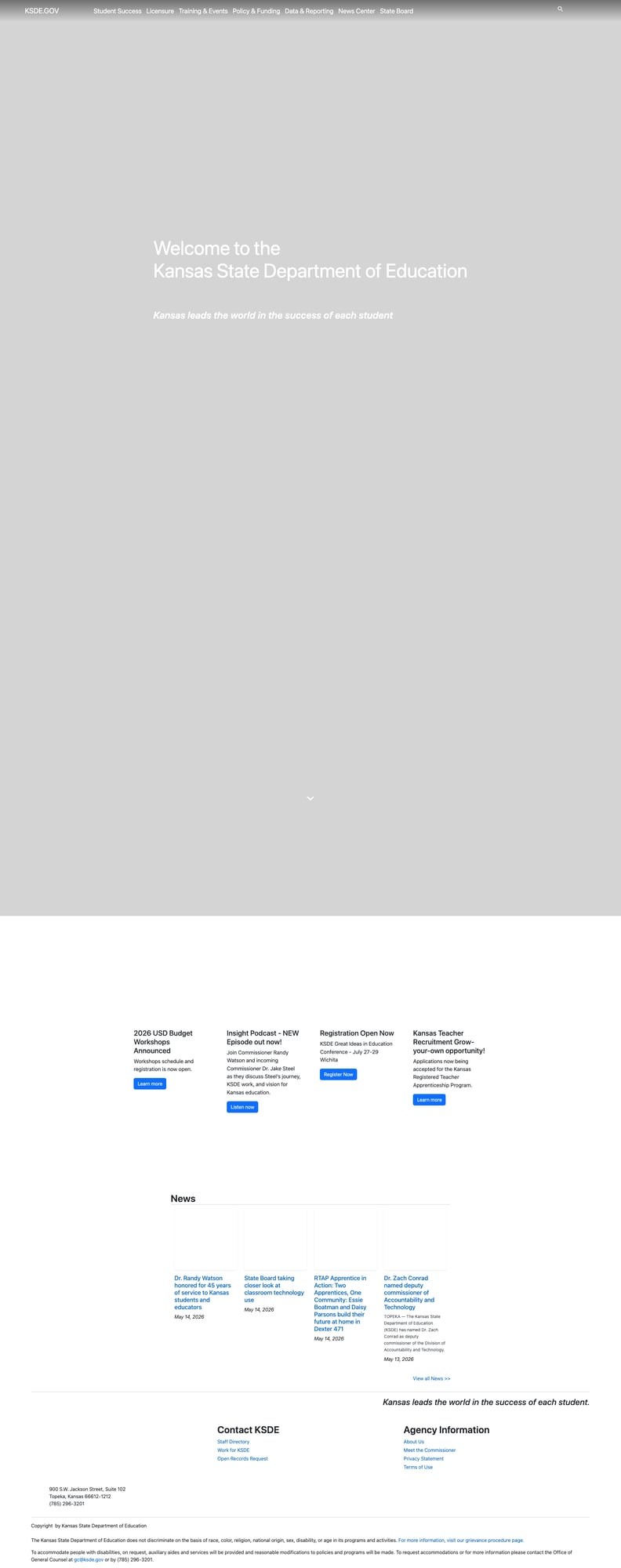
The Kansas State Department of Education (KSDE) website at ksde.gov presents a paradox: behind a clean, modern Sitefinity CMS redesign lies some of the strongest data infrastructure in the country — Data Central, the Kansas Building Report Card, and KESA Outcomes reports — yet mobile responsiveness breaks down on phones and there is no dedicated parent portal or multilingual support. The result is a site that rewards users who already know where to look but offers less guidance to families navigating it for the first time.
Kansas serves over 500,000 students across 286 unified school districts. The site's mission statement — "Kansas leads the world in the success of each student" — is repeated throughout the site as a branding anchor. The URL recently migrated from ksde.org to ksde.gov, and the site runs on Telerik Sitefinity 15.1 with Bootstrap 5. The seven-item top navigation (Student Success, Licensure, Training & Events, Policy & Funding, Data & Reporting, News Center, State Board) is logically organized and all landing pages load successfully.
Strengths
1. Data Central — A Comprehensive Data Ecosystem
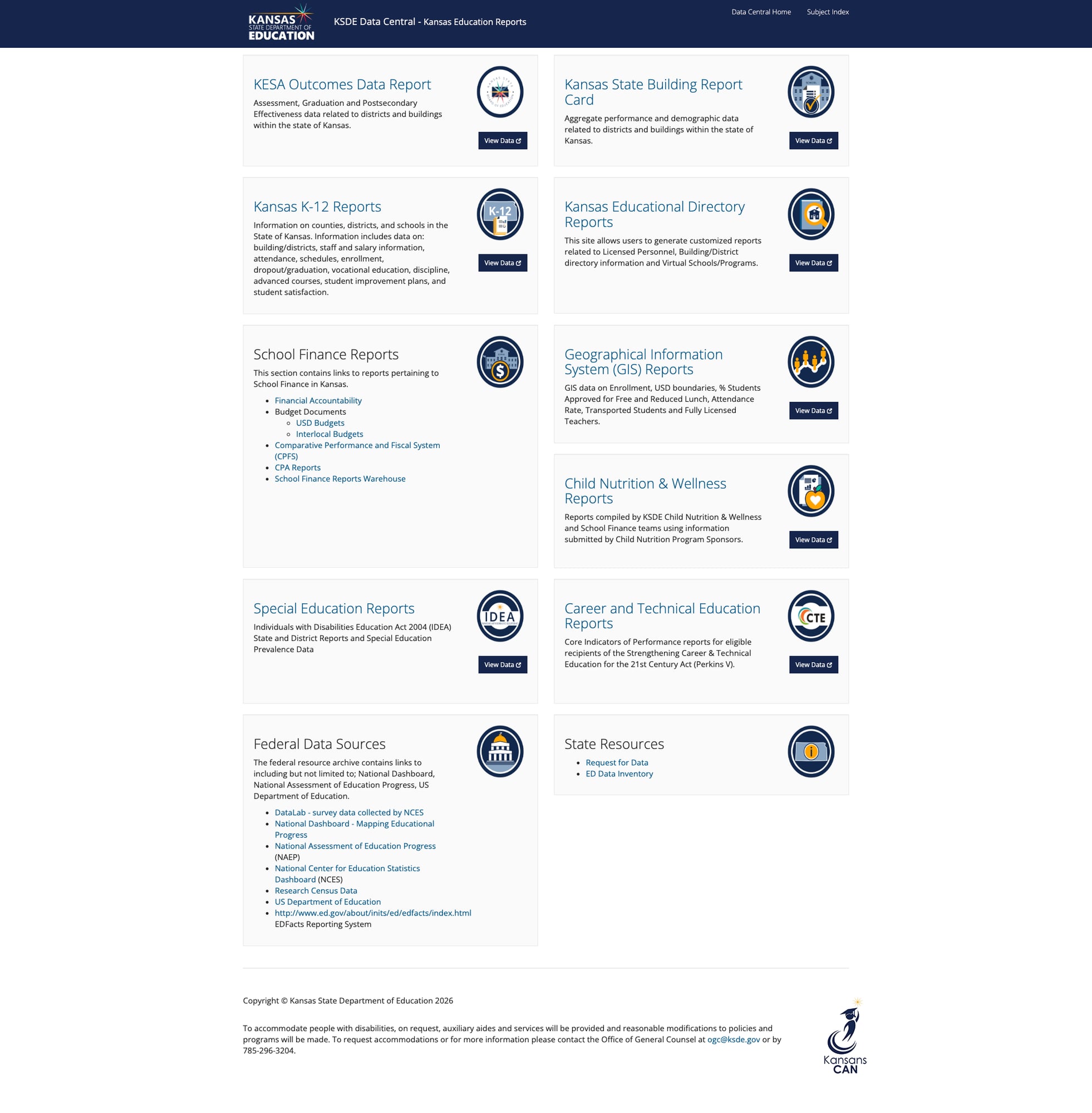
Kansas operates one of the more impressive state education data portals in the country through Data Central. The portal organizes data across ten major report categories: KESA Outcomes Data, Kansas State Building Report Card, K-12 Reports, Educational Directory Reports, School Finance Reports, GIS Reports, Child Nutrition & Wellness, Special Education Reports, Career and Technical Education Reports, and Federal Data Sources. Each category includes both "View Data" links to interactive tools and direct links to downloadable reports.
The KESA Outcomes Data Report provides drill-down data by district and building across Assessments, Graduation, and Postsecondary Success — the three core metrics in Kansas's accreditation system. The School Finance section includes USD Budgets, Interlocal Budgets, Comparative Performance and Fiscal System (CPFS), CPA Reports, and a complete School Finance Reports Warehouse. The GIS Reports section adds geographic visualization of enrollment, free/reduced lunch percentages, attendance rates, and teacher licensure data.
2. Comprehensive Educator Resources and Licensure
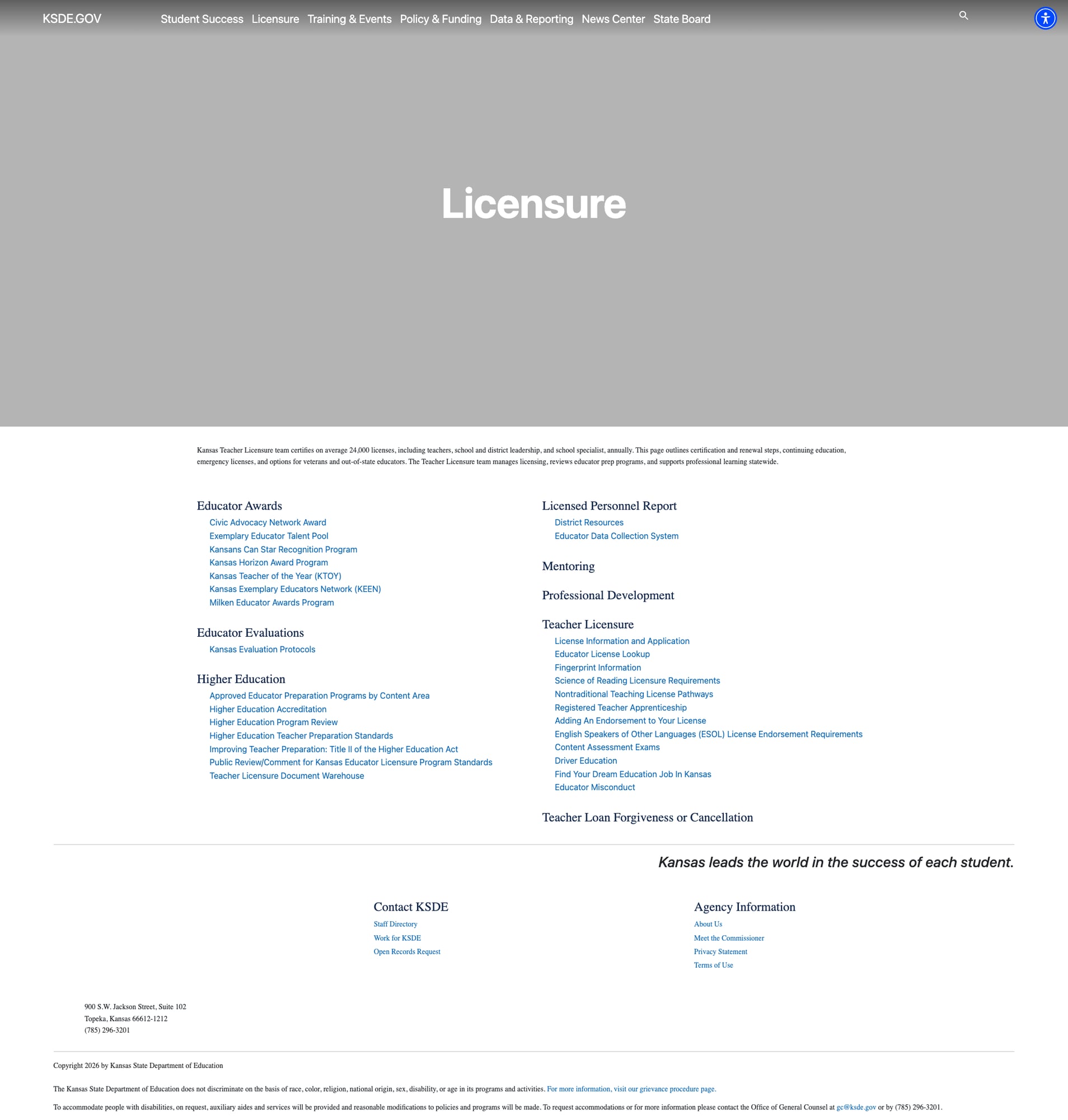
The Licensure section is one of the most detailed educator resource hubs among state SEA sites reviewed so far. Kansas certifies approximately 24,000 licenses annually — including teachers, school and district leadership, and school specialists — and the page provides direct access to every part of that process.
The Teacher Licensure subsection alone includes: License Information and Application, Educator License Lookup, Fingerprint Information, Science of Reading Licensure Requirements, Nontraditional Teaching License Pathways, Registered Teacher Apprenticeship, Adding Endorsements, ESOL License Requirements, Content Assessment Exams, Driver Education, and Educator Misconduct. Beyond licensure, the section covers Educator Awards (including Kansas Teacher of the Year, Milken Awards, and the Kansans Can Star Recognition Program), Educator Evaluations, Higher Education program accreditation, and Teacher Loan Forgiveness.
The Registered Teacher Apprenticeship Program (RTAP) — highlighted on the homepage — represents an innovative "grow-your-own" approach to teacher recruitment that is featured prominently in the News Center with real teacher profiles.
3. Multi-Format News Center with Active Content
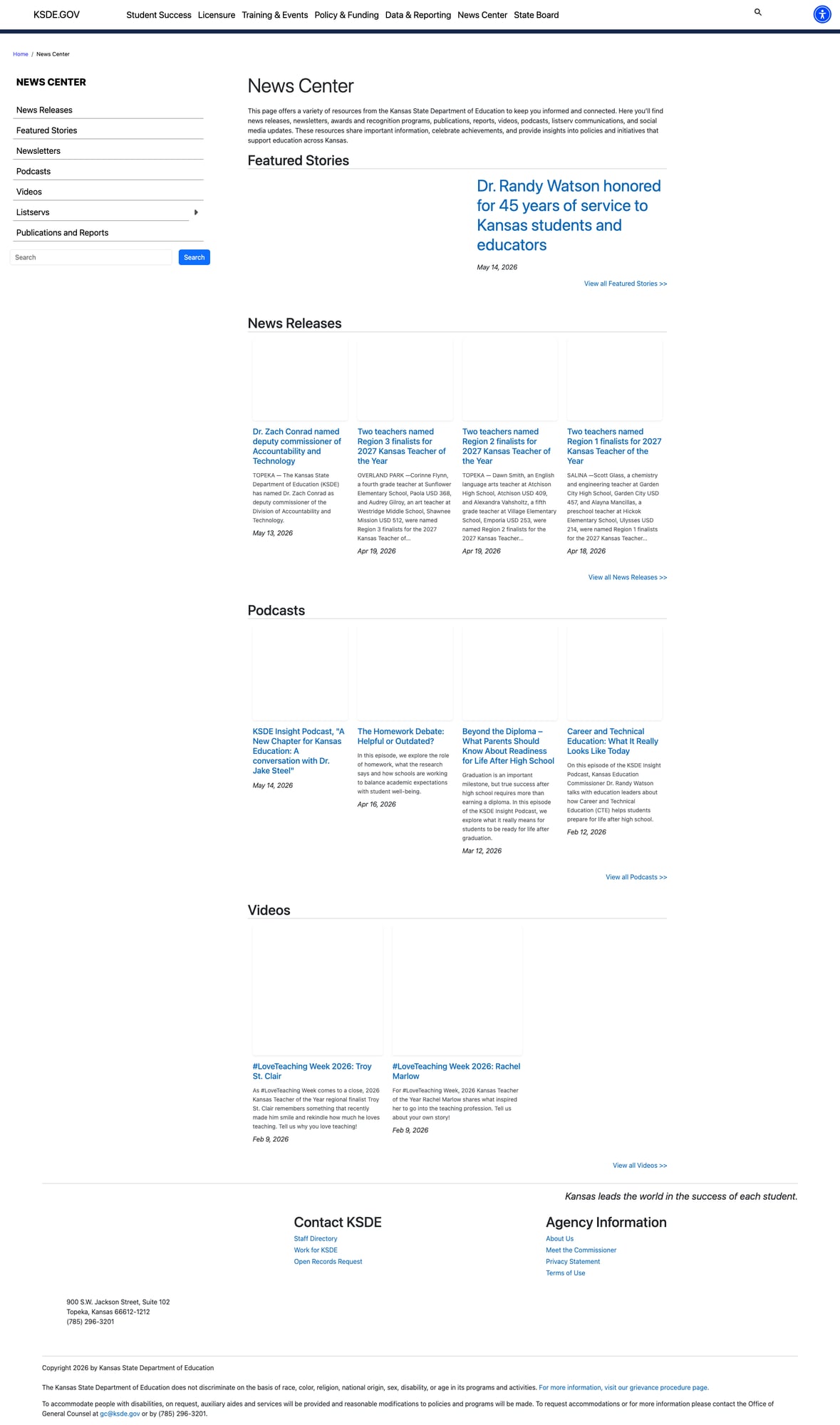
The News Center is well-organized with a left sidebar navigation and six content categories: News Releases, Featured Stories, Newsletters, Podcasts, Videos, and Listservs. Content is actively maintained — the most recent news releases are from May 14, 2026 (two days before this review), and the podcast "Insight" has recent episodes covering commissioner transitions and education topics.
The Featured Stories section highlights human-interest content (e.g., "Dr. Randy Watson honored for 45 years of service"), and the videos section includes #LoveTeaching Week teacher profiles. The Podcasts section covers substantive education policy topics like "The Homework Debate: Helpful or Outdated?" and "Beyond the Diploma — What Parents Should Know About Readiness for Life After High School." The Publications and Reports section provides an additional document archive.
4. Clean Navigation Architecture with 100% Link Health
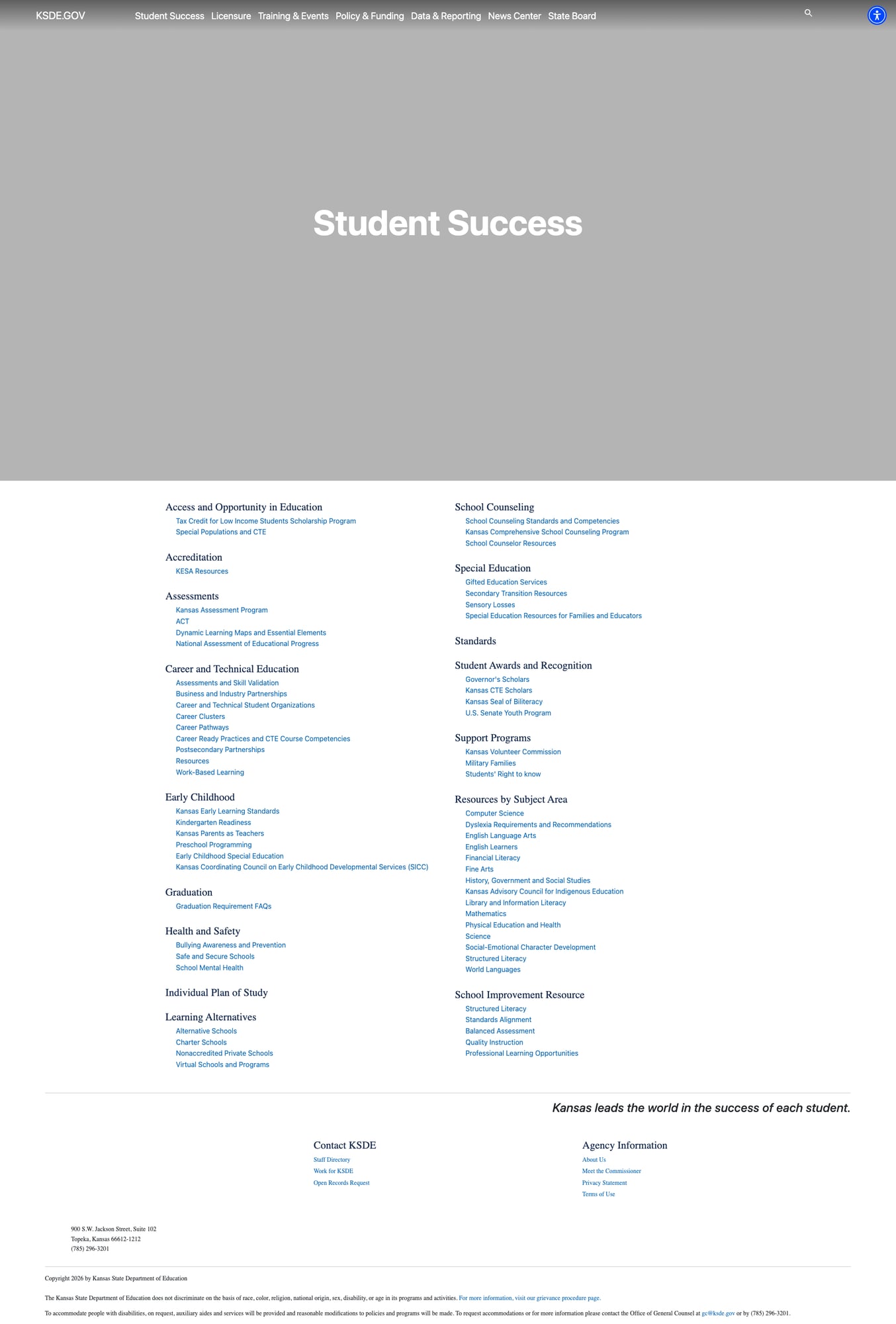
All seven top-level navigation items resolve to working landing pages (HTTP 200). Each landing page uses a consistent two-column layout displaying category headings with their sub-links — no dead ends, no 404 errors across the main navigation structure. The Student Success page alone organizes content across 15 categories (from Access and Opportunity in Education to School Improvement Resources) with dozens of functioning sub-links. The site uses breadcrumb navigation on content pages, and the footer includes both Contact and Agency Information sections on every page.
Weaknesses
1. Search Functional But Lacks Filters and Relevance Tuning
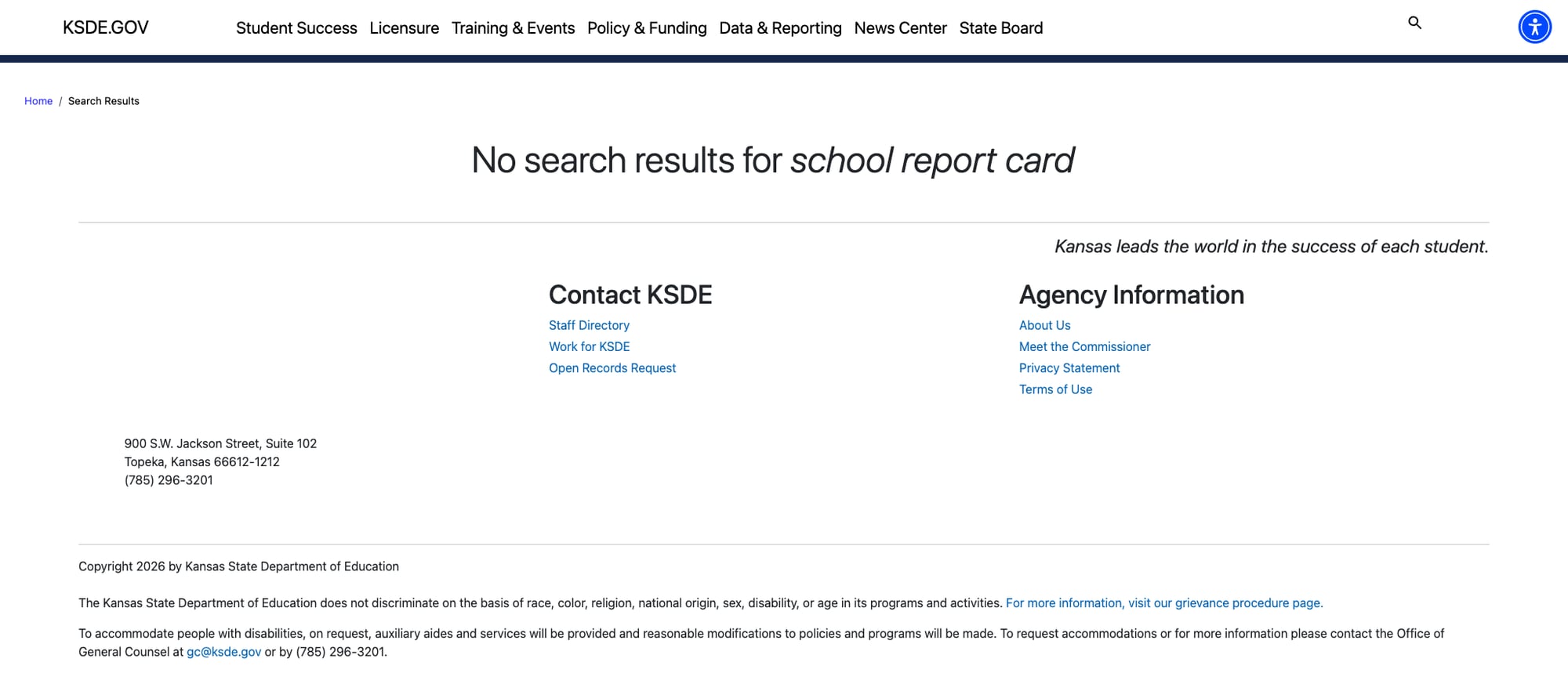
KSDE's search is powered by Sitefinity and delivers a functional experience — typing a query triggers autosuggest results inline, and clicking a suggestion returns a proper results page. However, the search offers no filtering by content type, date, or section, no spelling correction, and no relevance ranking controls. The /search-results URL pattern does not pre-populate results on direct access, meaning the search relies entirely on the JavaScript overlay — users who bookmark a search URL or arrive via a search engine link will see an empty results page.
For a site with hundreds of pages across Student Success, Licensure, Policy & Funding, and Data & Reporting, search quality improvements — particularly relevance ranking and section-level filtering — would significantly help users find specific resources.
2. Mobile Responsiveness Breaks at Phone Widths
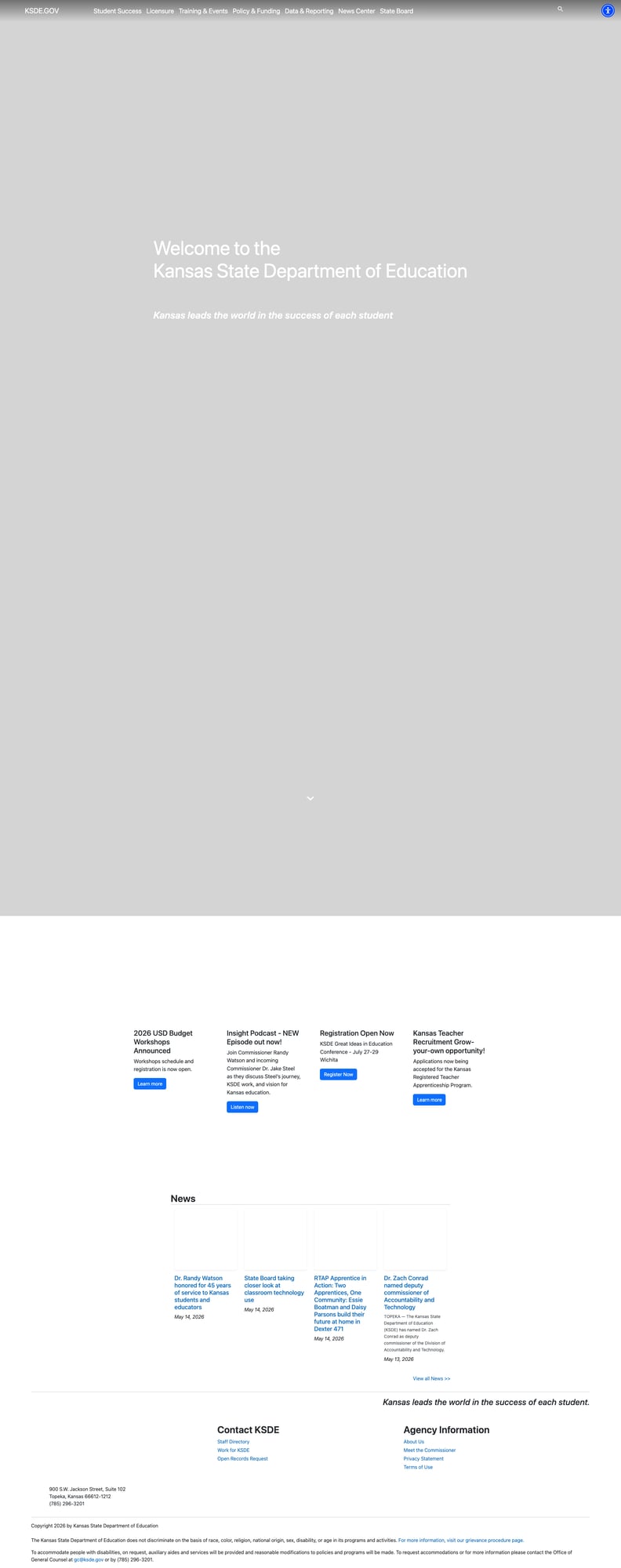
Despite being built on Bootstrap 5 — a mobile-first CSS framework — the site's navigation does not collapse into a hamburger menu at 375px viewport width. All seven top-level nav items remain in a cramped horizontal row with tiny, nearly unreadable text. The homepage content cards (Budget Workshops, Podcast, Conference, Teacher Recruitment) also fail to stack vertically, remaining in a four-column layout that's unusable on a phone screen. The hero area and news section fare better, but the navigation and card sections represent a significant mobile usability gap.
3. No Parent Portal or Multilingual Support
Kansas has no dedicated parent or family section. Parent-relevant content is scattered across Student Success subcategories — Kansas Parents as Teachers sits under Early Childhood, Military Families under Support Programs, and Special Education Resources for Families and Educators under Special Education. There is no translation functionality or multilingual content anywhere on the site. While Kansas's English Learner population (approximately 9% of enrollment) is below the national average, the absence of any language accommodation falls short of federal expectations for public education websites.
4. Visually Sparse Section Landing Pages
Every section landing page uses the same visual template: a plain header banner with the section title in white text, followed by a two-column list of category links. While consistent, the design is visually sparse — no imagery, no color accents, no cards or tiles to break up the text. The homepage itself is more visually engaging with a full-width hero image and content cards, but the interior pages don't carry that energy through. The overall effect is a site that feels like an organized directory rather than a modern web experience once you move past the homepage.
Opportunities
Improve search with filters and relevance tuning. The search works and delivers autosuggest, but adding section-level filtering (e.g., by Licensure, Data, Student Success) and relevance ranking would make it genuinely useful rather than just functional. Ensuring the URL-based search path pre-populates results would also help users who share or bookmark search links.
Create a dedicated Parent & Family portal. Consolidate parent-relevant resources from Student Success, Special Education, and Support Programs into a single landing page with grade-band navigation and plain-language guides. Add Google Translate or a similar widget for multilingual support.
Add visual content to section landing pages. Replace the text-only two-column layouts with card-based designs that include icons or images. The Data Central portal already uses this approach successfully with report category cards — apply the same pattern to the main site's section pages.
Threats
Search URL dependency. The JS-only search overlay means direct URL access to search results doesn't work — a risk for SEO (search engines can't index result pages) and for users who share links. If the JavaScript fails to load for any reason, search becomes inaccessible entirely.
Sitefinity CMS maintenance burden. The mobile responsiveness gaps suggest potential drift between the Bootstrap 5 framework and custom theme overrides. If the Sitefinity instance is not actively maintained, these issues will compound over time as the platform receives updates.
Standout Feature
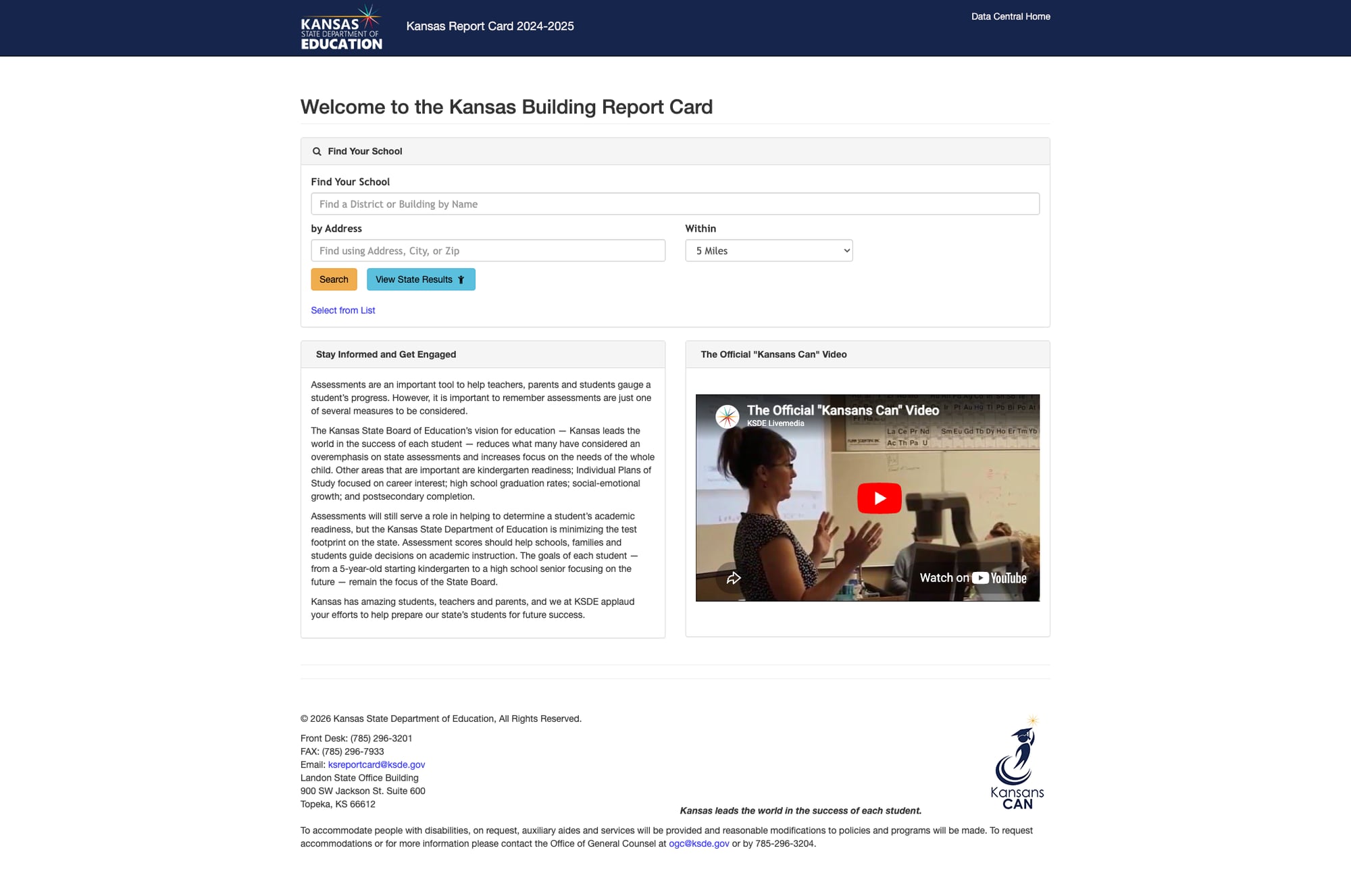
The Kansas Building Report Card at ksreportcard.ksde.gov is the single best feature in KSDE's web ecosystem. It provides a "Find Your School" search by district/building name or by address with radius filtering, plus a "View State Results" button for statewide data. The tool includes explanatory context about Kansas's assessment philosophy — noting that the State Board prioritizes the "whole child" over test scores alone, with attention to kindergarten readiness, Individual Plans of Study, career interest, graduation rates, social-emotional growth, and postsecondary completion. The 2024-2025 data is current. An embedded "Kansans Can" video provides additional context about the state's education vision. The tool links directly back to Data Central, creating a natural data exploration path.
Bottom Line
Kansas has built genuinely impressive data infrastructure — Data Central, the Building Report Card, and KESA Outcomes tools are among the better data portals in the country. The site's search works with autosuggest and returns results, and the navigation is clean and fully functional. The main gaps are mobile responsiveness, the absence of a parent portal, and sparse section landing pages that don't do justice to the depth of content available. Educators and data-savvy administrators will find what they need; parents navigating for the first time will need more guidance than the site currently provides.
Grade Breakdown
| Criterion | Weight | Score | Notes |
|---|---|---|---|
| Navigation & Information Architecture | 15% | 8 | Clean 7-item nav, all pages 200, logical hierarchy, breadcrumbs |
| Accessibility (WCAG 2.1 AA) | 15% | 7 | UserWay widget, lang="en", ARIA, proper heading structure |
| Search Functionality | 10% | 6 | Functional JS-powered search with autosuggest; no filters, no spelling correction, URL-based access returns empty results |
| Mobile Responsive Design | 10% | 4 | Bootstrap 5 base but nav doesn't collapse, cards don't stack at 375px |
| Data Transparency & Open Data | 10% | 8 | Data Central, KESA Outcomes, Report Card, K-12 Reports, GIS, Finance |
| Parent Resources | 10% | 3 | No parent portal, scattered content, no multilingual support |
| Educator Resources | 10% | 8 | Comprehensive licensure, RTAP, awards, PD, evaluations |
| Visual Design & Branding | 10% | 7 | Strong homepage with full-width hero imagery; section landing pages are visually sparse with plain headers and link lists |
| Performance & Load Speed | 10% | 8 | 205ms TTFB, 75KB page, strong security headers, fast and reliable |
| Overall | 100% | 67/100 | C |
Discussion