OverviewAll statesFlorida
78/100
Grade: B- — A Well-Organized Powerhouse with Deep Data Roots
The Florida Department of Education website at fldoe.org serves the nation's third-largest public education system — nearly 2.8 million K-12 students across 67 school districts. For parents choosing between public, private, charter, virtual, and scholarship-funded options, this site is the front door. For educators navigating certification, standards, and professional development, it's the reference desk. And for data researchers, Florida's education data ecosystem is among the deepest in the country.
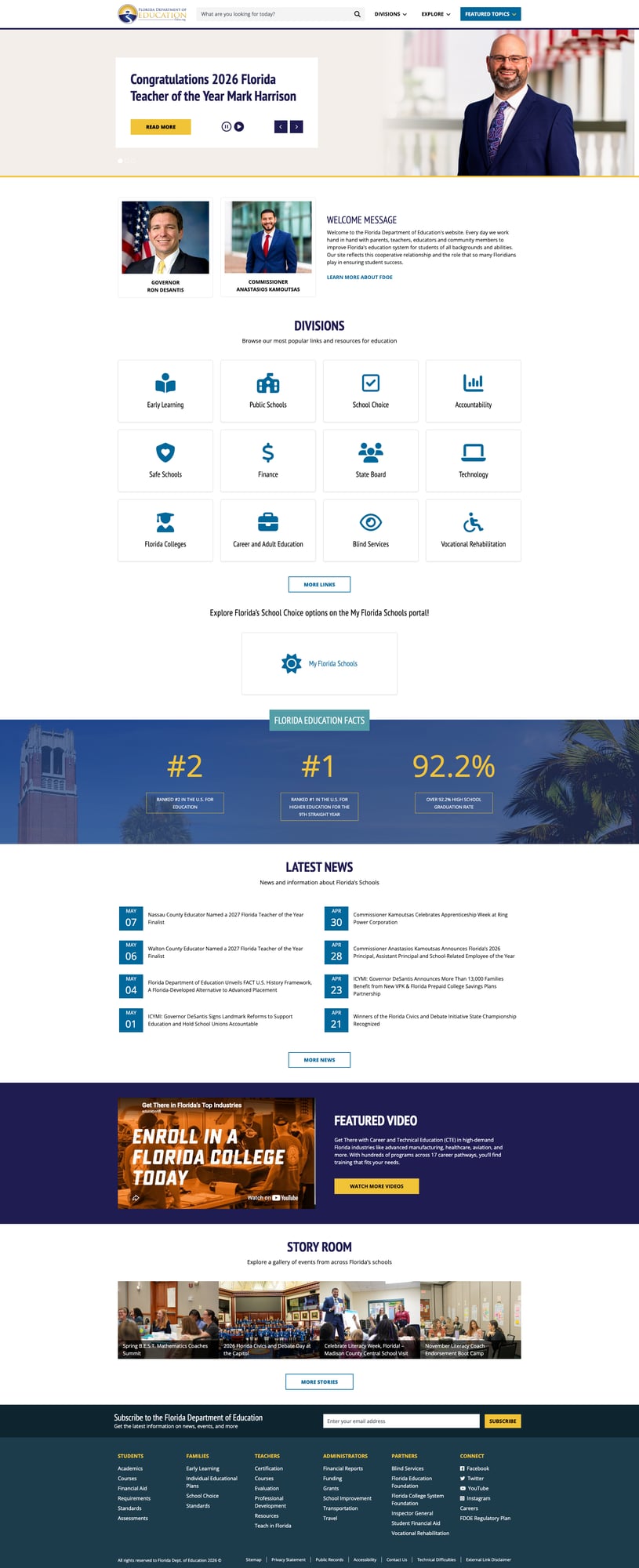
First impressions are strong. The homepage loads fast, features a modern Bootstrap 5 design with clean navy-blue-and-gold branding, and immediately orients visitors with a "Divisions" grid offering 12 category tiles — from Early Learning to Vocational Rehabilitation. A rotating hero banner highlights timely news (2026 Teacher of the Year, FACT U.S. History Framework), while a "Florida Education Facts" ticker proudly displays the state's #2 national ranking in education and 92.2% graduation rate.
The site is built on a solid technical foundation. Every page tested loaded in under 1.1 seconds. All top-level navigation links resolve correctly. ARIA labels, skip-to-content links, and proper lang attributes are present throughout. The footer organizes resources by audience — Students, Families, Teachers, Administrators, Partners — a user-centered pattern that several other states should emulate.
Strengths
1. Comprehensive Accountability & Data Ecosystem
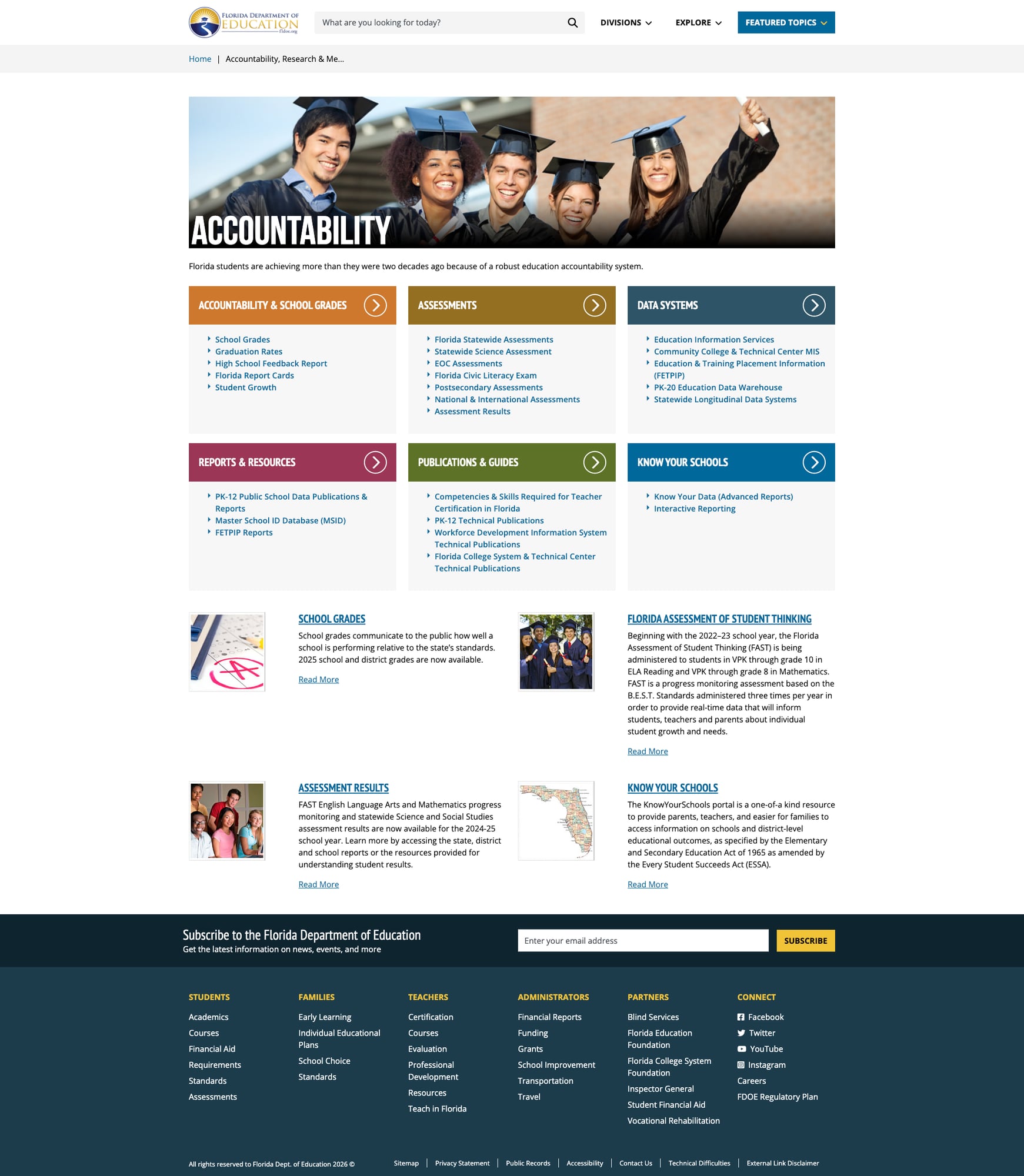
Florida's accountability infrastructure is best-in-class. The Accountability page serves as a portal to six major resource categories: School Grades, Assessments, Data Systems, Reports & Resources, Publications & Guides, and the "Know Your Schools" portal. Each category links to dozens of specific tools and reports.
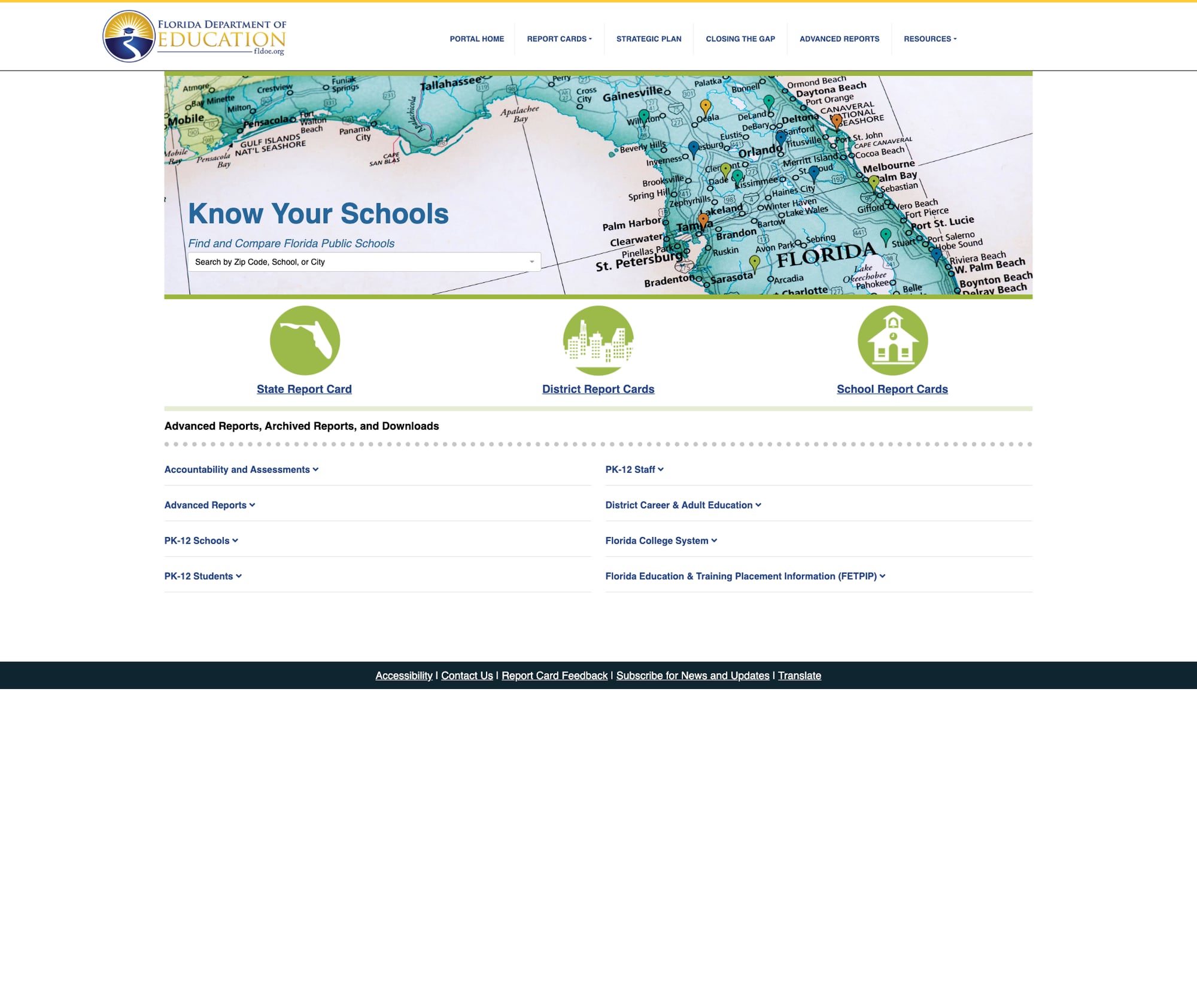
The crown jewel is edudata.fldoe.org — the "Know Your Schools" portal that provides State Report Cards, District Report Cards, and School Report Cards, plus advanced reports spanning PK-12 students, staff, schools, and the Florida College System. It includes interactive reporting, downloadable datasets, and even Google Translate integration for accessibility. The portal also houses the FETPIP (Florida Education & Training Placement Information Program) workforce outcomes data.
Additional data tools include the Master School ID Database (MSID), PK-20 Education Data Warehouse, Statewide Longitudinal Data Systems, and CPALMS — a comprehensive standards and curriculum toolbox at cpalms.org.
2. Extensive School Choice Architecture
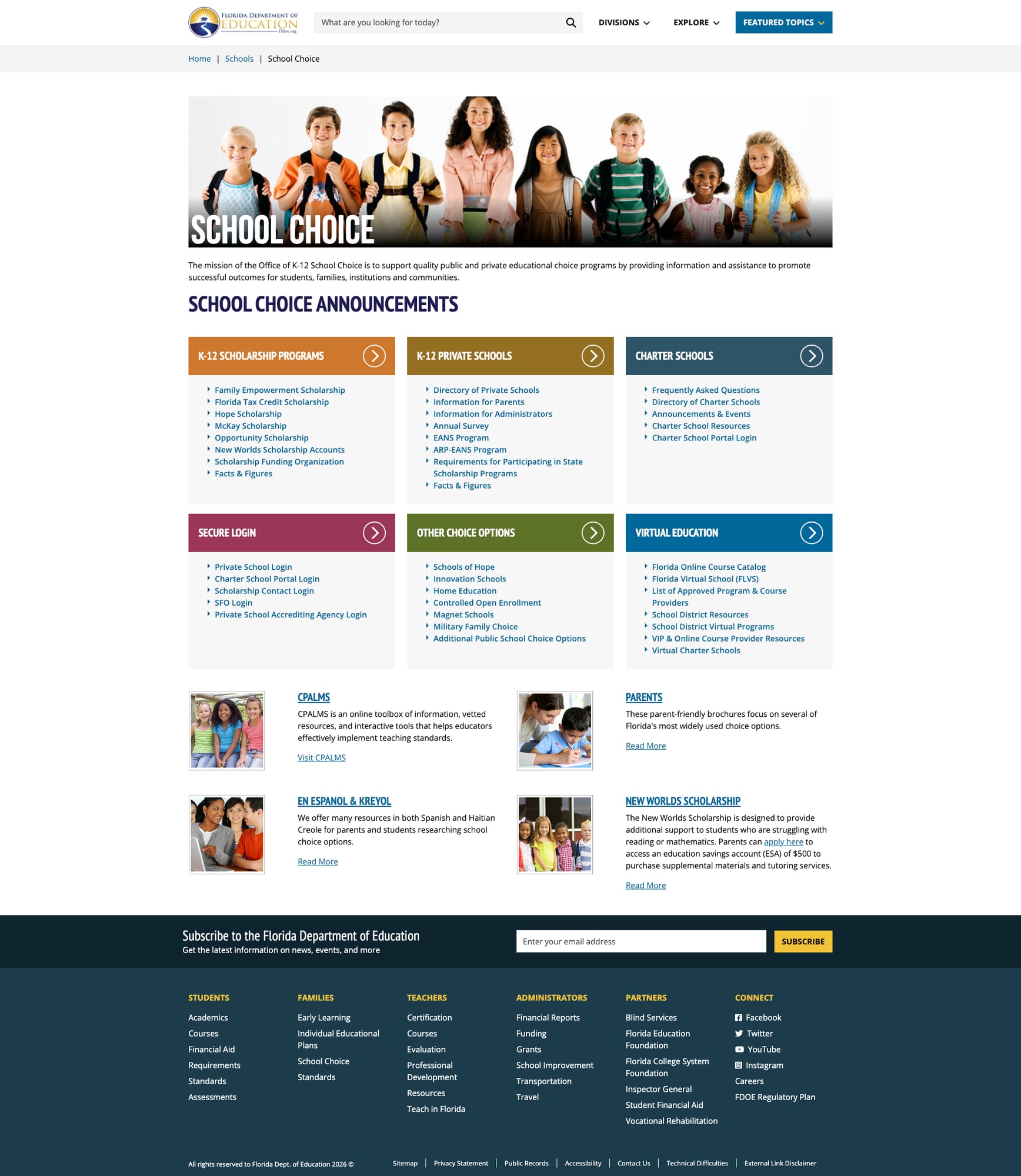
Florida is a national leader in school choice, and the website reflects this priority with impressive depth. The School Choice page organizes options into six clear categories: K-12 Scholarship Programs, K-12 Private Schools, Charter Schools, Secure Login portals, Other Choice Options, and Virtual Education.
The scholarship section alone covers seven distinct programs (Family Empowerment, Florida Tax Credit, Hope, McKay, Opportunity, New Worlds, and Scholarship Funding Organization). The Virtual Education section catalogs Florida Online Course Catalog, Florida Virtual School (FLVS), approved course providers, and VIP resources.
Notably, the page includes dedicated Spanish and Haitian Creole resources for families — an important accessibility feature for Florida's diverse population, even though the main site lacks a site-wide translation option.
3. Rich Educator Resources and Recruitment Tools
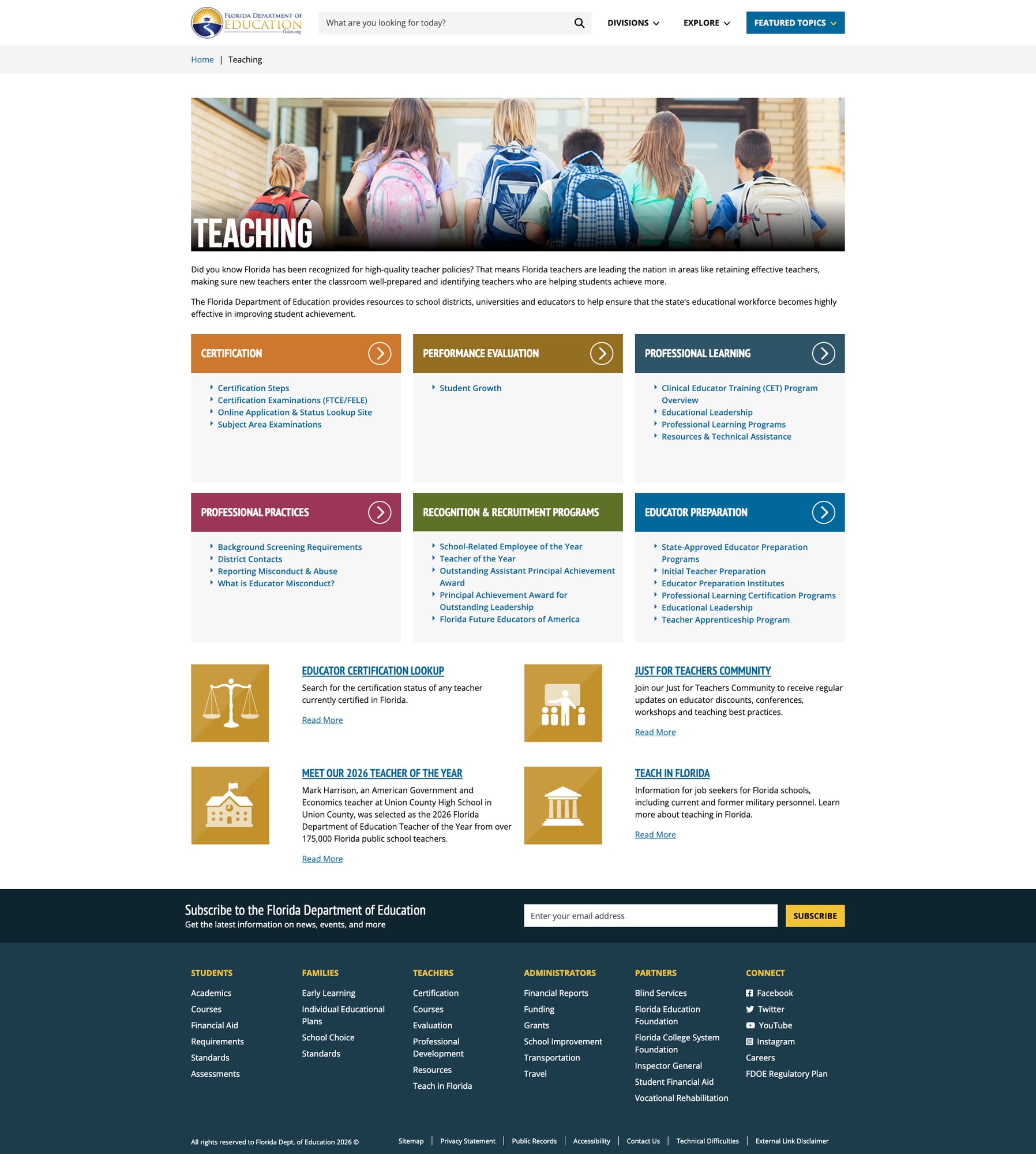
The Teaching page is one of the most complete educator resource hubs we've reviewed. Six well-organized sections cover Certification, Performance Evaluation, Professional Learning, Professional Practices, Recognition & Recruitment Programs, and Educator Preparation.
Standout features include an Educator Certification Lookup tool, a "Just for Teachers Community" for professional networking, the Teacher of the Year program spotlight, and a dedicated "Teach in Florida" recruitment section targeting job seekers and military veterans. The Educator Preparation section links to state-approved programs, preparation institutes, and the Teacher Apprenticeship Program — a forward-thinking pathway.
4. Effective Search Functionality
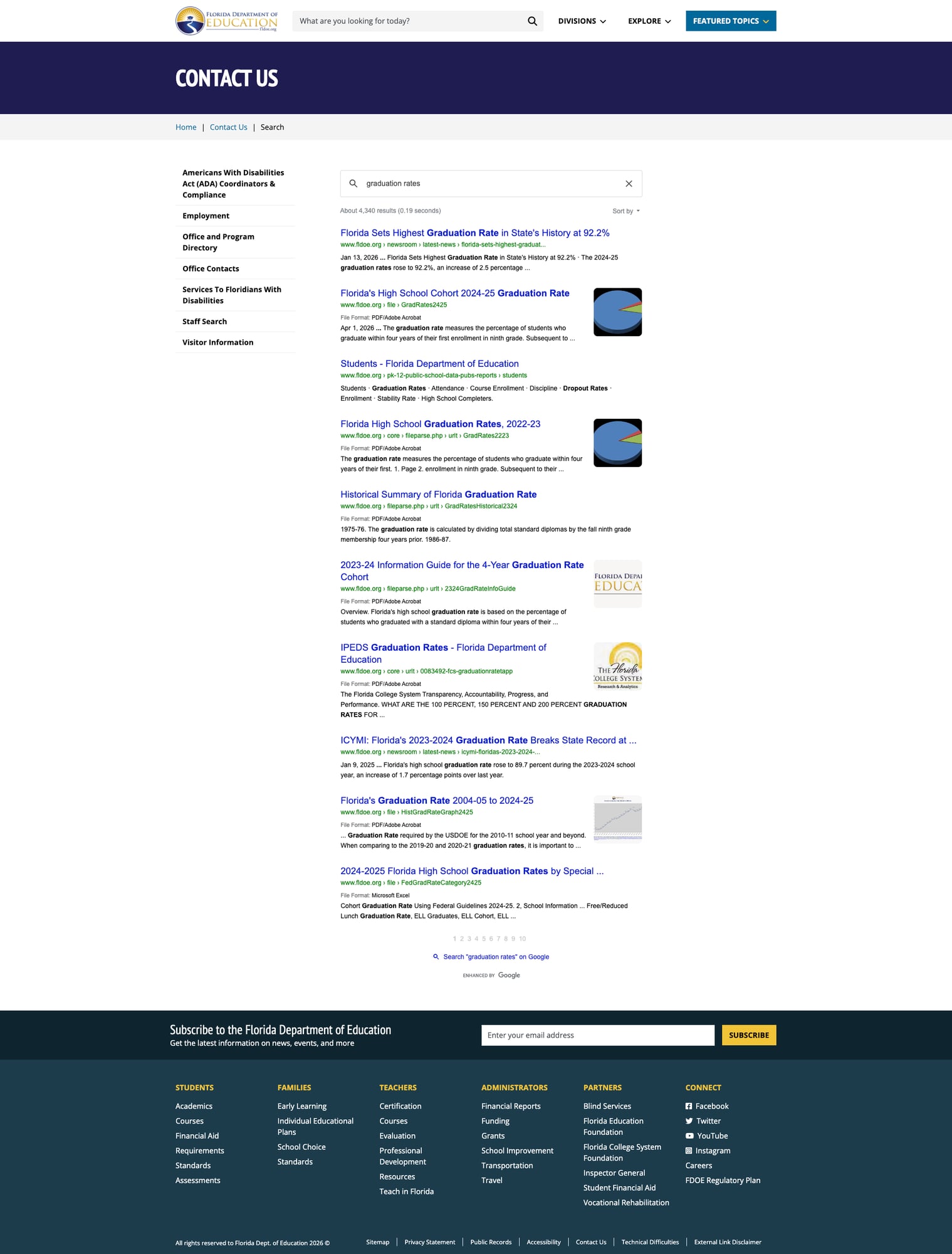
The site search, powered by Google Custom Search, returns relevant results with clear pagination, document-type indicators (PDF, Excel), and source URLs. A search for "graduation rates" returned 4,340 results led by the exact page announcing Florida's record 92.2% graduation rate, followed by relevant downloadable reports and historical data.
The search is prominently placed in the header with a descriptive placeholder — "What are you looking for today?" — encouraging engagement. Results include both web pages and downloadable documents, making it effective for finding both narrative content and raw data files.
5. Audience-Organized Footer Navigation
The footer deserves special mention for its user-centered design. Rather than a generic sitemap, it organizes links by audience: Students (Academics, Courses, Financial Aid, Requirements, Standards, Assessments), Families (Early Learning, IEPs, School Choice, Standards), Teachers (Certification, Courses, Evaluation, Professional Development, Resources, Teach in Florida), Administrators (Financial Reports, Funding, Grants, School Improvement, Transportation, Travel), and Partners (Blind Services, foundations, Inspector General, Financial Aid, Vocational Rehabilitation).
This pattern — visible on every page — ensures that no matter where a user lands, they can quickly reorient to content designed for their role. It also links to a dedicated "Connect" section with all social media channels (Facebook, Twitter, YouTube, Instagram) plus Careers and the FDOE Regulatory Plan.
Weaknesses
1. Limited Multilingual Support on Main Site
Despite serving a state where 29% of residents speak a language other than English at home, the main fldoe.org site offers no site-wide translation feature. Spanish and Haitian Creole resources exist only within the School Choice section, buried several clicks deep. While the edudata.fldoe.org portal integrates Google Translate, the main site does not. For a state with significant Spanish-speaking, Haitian Creole-speaking, and Portuguese-speaking communities, this is a notable gap.
2. "How Do I" Section Lacks Content Depth
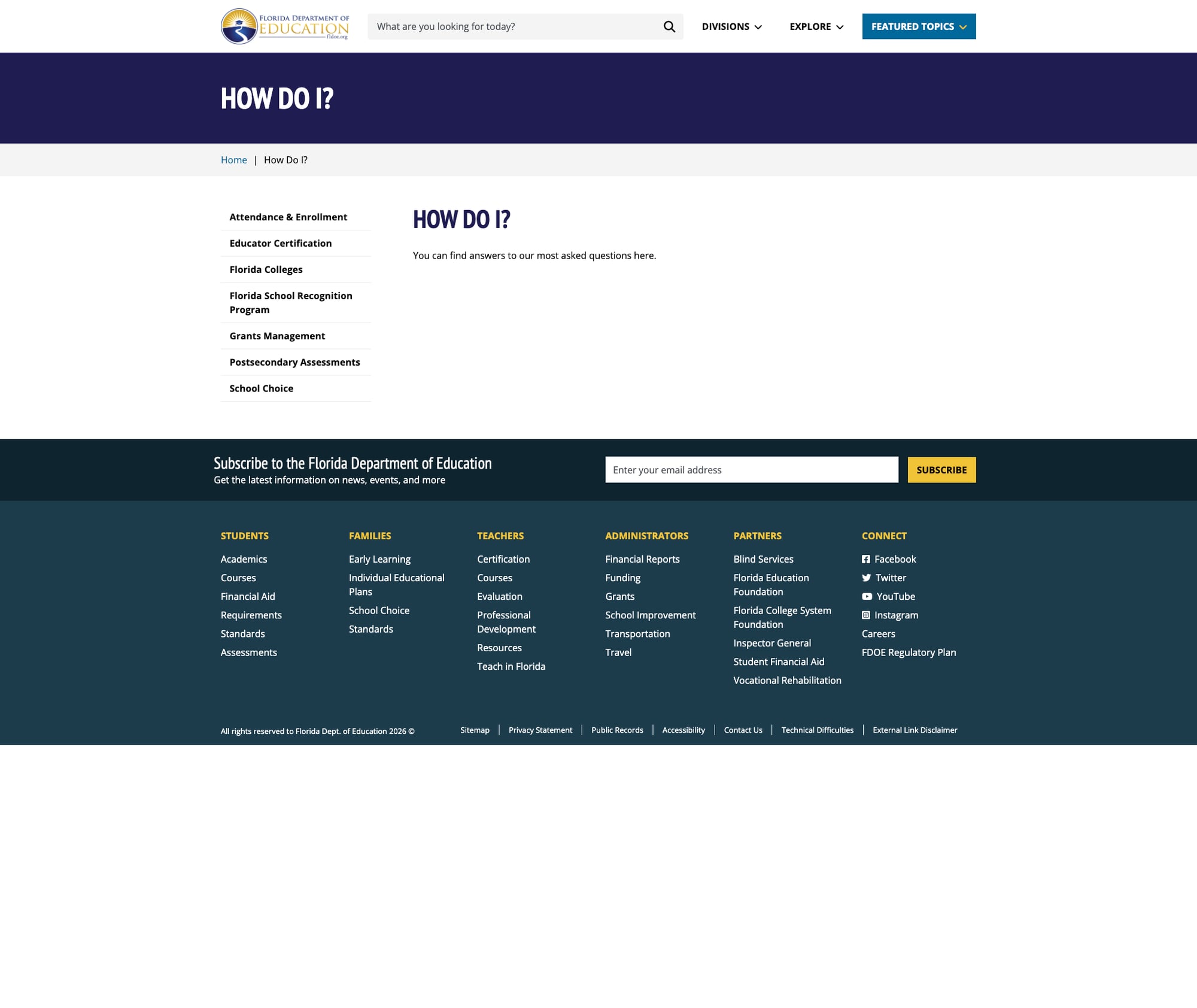
The "How Do I" page — theoretically a user-friendly FAQ portal for common tasks — loads slowly (0.75s vs. <0.1s for other pages) and provides minimal actionable guidance. For a feature positioned prominently in the "Explore" navigation, it underperforms compared to the richly-detailed division pages. This is a missed opportunity to serve casual visitors who don't know which division handles their need.
3. My Florida Schools Portal Feels Disconnected
The My Florida Schools portal page on the main site serves primarily as a landing page that redirects visitors to the external tool. The transition between the main site's modern Bootstrap design and the separate portal creates a disjointed experience. While this is a common pattern for state agencies, Florida's heavy investment in school choice makes seamless integration particularly important.
4. Dated Visual Design on Data Portals
While the main fldoe.org site has been recently redesigned with modern Bootstrap 5 styling, the edudata.fldoe.org portal and several linked data tools retain an older visual design. The contrast between the polished main site and the functional-but-dated data portals creates an inconsistent experience. This is cosmetic — the data tools work well — but it affects perceived quality.
Opportunities
Site-Wide Multilingual Support: Adding Google Translate or a similar widget to the main site header (as already done on edudata.fldoe.org) would immediately improve access for millions of Florida families. Given the existing implementation on the data portal, this should be straightforward.
Unified School Finder Tool: Consolidating the My Florida Schools portal, Know Your Schools, School Grades, and the School Choice directory into a single modern search-and-compare tool would transform the parent experience. Parents currently navigate three or four separate tools to answer "what are the good schools near me?"
Enhanced "How Do I" Section: Building out the "How Do I" section with task-based guides (e.g., "How do I apply for a scholarship?", "How do I report a concern?", "How do I get certified to teach?") with step-by-step instructions would serve the significant number of visitors who arrive with a specific task rather than a specific division in mind.
Threats
Data Fragmentation Risk: With data spread across edudata.fldoe.org, CPALMS, Florida CIMS, FETPIP, and the main site, there's ongoing risk of inconsistent information, broken cross-links, and user confusion as these systems evolve independently.
Accessibility Compliance Gaps: While the main site demonstrates strong ARIA implementation, the older data portals may not meet current WCAG 2.1 AA standards. As federal accessibility enforcement increases, the data tools — where the most critical public information lives — need accessibility audits.
Standout Feature
Know Your Schools (edudata.fldoe.org) — Florida's data portal is the standout. It combines interactive report cards at state, district, and school levels with advanced reporting tools, downloadable datasets, and Google Translate integration. The portal covers not just K-12 but extends through the Florida College System and into workforce outcomes via FETPIP. The "Closing the Gap" section specifically addresses equity. For a state serving 2.8 million students across a complex landscape of traditional, charter, virtual, and choice schools, this level of data transparency is essential — and Florida delivers it.
Bottom Line
Florida's education website is among the strongest we've reviewed. It earns its B+ through comprehensive content organization, a deep and transparent data ecosystem, a modern main site design, fast performance, and strong accessibility fundamentals. The main gaps — limited multilingual support on the primary site and inconsistent design across data tools — are real but not disqualifying. Parents researching school choice options will find more actionable information here than on most state sites. Educators will find rich certification, professional development, and standards resources. Data researchers will find one of the nation's most complete education data ecosystems. If Florida unifies its data portals and adds site-wide multilingual support, this easily moves into A territory.
Grade Breakdown
| Criterion | Weight | Score | Notes |
|---|---|---|---|
| Navigation & Information Architecture | 15% | 8/10 | Divisions grid, breadcrumbs, audience-organized footer; "How Do I" underperforms |
| Accessibility (WCAG 2.1 AA) | 15% | 7/10 | Strong ARIA, skip-to-content, lang attributes on main site; older data portals need auditing |
| Search Functionality | 10% | 8/10 | Google Custom Search returns relevant results with document types; no autosuggest |
| Mobile Responsive Design | 10% | 8/10 | Bootstrap 5 responsive framework; viewport configured; mobile nav with accordion menus |
| Data Transparency & Open Data | 10% | 9/10 | Outstanding ecosystem: edudata.fldoe.org, FETPIP, CPALMS, School Grades, downloadable datasets |
| Parent Resources | 10% | 7/10 | Rich School Choice content, Parental Rights page; limited multilingual, no parent portal hub |
| Educator Resources | 10% | 9/10 | Certification lookup, PD programs, Teacher of the Year, Teach in Florida, CPALMS integration |
| Visual Design & Branding | 10% | 7/10 | Modern main site with consistent navy/gold branding; data portals dated; mixed typography |
| Performance & Load Speed | 10% | 9/10 | Sub-100ms on most pages; lightweight builds; no heavy scripts blocking render |
| Overall | 100% | 78/100 | B- |
Discussion