OverviewAll statesConnecticut
68/100
Grade: C — A Polished Platform With One Notable Empty Room
Connecticut's State Department of Education website lives on one of the most technically sophisticated state government platforms in the country (CT.gov), and that foundation does most of the work: robust accessibility features, clean design, multilingual support, responsive layout, and a primary navigation that takes users to real, populated audience hubs (K-12, Students, Families and Community, Adult Education, Teachers & Administrators, Special Education). On top of that, EdSight — Connecticut's standalone data portal — is genuinely excellent: modern, multilingual, and rich with current data.
The notable weak spot is the Certification page (/sde/certification), which loads but displays "No Results Found." For educators and prospective educators, that's the exact resource they're looking for, and finding an empty page there is a meaningful failure. There's also some friction from the SDE living as a sub-section of CT.gov rather than as a self-contained agency site. But on balance this is a competent, accessible site with one prominent empty room rather than the construction zone it might first appear to be.
Strengths
1. EdSight Data Portal — Outstanding Standalone Tool
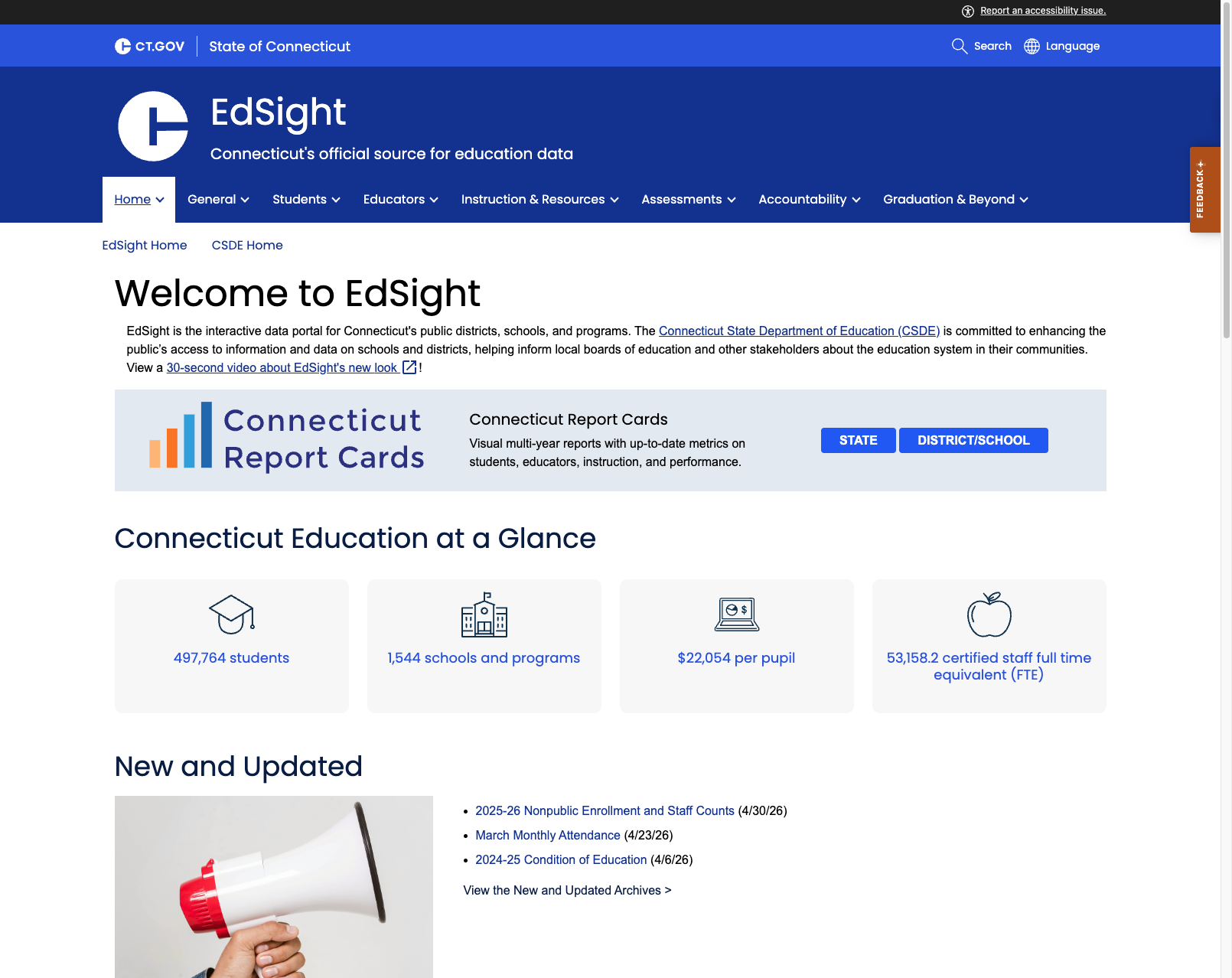
Connecticut's EdSight (edsight.ct.gov) is among the best state education data portals we've reviewed. It features Connecticut Report Cards with both STATE and DISTRICT/SCHOOL views, "Education at a Glance" statistics (497,764 students, 1,544 schools, $22,054 per pupil, 53,158 FTE staff), and a well-organized navigation covering General, Students, Educators, Instruction & Resources, Assessments, Accountability, and Graduation & Beyond. Data is frequently updated — the most recent additions include 2025-26 Nonpublic Enrollment (4/30/26) and March Monthly Attendance (4/23/26). The portal also supports 100+ languages.
2. CT.gov Platform — Accessibility and Design Excellence
The CT.gov platform underlying the SDE site provides best-in-class accessibility infrastructure. Every page features a prominent "Report an accessibility issue" link with a dedicated icon, a "Skip to Content" link, and a Language + Settings panel offering high contrast mode, adjustable font sizes, and translation into dozens of languages. The visual design is clean and professional — the deep blue header with state branding, prominent search bar, and clear breadcrumb navigation all represent modern government web design.
3. Homepage Design and "Most Popular" Section
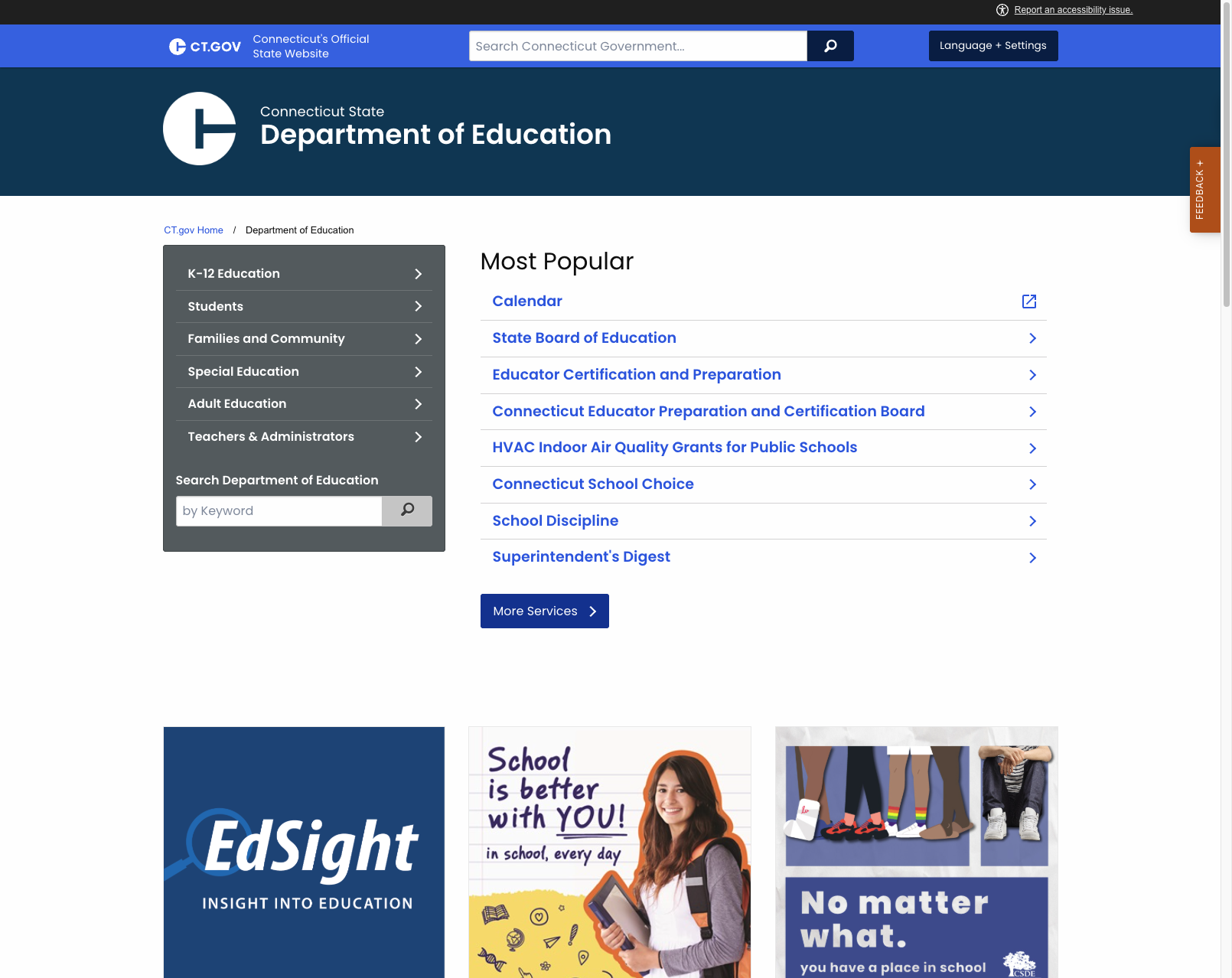
The SDE homepage itself is well-constructed. It features a clear agency identity (branding, commissioner info, social media), a "Most Popular" quick-links section (Calendar, State Board, Certification, School Choice, etc.), recent News and Press releases (updated May 2026), and a Department Offices directory. The "Most Popular" section is particularly useful given the broken navigation — it provides an alternate path to key content areas.
Weaknesses
1. Certification Page Shows "No Results Found"
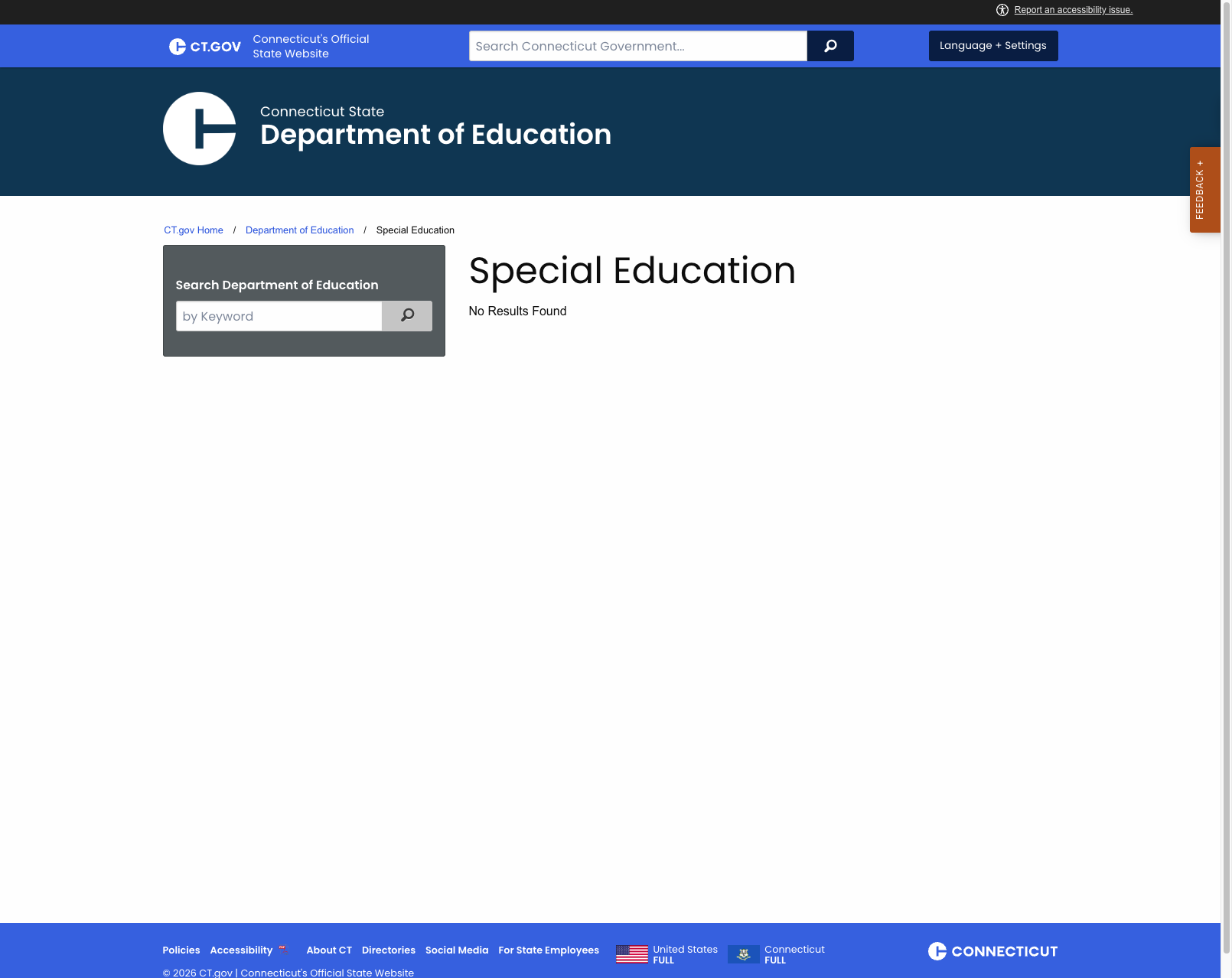
The Certification page (portal.ct.gov/sde/certification) — one of the "Most Popular" links and the resource educators are most likely to seek — loads cleanly with breadcrumbs and the search widget, but its main content area displays only "No Results Found." There are no certification requirements, application procedures, or related guidance visible. This appears to be a CMS misconfiguration or an incomplete content load on this specific page rather than a site-wide problem (peer pages like Special Education render normally), but it's a meaningful failure on one of the agency's highest-traffic resources.
2. Disconnected Information Architecture
The SDE lives as a sub-section of the broader CT.gov portal, which creates some navigational confusion. The top search bar searches all of Connecticut government, not just education. The agency-specific search is relegated to a small sidebar widget. The breadcrumb trail is minimal (just "CT.gov Home / Department of Education"), and there's no persistent SDE-specific secondary navigation that follows users into deeper pages.
3. Dated Content Organization
The homepage "Most Popular" links mix operational items (HVAC Indoor Air Quality Grants, Calendar) with evergreen content areas (School Choice, Certification). The News section is current (May 2026), but the social media integration (SDE Facebook embed) takes up significant homepage real estate with limited value. The footer "School Information" and "Resources" link lists are dense and unorganized.
Opportunities
Restore content on the Certification page — This is the most concrete and urgent fix. Certification is one of the "Most Popular" resources and is where educators land. Fixing whatever CMS configuration is causing it to render "No Results Found" would resolve the most visible broken-content issue on the site.
Integrate EdSight more prominently — EdSight is excellent but feels disconnected from the main SDE site. Surfacing key metrics directly on the SDE homepage and making EdSight a more prominent entry point would help visitors who don't already know about it.
Curate the audience landing pages — The audience hubs (K-12, Students, Families, Educators, Special Education) load with content but read more like category indexes than guided journeys. Adding curated "start here" pathways on each would significantly improve usability for first-time visitors.
Threats
Credibility risk on the Certification page — Educators looking up certification land on an empty results page. Until that's fixed, prospective and current teachers may assume the agency can't deliver on its core licensure mission, even though the rest of the site is in good shape.
Platform dependency — Living within CT.gov means the SDE doesn't control its own technical destiny. CMS updates, platform migrations, or URL structure changes at the state level can affect education content without the SDE team being aware. The empty Certification page may reflect exactly this kind of platform-level drift.
Standout Feature
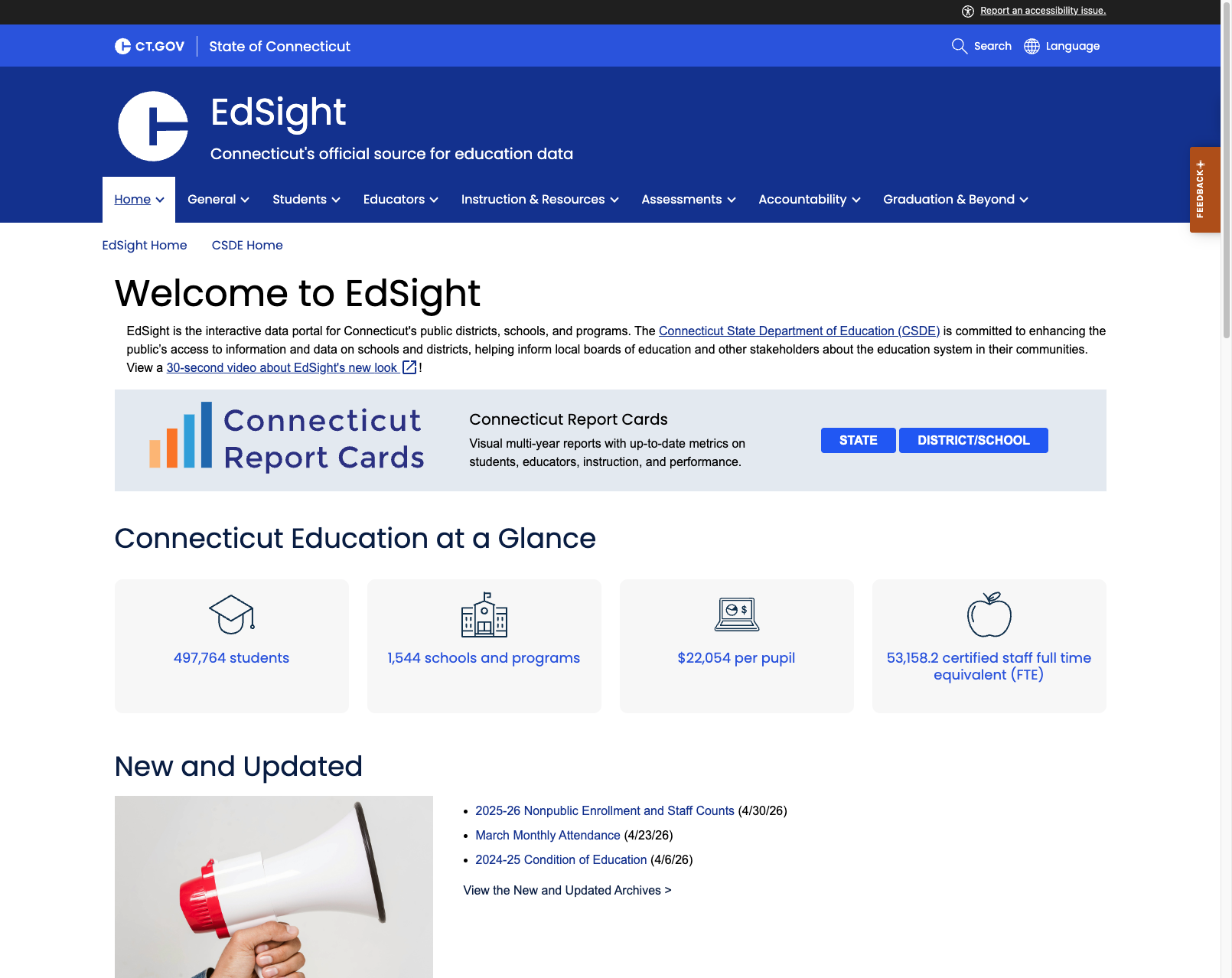
EdSight (edsight.ct.gov) — Connecticut's interactive data portal is the single best feature of this state's education web presence. It provides multi-year visual report cards at state, district, and school levels; comprehensive data categories (students, educators, instruction, assessments, accountability, graduation); at-a-glance statistics; multilingual support; and frequent data updates. The Report Cards feature with separate STATE and DISTRICT/SCHOOL views, combined with clear data provenance and "New and Updated" tracking, makes this a model for other states. It's a shame the main SDE site doesn't do it justice.
Bottom Line
Connecticut's education web presence is anchored by two strong assets: a competent, accessible, audience-organized SDE site on the CT.gov platform, and EdSight — one of the best state education data portals in the country. The main visible problem is the empty Certification page, which is a meaningful but contained failure that the SDE could fix on its own. There's also room to make the audience landing pages more curated and to reduce the friction of living inside the broader CT.gov portal, but neither rises to the level of a structural problem. Get the Certification content republished and this is comfortably one of the better state SDE sites we've reviewed.
Grade Breakdown
| Criterion | Weight | Score | Notes |
|---|---|---|---|
| Navigation & Information Architecture | 15% | 7/10 | Six clear top-level nav items all resolve to populated audience hubs; minimal breadcrumb trail and no persistent SDE-specific secondary nav are the main gaps |
| Accessibility (WCAG 2.1 AA) | 15% | 8/10 | CT.gov platform excellent: skip links, accessibility reporting, high contrast, font sizing, multilingual |
| Search Functionality | 10% | 5/10 | CT.gov-wide search present; SDE-specific search exists but relegated to sidebar; no autosuggest |
| Mobile Responsive Design | 10% | 7/10 | CT.gov platform is responsive; content reflows properly on mobile |
| Data Transparency & Open Data | 10% | 8/10 | EdSight is outstanding — current data, interactive dashboards, report cards, downloadable datasets |
| Parent Resources | 10% | 6/10 | "Families and Community" nav link works and lands on a real audience hub; would benefit from more curated parent journeys |
| Educator Resources | 10% | 5/10 | "Teachers & Administrators" nav works, but Certification page shows "No Results Found"; EdSight has educator data but not resources |
| Visual Design & Branding | 10% | 7/10 | Clean, professional CT.gov design; good branding; consistent color palette; professional imagery |
| Performance & Load Speed | 10% | 7/10 | Pages load quickly; CT.gov infrastructure reliable; no observable performance issues |
| Overall | 100% | 68/100 | C |
Discussion