OverviewAll statesCalifornia
60/100
Grade: C- — Data Powerhouse Trapped in a Dated Shell
The California Department of Education (CDE) website serves the largest public school system in the nation — over 6 million students, 300,000 teachers, and 10,000 schools. For a site with that scope, cde.ca.gov delivers impressively deep data infrastructure and functional tools, but wraps them in a visual design that feels stuck in 2012. The site is a study in contrasts: world-class data tools like DataQuest and the California School Dashboard coexist with a homepage that looks more like a government bulletin board than a modern public service platform.
For data researchers, district administrators, and policy analysts, this is one of the best SEA sites in the country. For parents trying to understand their child's school, or educators browsing for professional development resources, the experience is less inspiring. The CDE's investment in backend data infrastructure is evident — but the frontend hasn't kept pace.
Strengths
1. Exceptional Data & Statistics Ecosystem
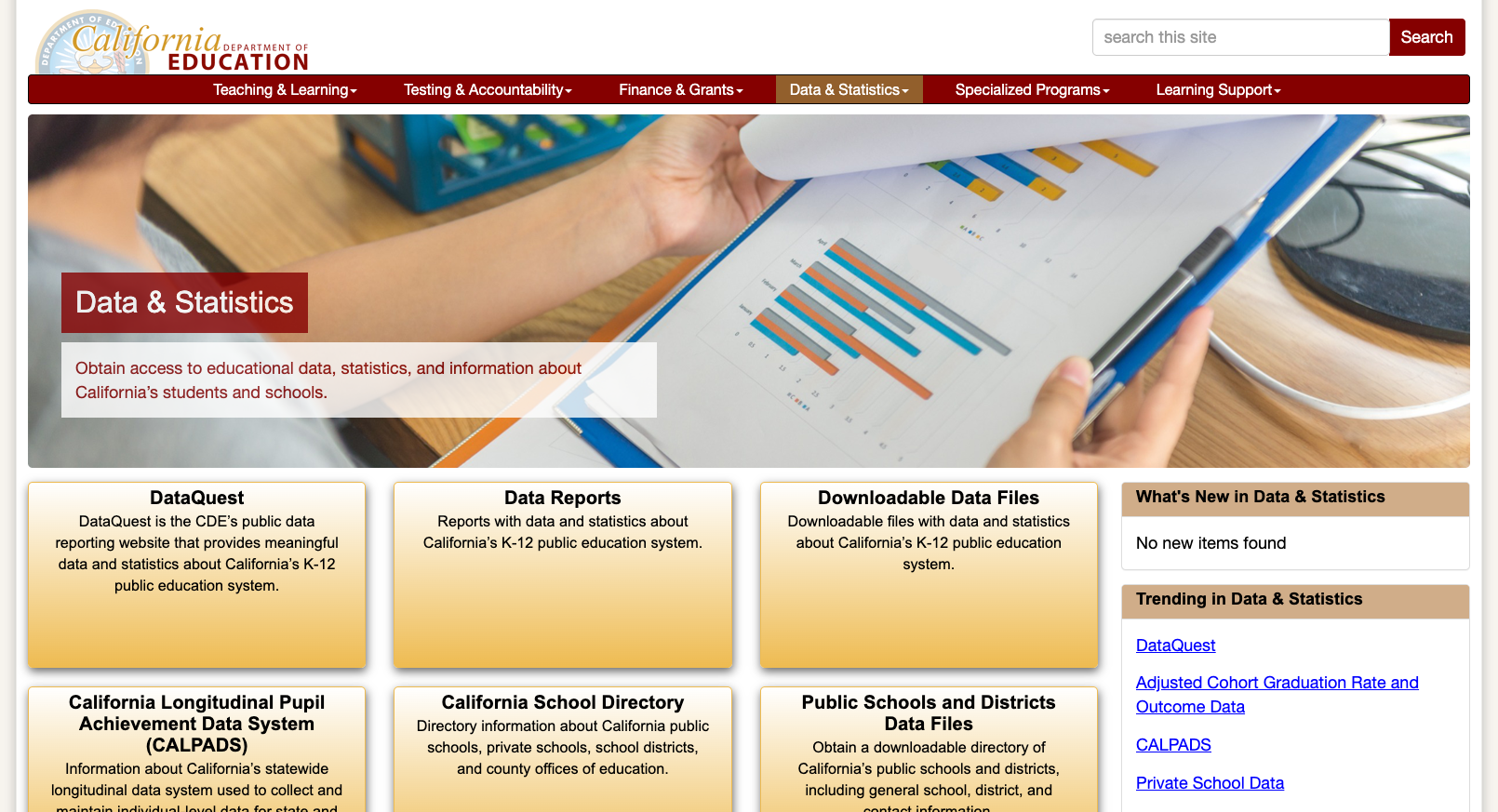
California's data infrastructure is among the nation's best. The Data & Statistics landing page (cde.ca.gov/ds/) is a masterclass in organization, offering six major tools: DataQuest (the flagship public data query tool), Data Reports, Downloadable Data Files, CALPADS (the state longitudinal data system), the California School Directory, and Public Schools and Districts Data Files. DataQuest alone offers reports across Accountability, Assessment, Enrollment, Graduation, Post-Secondary, School Climate, Staff, and Course Enrollment categories — all filterable by state, county, district, school, or SELPA level. The data is current, well-documented, and exportable.
2. Comprehensive School Directory with Export
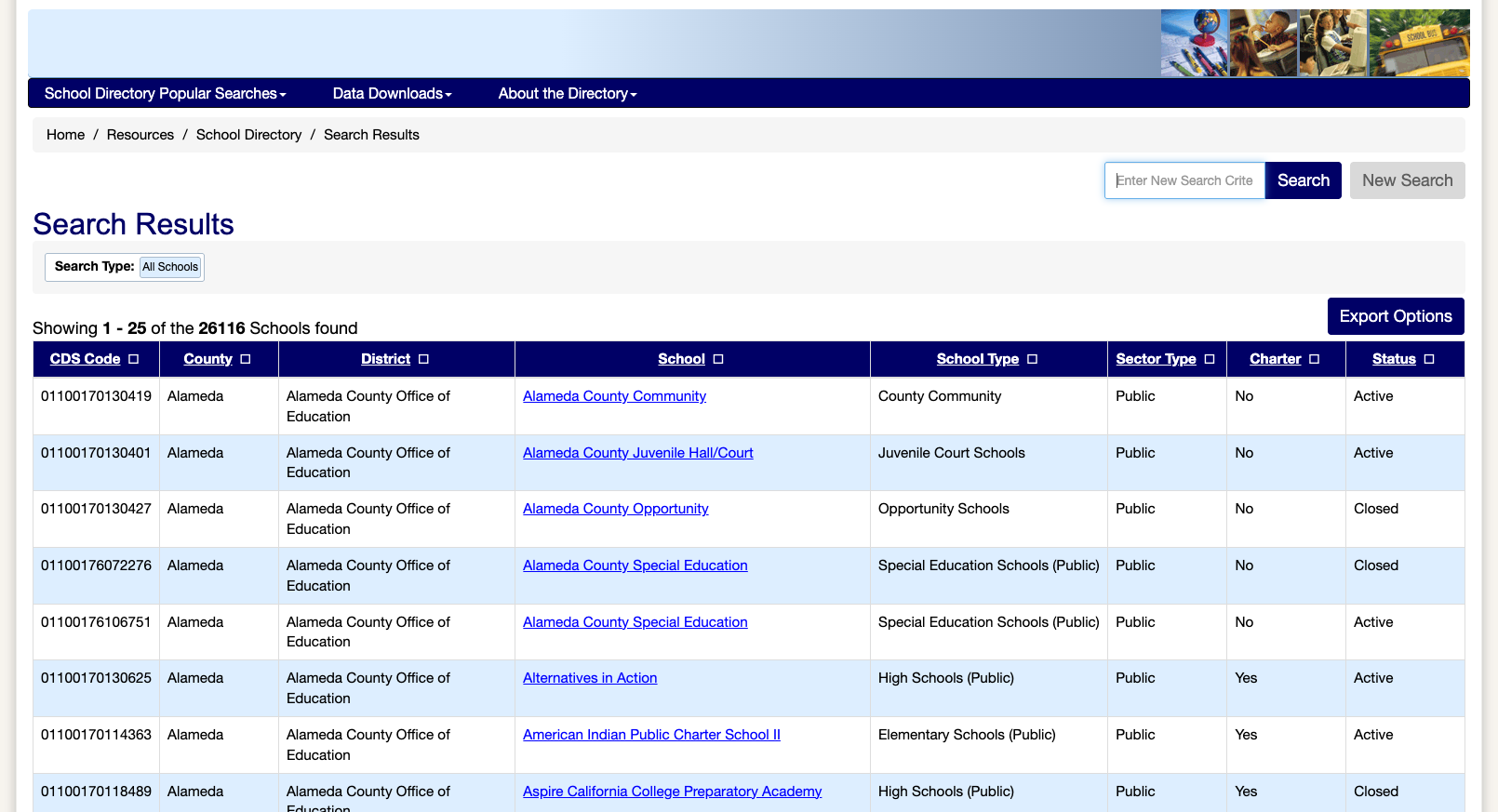
The California School Directory is a robust database of all 26,116+ schools in the state — public, private, nonpublic nonsectarian, districts, and county offices of education. Results are presented in a sortable table with CDS Code, County, District, School name, School Type, Sector Type, Charter status, and Active/Closed status. The "Export Options" button allows bulk data download. This is one of the most complete school directories we've reviewed.
3. Functional Search with Contextual Aids
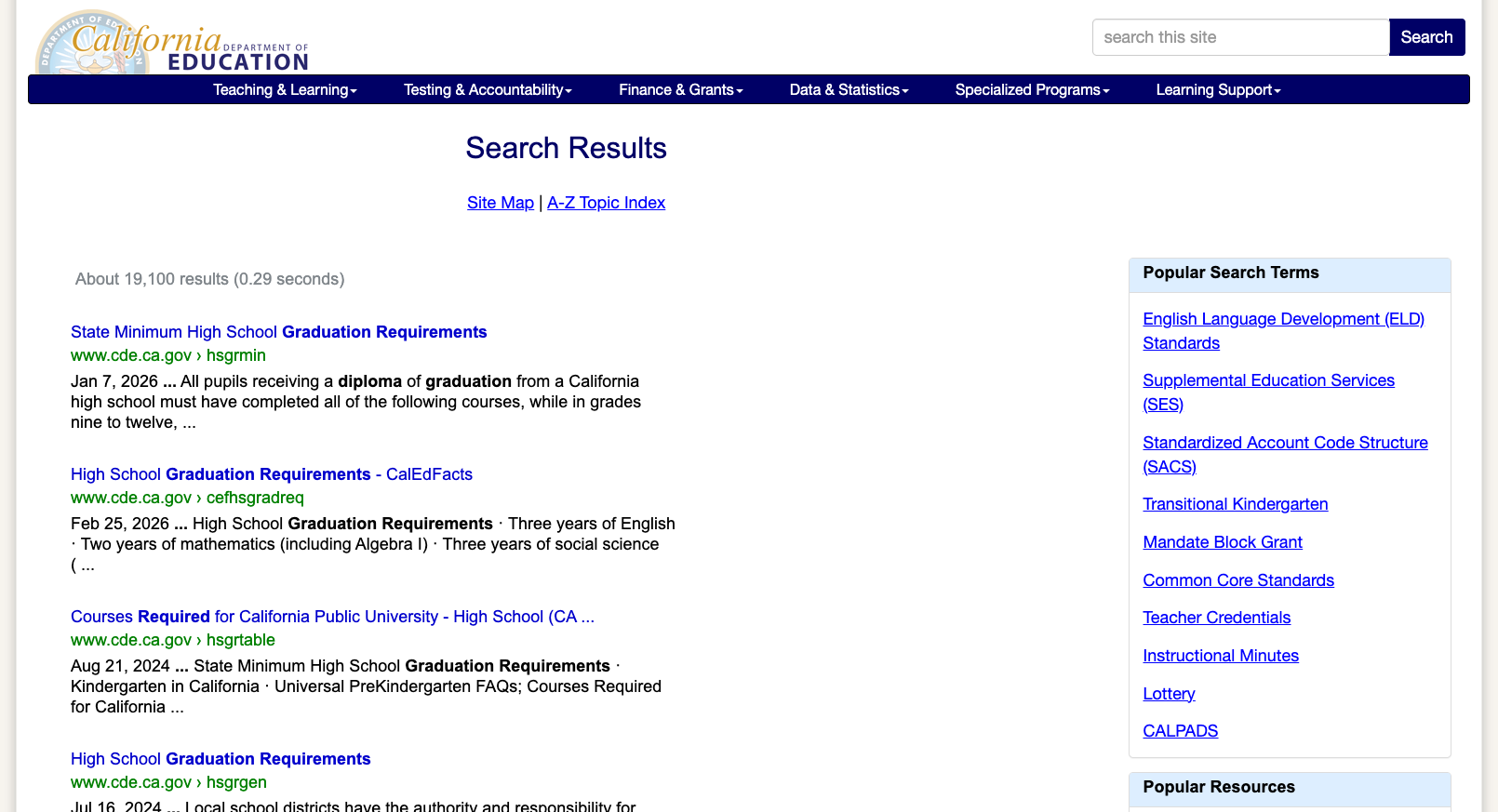
The site search (powered by Google Custom Search) returns relevant results quickly — a search for "graduation requirements" yields 19,100 results in 0.29 seconds with the most relevant pages at the top. The search results page also includes a "Popular Search Terms" sidebar and links to the Site Map and A-Z Topic Index, offering multiple pathways to find information even if the initial search term isn't perfect.
4. Robust Navigation Structure
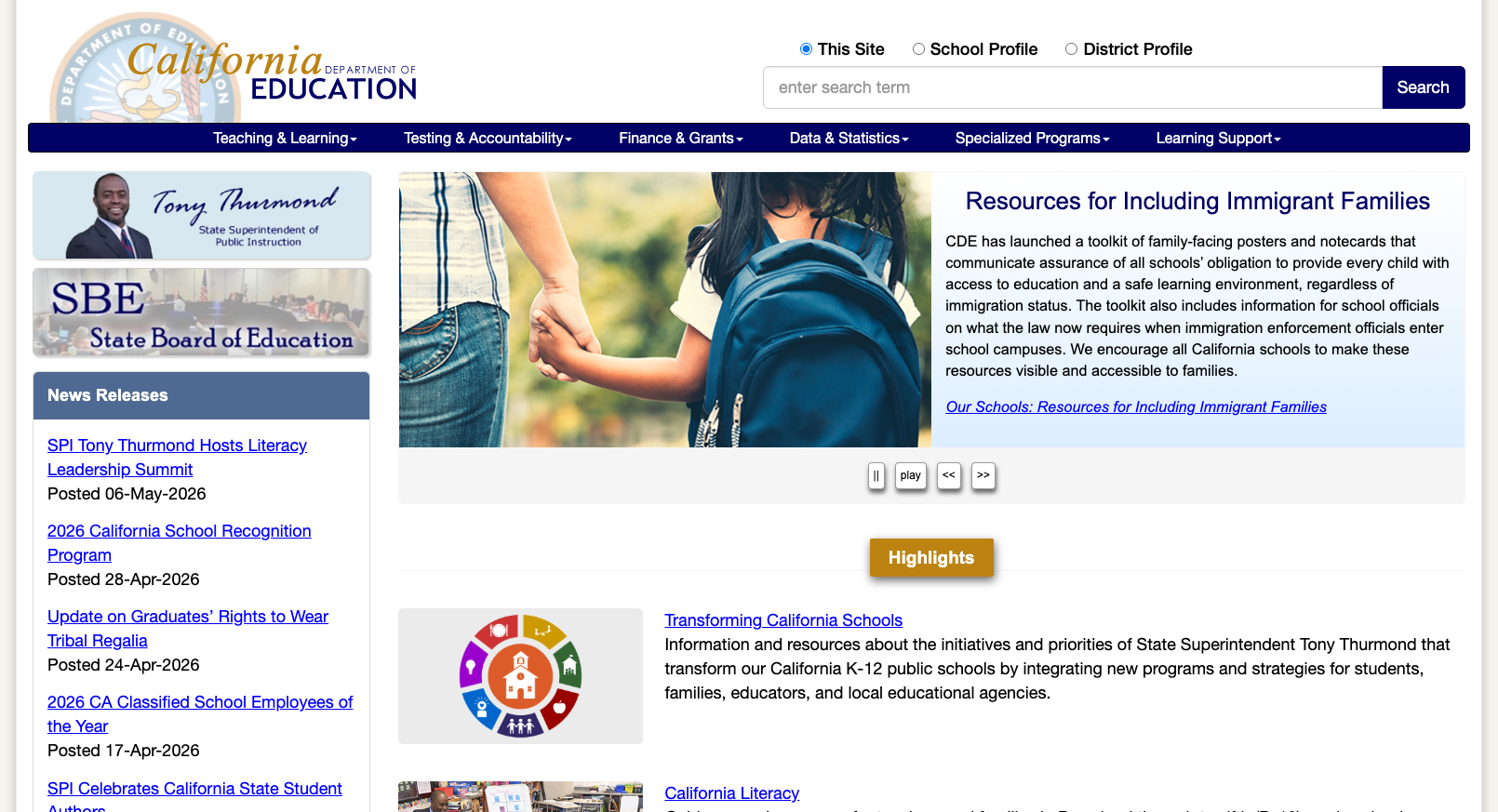
The top-level navigation is well-organized into six clear categories: Teaching & Learning, Testing & Accountability, Finance & Grants, Data & Statistics, Specialized Programs, and Learning Support. The homepage features active News Releases (updated as recently as May 6, 2026), a "What's New" section, "Trending" links, and "Highlights" cards. The footer contains comprehensive links organized under "About CDE," "State Board of Education," and "Popular Content." Breadcrumb navigation is present on internal pages.
5. Multi-Search Functionality
The homepage search bar offers three search modes via radio buttons: "This Site" (general content search), "School Profile" (individual school lookups), and "District Profile" (district-level information). This is a thoughtful design that acknowledges the site's three primary use cases upfront.
Weaknesses
1. Sparse Parent/Family Resources
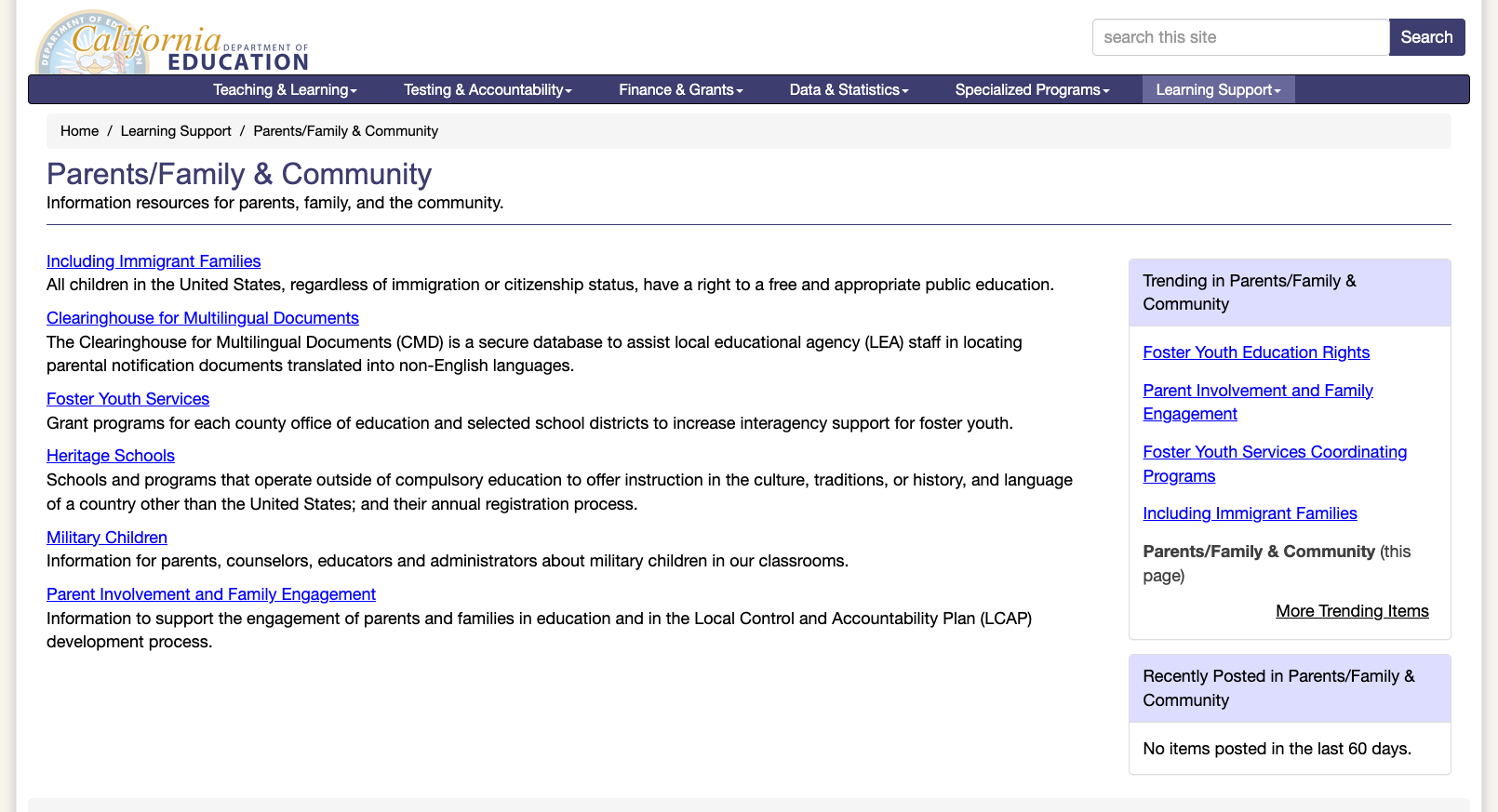
The Parents/Family & Community page (cde.ca.gov/ls/pf/) is disappointing — it's essentially a short list of links to topics like "Including Immigrant Families," "Foster Youth Services," "Heritage Schools," and "Military Children." There are no interactive tools, no plain-language guides, no grade-specific resources, and the "Recently Posted" sidebar notes "No items posted in the last 60 days." For the largest education system in the nation, parents deserve a more engaging and actively maintained portal.
2. Not Mobile Responsive
The CDE website is not responsive to mobile viewports. When viewed on a mobile-sized screen, the full desktop layout renders without any adaptation — no hamburger menu, no reflowing content, no touch-friendly targets. In 2026, with the majority of parent traffic coming from mobile devices, this is a critical accessibility and usability gap. The California School Dashboard (caschooldashboard.org) is mobile-responsive, which highlights the inconsistency between the main CDE site and its newer companion tools.
3. Dated Visual Design
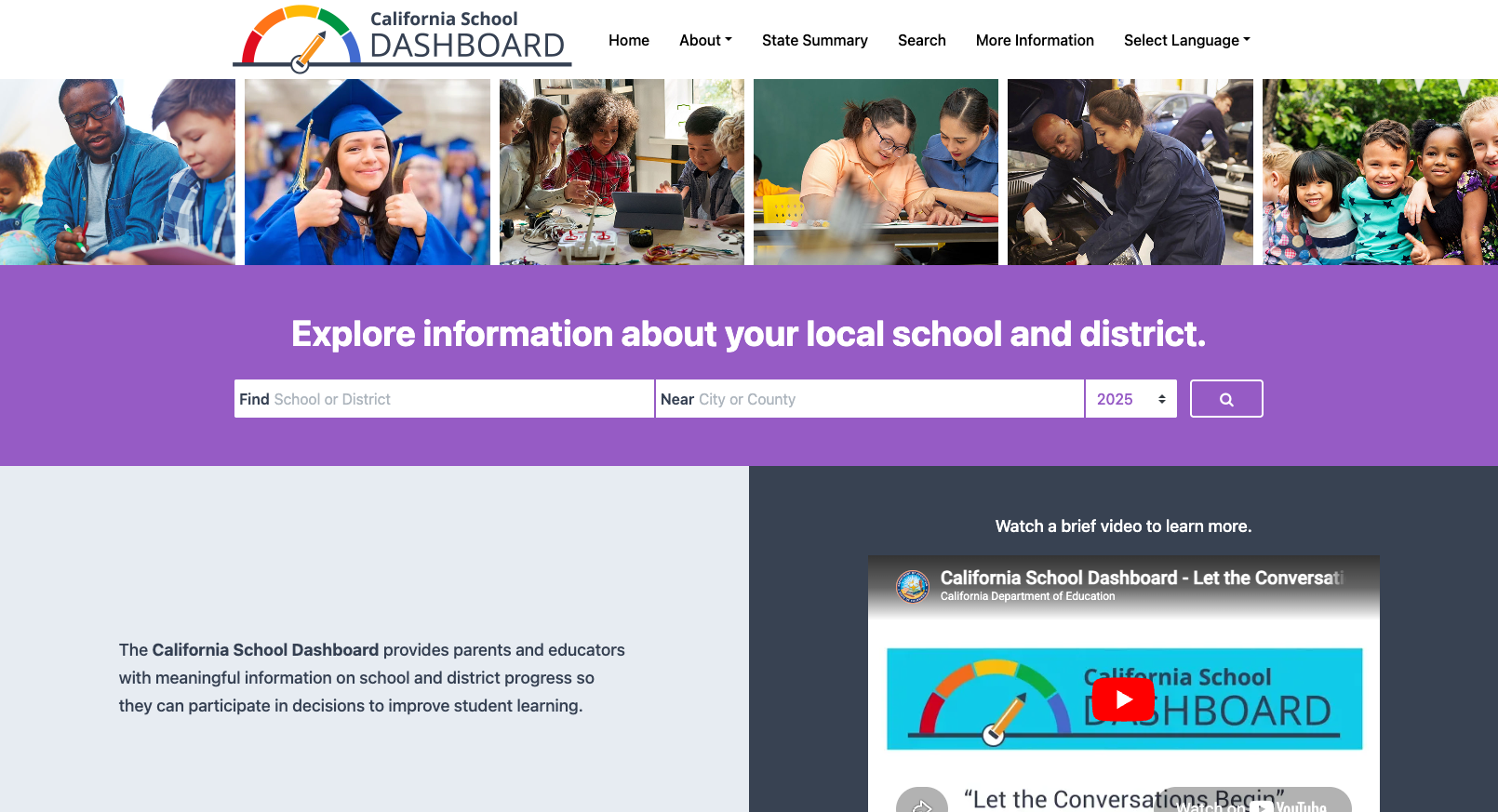
The main CDE website uses a design language from the early 2010s: table-based layouts, small serif/sans-serif type, gold/navy color scheme with limited whitespace, and a carousel-based homepage hero. The contrast between the modern California School Dashboard (built on contemporary web standards with vibrant purple branding, large type, and clean layouts) and the main CDE site is stark. The main site's dated appearance may undermine public confidence in the information it presents.
4. Bot Protection Blocks Legitimate Access
Multiple internal pages on cde.ca.gov triggered Radware bot protection captchas during this review — including the Curriculum & Instruction section, Learning Support pages, and CalEdFacts. While security is important, overly aggressive bot detection can frustrate users with VPNs, accessibility tools, or automated testing. This represents a barrier to access that may disproportionately affect power users and researchers.
5. Fragmented Tool Ecosystem
California's data tools live across multiple domains and design systems: caschooldashboard.org, dq.cde.ca.gov, caaspp-elpac.cde.ca.gov, and cde.ca.gov itself. Each has its own look, navigation, and login system. While the content is excellent, the user experience of jumping between three different visual languages and authentication schemes adds cognitive load.
Opportunities
Mobile-first redesign of the main CDE site — The California School Dashboard proves CDE can build modern, responsive web tools. Applying that same design language to the main cde.ca.gov would dramatically improve the experience for the millions of parents and educators who access it on phones.
Dedicated parent portal with multilingual support — California has the most linguistically diverse student population in the country. A parent-facing portal with plain-language guides, school comparison tools, and multilingual content (even just the top 5-6 languages) would serve a massive unmet need.
Unified design system — Bringing DataQuest, CAASPP results, the School Dashboard, and the main site under one visual identity and authentication system would reduce confusion and establish CDE as a cohesive digital presence.
Threats
Accessibility compliance risk — The non-responsive design and dated markup likely fail WCAG 2.1 AA requirements for mobile access, touch target sizing, and potentially contrast ratios. As a state agency, CDE faces both legal risk and equity concerns if the site is inaccessible to users with disabilities or mobile-only internet access.
Technology debt compounding — The ASP-based pages and table-layout architecture suggest significant technical debt. The longer a redesign is delayed, the harder migration becomes and the greater the gap between user expectations and site capabilities.
Standout Feature
The California School Dashboard (caschooldashboard.org) is the standout feature — and one of the best state accountability tools in the country. It offers parents and educators a clean, searchable interface to explore school and district performance across multiple indicators. The search allows finding schools by name with a city/county filter and year selector (data available through 2025). An embedded "Let the Conversations Begin" video helps parents understand how to interpret the data. The Dashboard Communications Toolkit extends this further with sharable materials for school communities. This is the gold standard for making education data accessible to non-technical audiences.
Bottom Line
California's CDE website is an excellent resource for researchers, administrators, and data-hungry policy wonks — but an underwhelming experience for the everyday parent or teacher. If you need enrollment stats, graduation rates, or school-level accountability data, you'll find it here in impressive depth. If you're a parent looking for clear guidance on how to support your child's education, you'll likely end up at the separate California School Dashboard instead. The site earns its grade on the strength of its data infrastructure, but leaves significant points on the table through its dated design and sparse parent-facing content.
Grade Breakdown
| Criterion | Weight | Score | Notes |
|---|---|---|---|
| Navigation & Information Architecture | 15% | 7 | Well-organized top nav, breadcrumbs on internal pages, logical hierarchy. Some deep-linked pages require many clicks. |
| Accessibility (WCAG 2.1 AA) | 15% | 5 | Skip-nav link present, decent alt text, but non-responsive layout is a major WCAG gap. Bot protection blocks create barriers. |
| Search Functionality | 10% | 7 | Google Custom Search with good relevance. No autosuggest or spelling correction, but multiple search modes (site/school/district) add value. |
| Mobile Responsive Design | 10% | 2 | Main site is not responsive at all. Dashboard is, but the core cde.ca.gov renders identically at all viewport widths. |
| Data Transparency & Open Data | 10% | 9 | Outstanding. DataQuest, CALPADS, downloadable files, Dashboard. Among the best data ecosystems of any SEA. |
| Parent Resources | 10% | 4 | Minimal dedicated parent content, no multilingual parent portal, no recent updates. Dashboard partially compensates. |
| Educator Resources | 10% | 7 | Content Standards, CAASPP resources, credential information available. Teaching & Learning section is broad but not deeply curated. |
| Visual Design & Branding | 10% | 4 | Dated design circa 2012. Inconsistent branding across subdomains. Dashboard shows what's possible but main site lags far behind. |
| Performance & Load Speed | 10% | 6 | Pages load reasonably fast when not blocked by bot protection. No critical performance issues, but no optimization visible either. |
| Overall | 100% | 60/100 | C- |
Discussion